Sign in Book demo
coming up
Prepping for October Cybersecurity Awareness Month? We've got you covered. Get your kit today.
Resources
Changelog
Aug 20, 2026
Copied!
A course experience employees actually enjoy

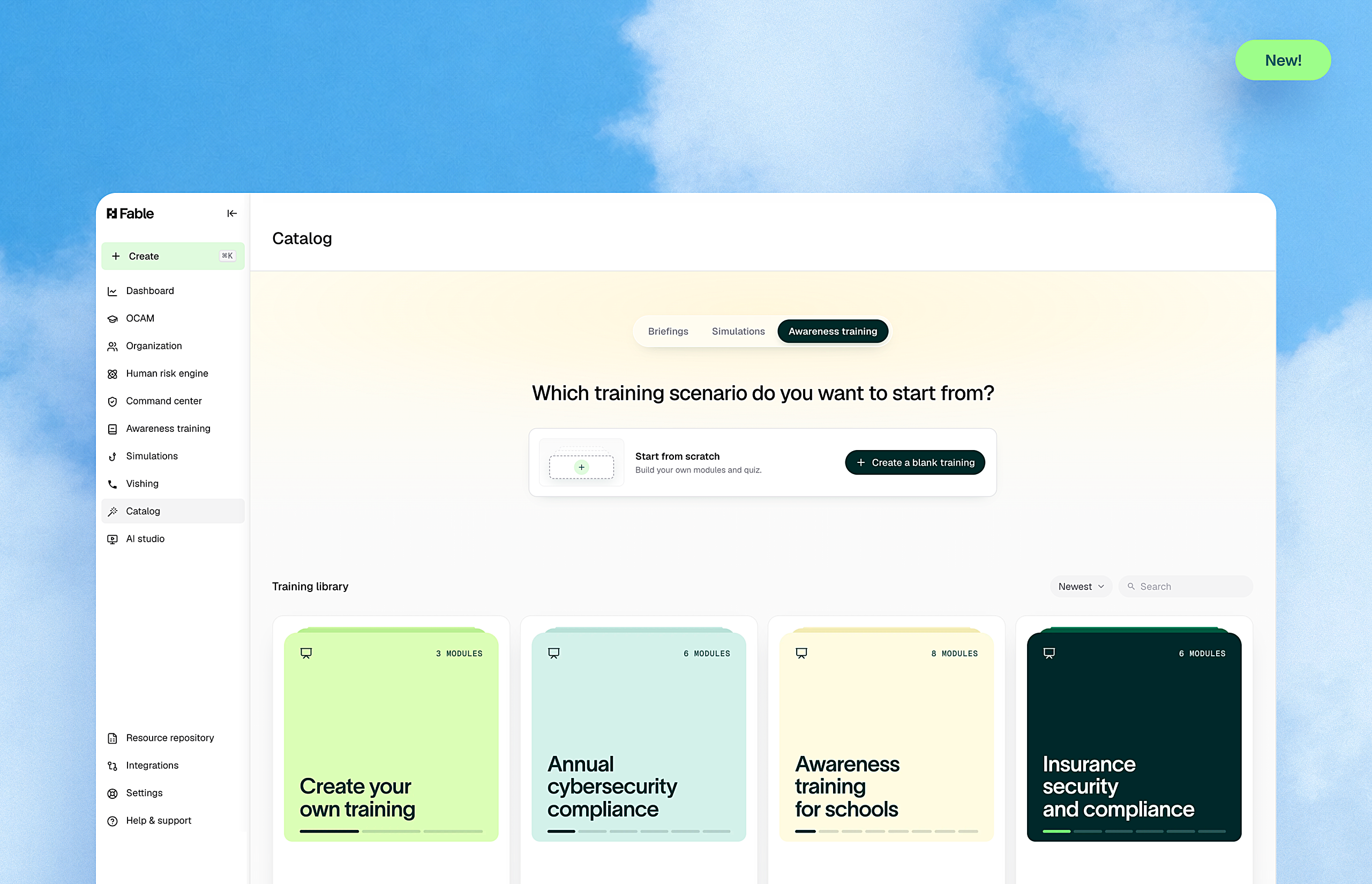
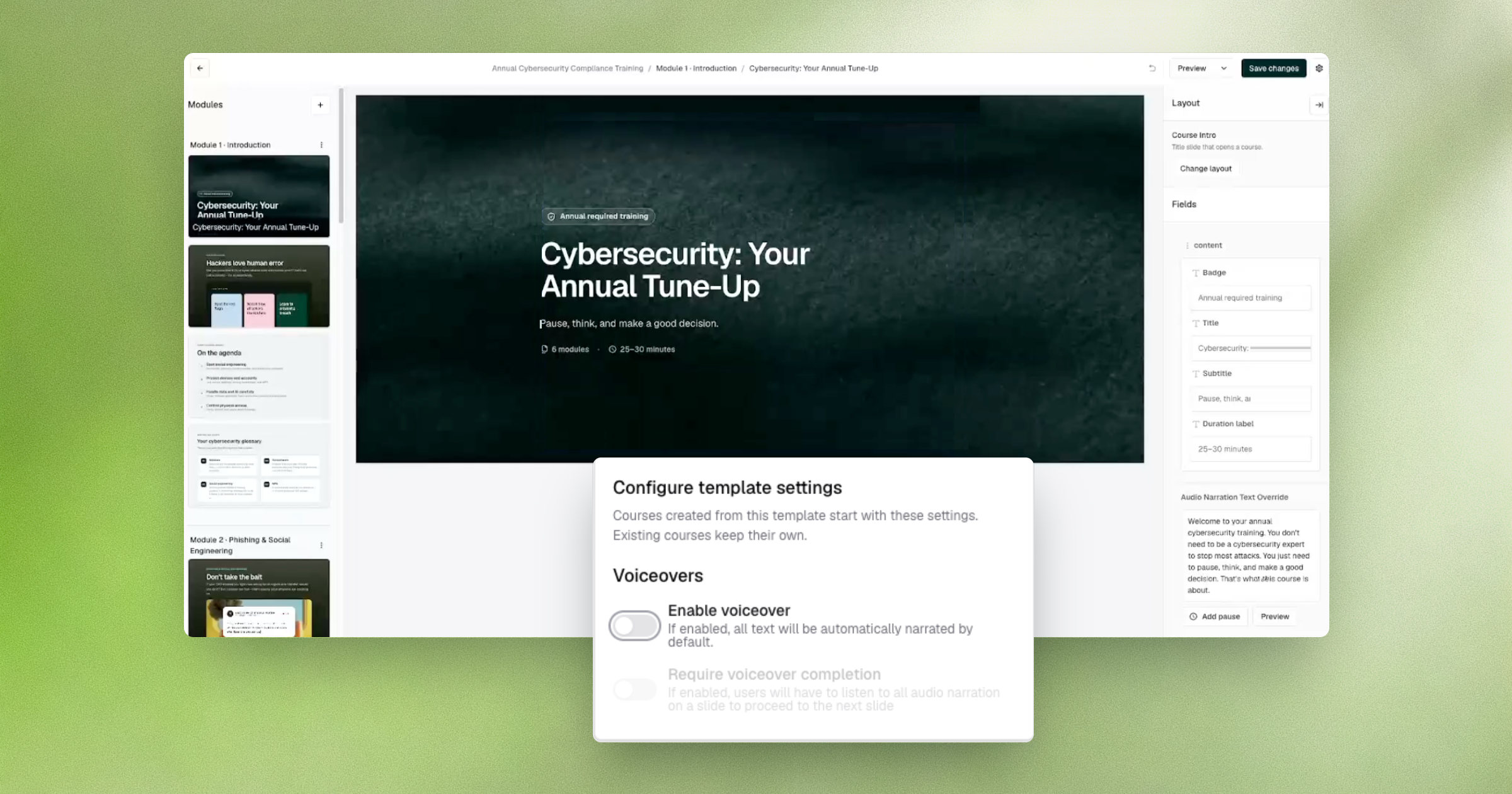
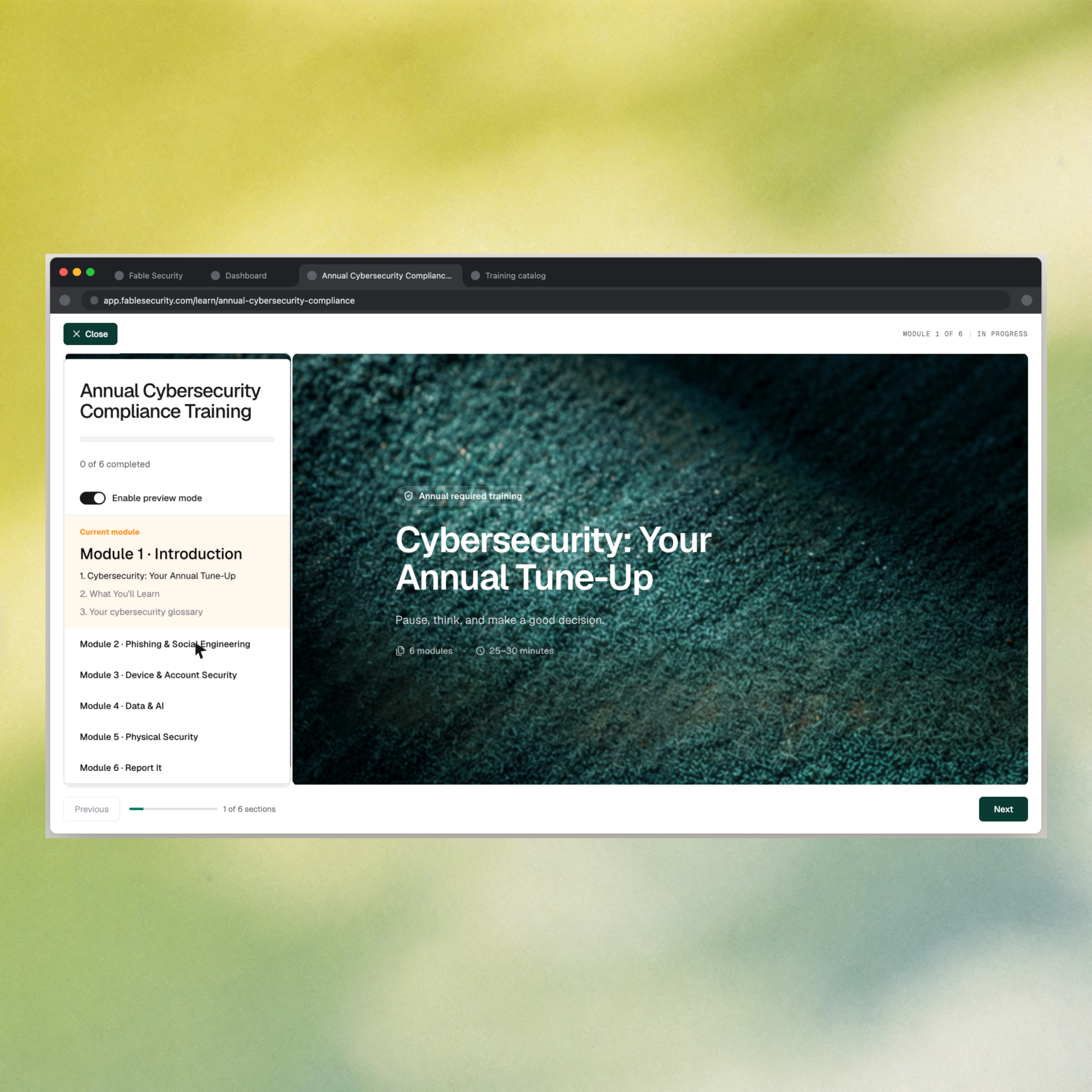
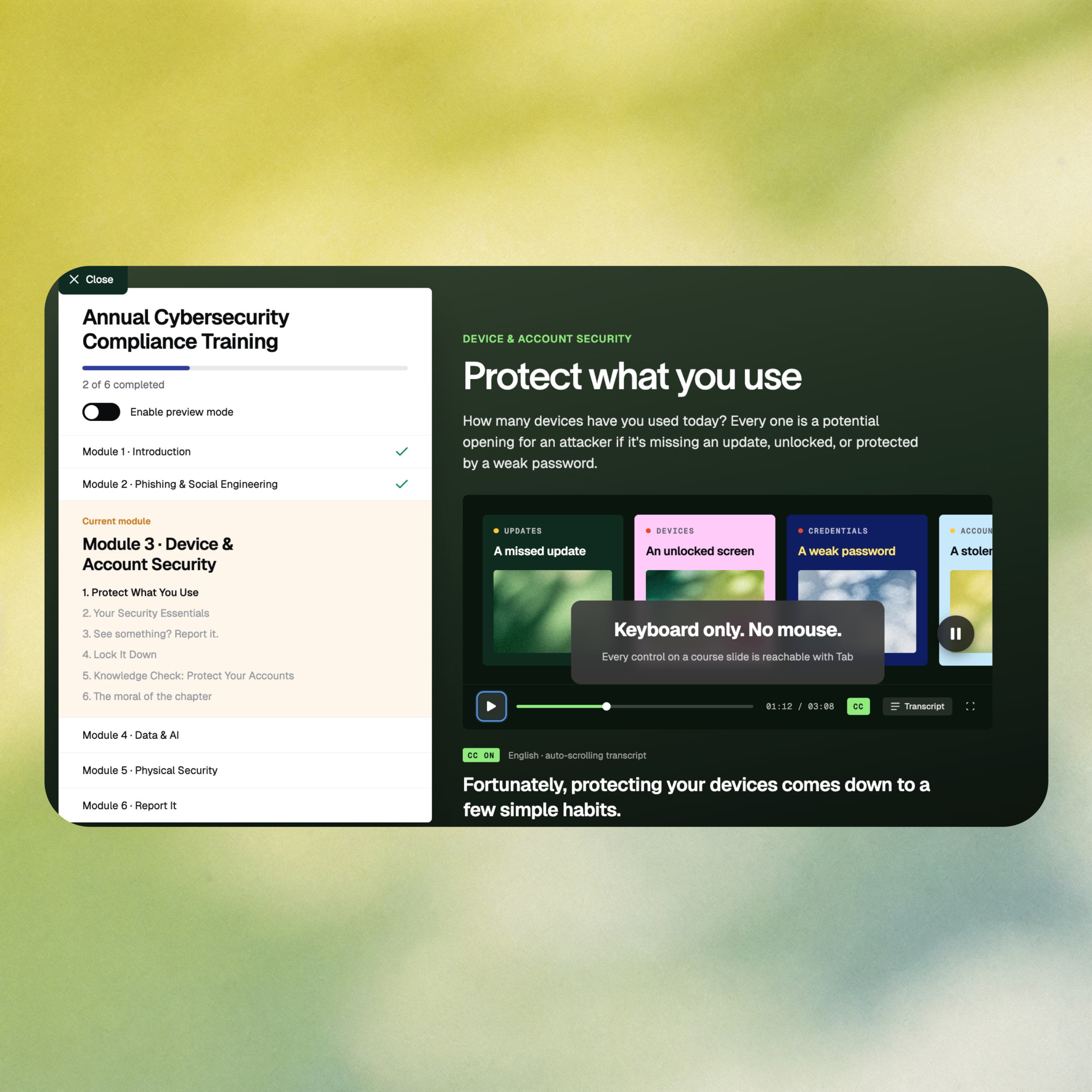
Fable’s course player just got a full interface overhaul: a cleaner side nav and dedicated audio and navigation controls. The course editor also picked up 10 new slide layouts: quality, minimal-configuration components with a live preview menu, so course builders move faster without sacrificing polish. For teams who’ve had to defend a program employees roll their eyes at, this is a direct upgrade to the experience employees actually sit through.

What’s new

  • New course player — Redesigned interface with a new side navigation, audio and navigation controls, and dedicated welcome and completion modals.
  • 10 new slide layouts — Minimal-configuration components in the course editor with a live preview menu, for faster course building.

Why it matters

Completion rates measure participation, not behavior change. A program employees resent never gets the chance to change behavior, they tune it out before the message lands. A better course experience is the on-ramp: it’s what separates content employees actually engage with from content they click through to make disappear.

This lands hardest for Security Awareness and Human Risk leads defending a training budget as more than a checkbox and for teams moving off legacy platforms where generic modules are part of what employees are tired of. Fable customers already see the engagement payoff: employees have rated Fable training 4 out of 5 stars, a reception legacy compliance-driven training rarely gets.

How to access it: The new course player is live automatically for all learners.

Aug 10, 2026
Copied!
Keep service accounts out of your risk metrics

Service accounts, shared mailboxes, and system logins have a habit of sneaking into employee rosters and once they’re in, they quietly drag down completion rates, muddy risk cohorts, and undermine the numbers you bring to your board or auditors. User management now gives admins a way to define, preview, and filter those accounts out before they ever touch your reporting.

What’s new

  • Service account detection rules — Configure rules that flag service accounts using employee fields (email, first name, last name, organization, department, job title) with operators like contains, starts with, ends with, equals, and regex match.
  • Sync preview — See exactly which employees will be reclassified before the next nightly directory sync runs, so nothing changes without visibility first.
  • Member and service account filtering — Filter the employee table to view members and service accounts as separate populations.
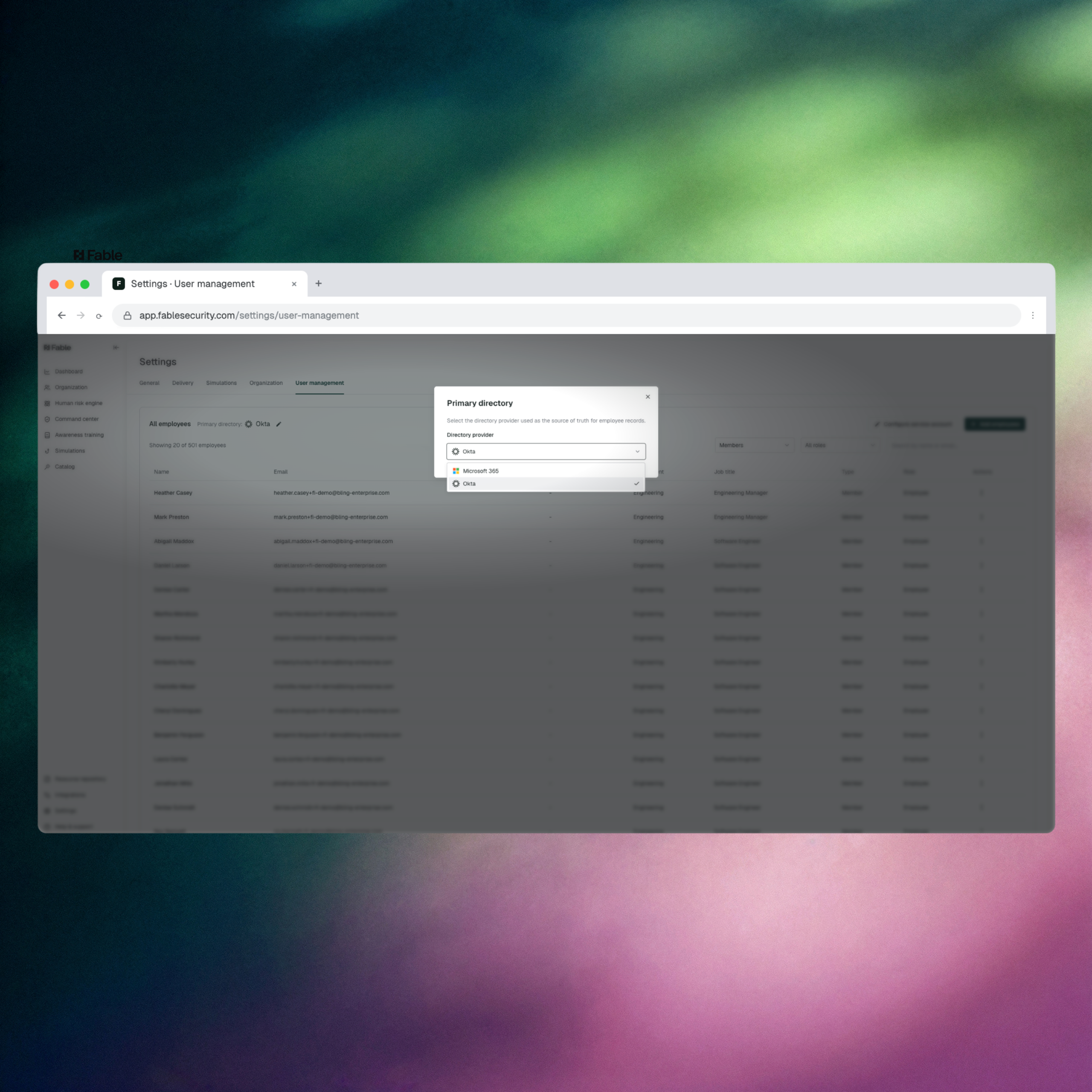
  • Per-client directory configuration — Set the primary directory source independently for each client.

Why it matters

Human risk metrics are only as credible as the population they’re built on. When service accounts and system logins get counted as employees, they skew completion rates, throw off risk cohort assignments, and hand auditors and board members a number that doesn’t hold up under scrutiny. This closes that gap at the source: the same rigor Fable applies to explainable, board-grade risk scoring now extends to the employee population itself, before a single report gets built.

This matters most for admins running Fable across multiple tenants or client directories — MSSPs and multi-tenant deployments that previously had to apply one directory configuration across every client. Setting the primary directory per client, and previewing exactly who a sync will reclassify, removes a source of manual cleanup that GRC and awareness leads used to do by hand before every reporting cycle.

How to access it: Navigate to Settings > User management in the Fable platform.

Jul 31, 2026
Copied!
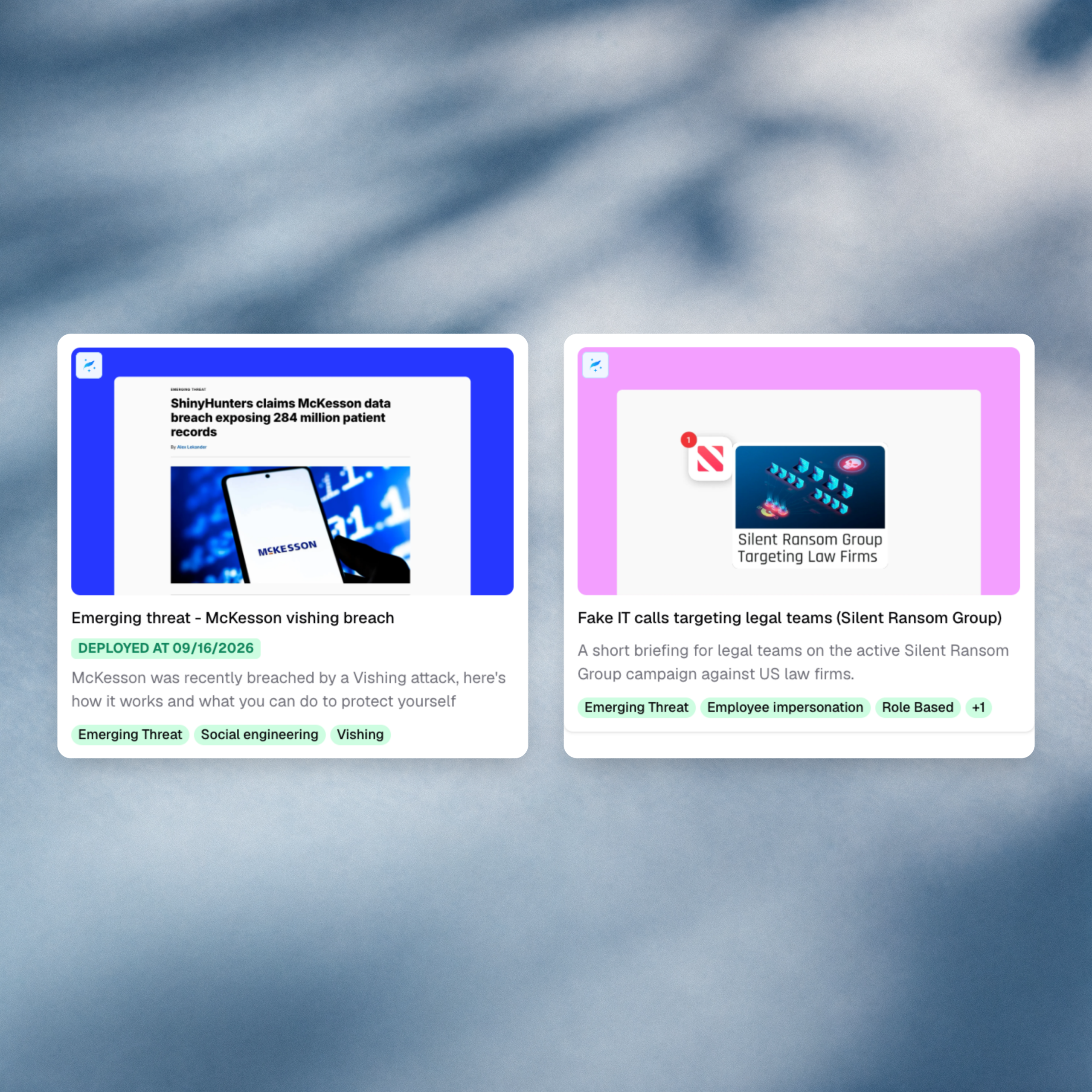
Fake IT support and Claude malvertising — new briefings

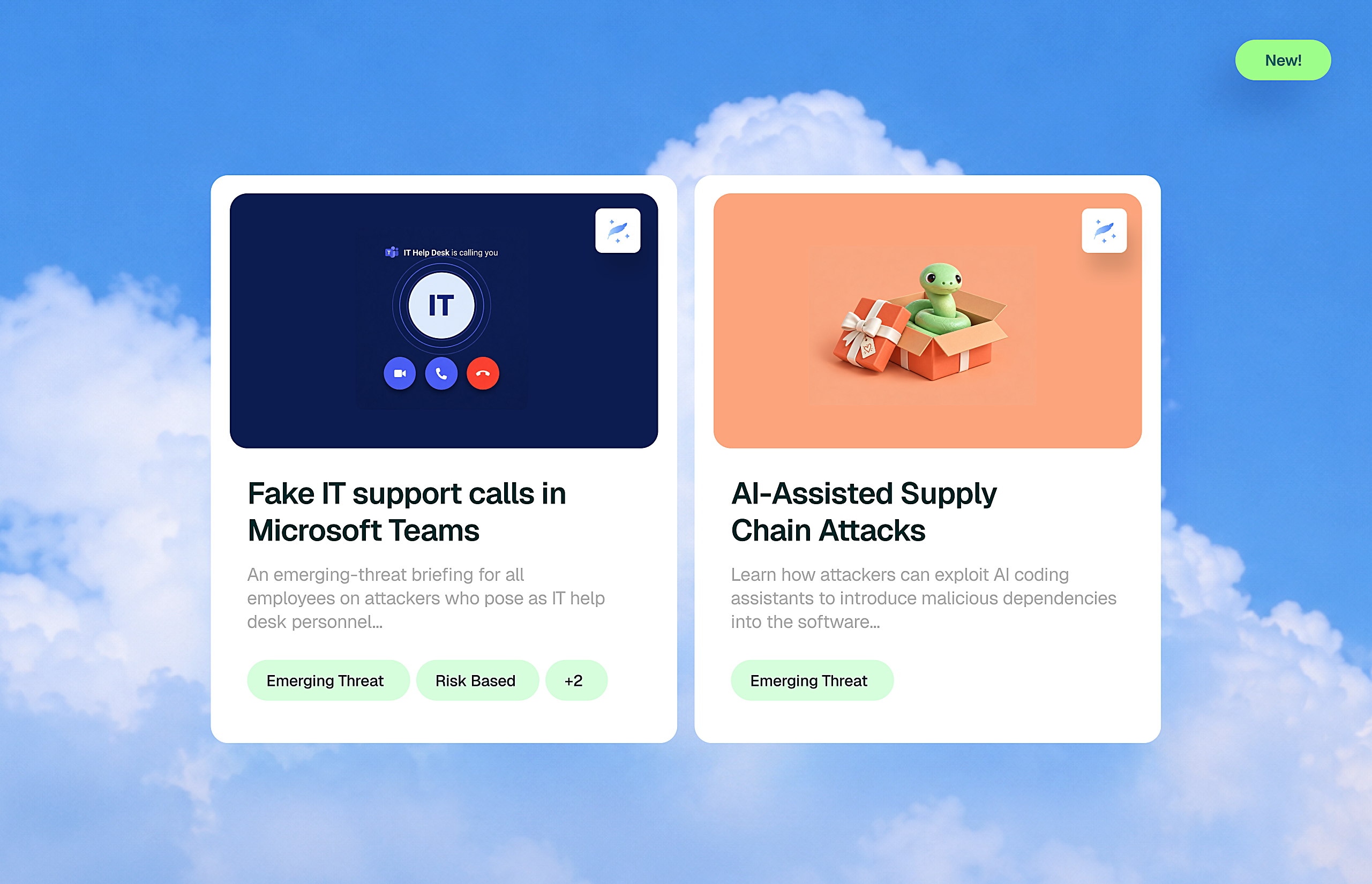
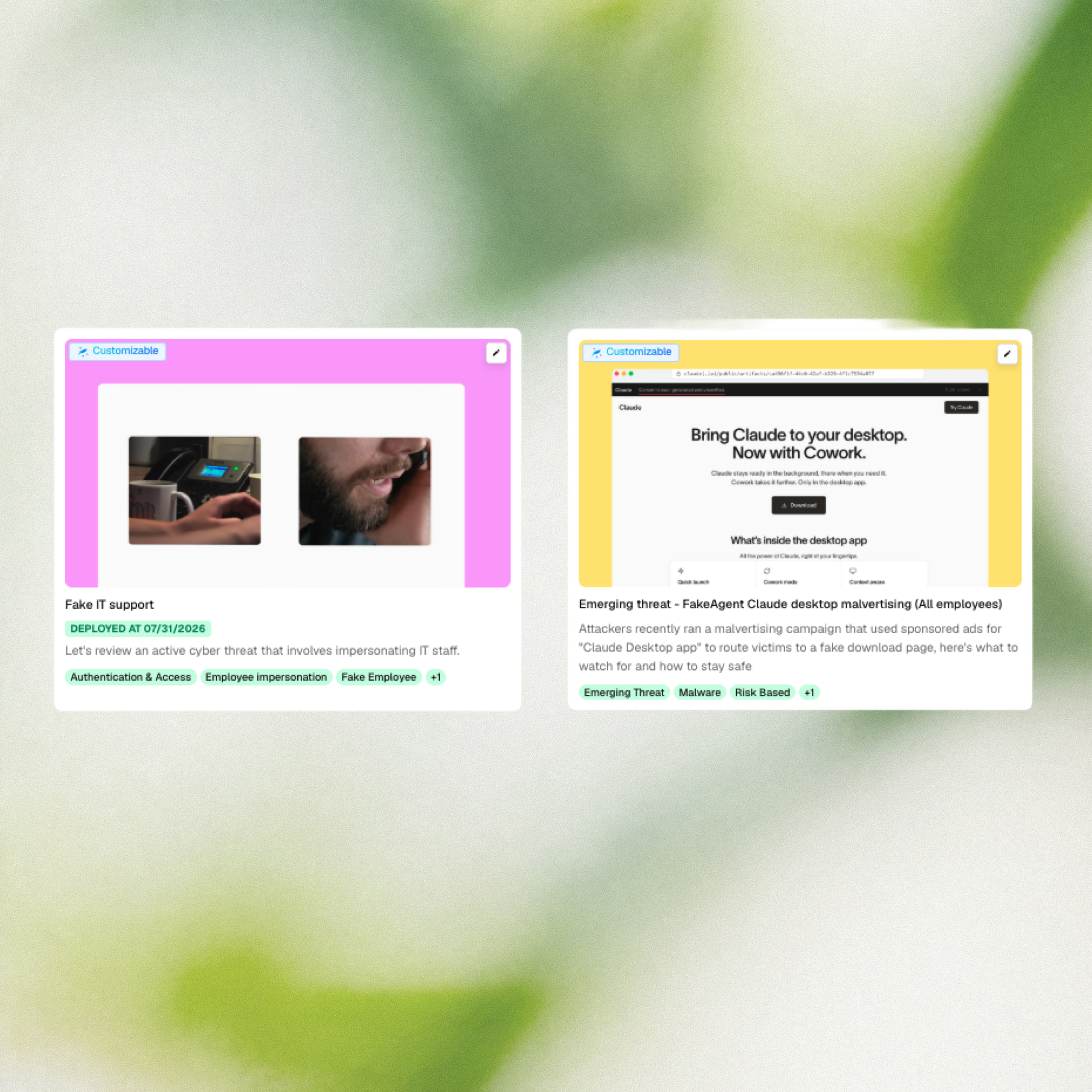
Two new briefings address active campaigns targeting employees right now. Fake IT support calls, where attackers impersonate internal IT to install remote-access tools and move data out within the hour, are hitting US legal, financial, and professional services firms. And a recent malvertising campaign used sponsored search ads for “Claude Desktop app” to route employees from a legitimate-looking domain to a password-stealer, hitting 29 organizations in two days.

What’s new

  • Fake IT support — A briefing covering an active campaign where attackers impersonate IT staff over phone, chat, or in person to install remote-access tools and exfiltrate data within the hour.
  • FakeAgent Claude Desktop malvertising — A briefing on a recent campaign that used sponsored search ads for “Claude Desktop app” to route employees to a fake download page and install a password-stealer.

Why it matters

Fake IT support is one of the fastest-moving social engineering patterns right now with no malware, no attachments, just an email and a phone call. Traditional email filters see nothing wrong because the initial message has no links or payloads. Anyone who handles external calls, invoices, or client documents is a plausible target, and at some firms the attack has already reached the physical layer with impersonators showing up at reception. This briefing gives employees the one reflex that stops it: pause and verify through an independent channel before acting on unsolicited IT contact.

The Claude Desktop malvertising campaign shows how quickly a trusted brand can be weaponized against employees who are doing everything right. The sponsored ad, the real domain, the familiar product: none of it was a warning sign until the download turned out to be a credential stealer. As AI tools proliferate across the enterprise, employees are searching for and installing them faster than security teams can vet them. This briefing turns a real, recent attack into a targeted moment to reinforce IT-approved software channels before an employee makes the same click.

How to access it: These briefings are available in the Fable content catalog. Navigate to the Catalog in the Fable platform to find and deploy them.

Jul 31, 2026
Copied!
Settle “I didn’t click that” disputes instantly

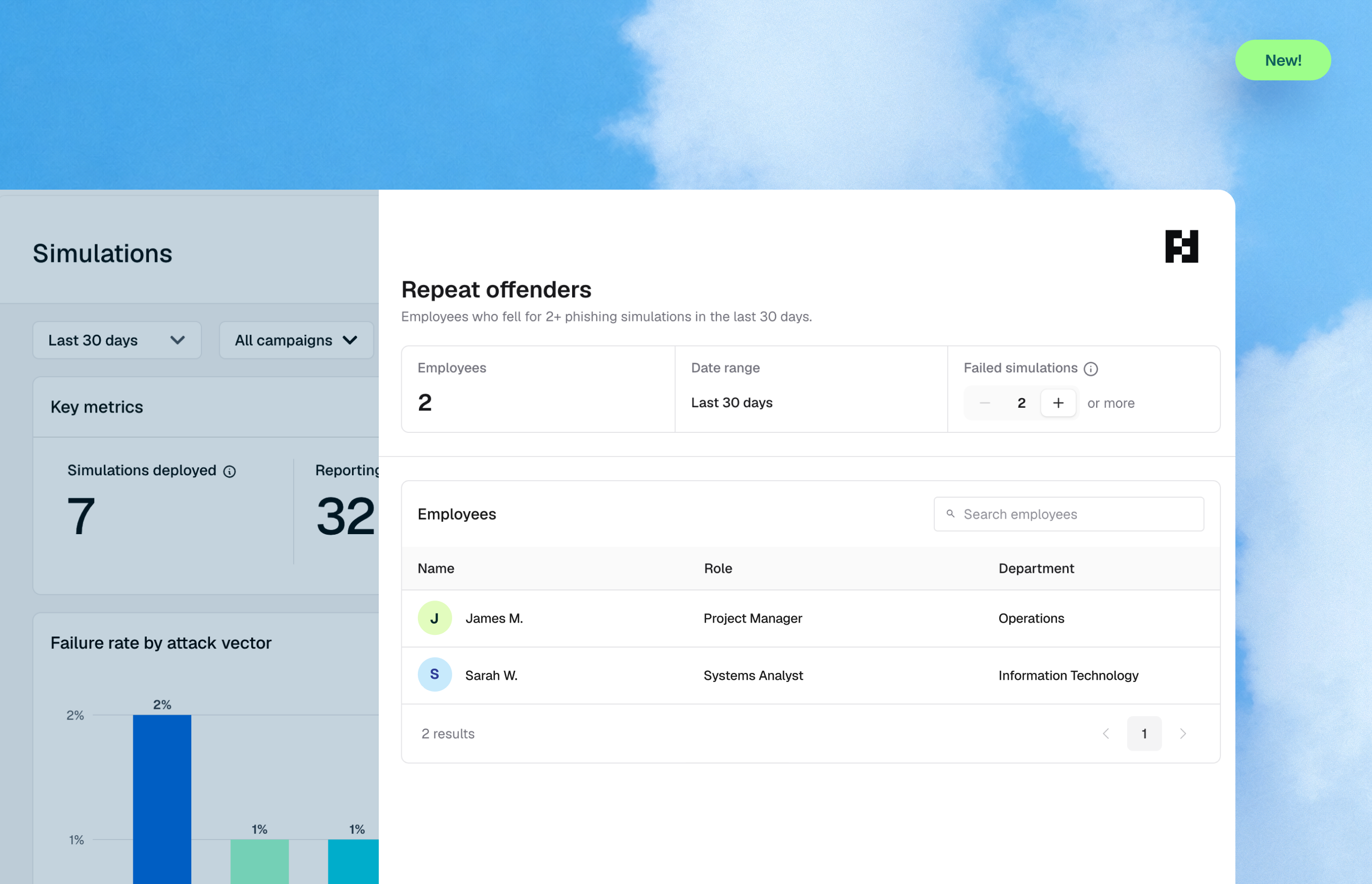
When an employee disputes a phishing simulation result, security teams used to have one option: export raw data and reconstruct what happened by hand. Fable now surfaces event-level detail such as clicks, timestamps, IPs, ASNs, and verdicts directly in the reporting view, plus ASN-based filtering to strip known scanner and bot traffic before it hits reports.

What’s new

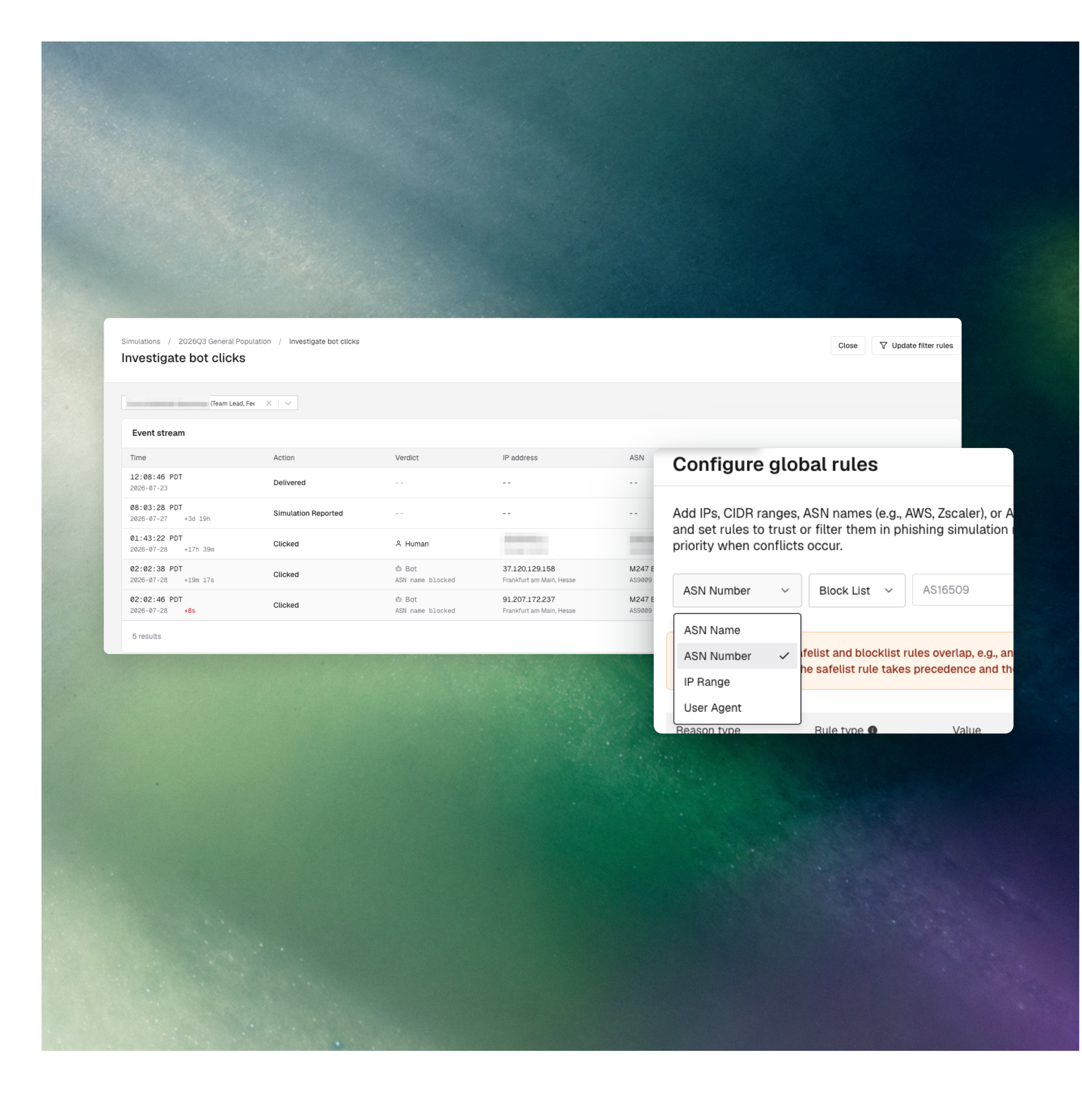
  • Bot click investigation view — Open any simulation and see a full event stream of every recorded interaction: time, action, verdict, IP address, ASN, and device. Update filter rules directly from the same view without leaving reporting.

  • ASN-based filtering — Admins can add Autonomous System Numbers (or ASN names like AWS, Zscaler), IP ranges, CIDR blocks, and user agents to the global bot filter, with rules to trust or block. Precedence between safelist and blocklist is clearly enforced when rules conflict.

Why it matters

Phishing simulation programs live and die on the accuracy of their click data, and that data is only as good as the trail behind it. When bot and scanner traffic gets counted as employee activity, click rates get distorted and the risk narrative falls apart and employees flagged as repeat offenders often turn out to be careful users checking links in tools like VirusTotal before clicking. Fable’s event stream and ASN-based filtering close both gaps: the numbers stay clean before they hit a report, and security teams can see the actual behavior behind every flagged event.

This is built for the analysts and admins who own simulation reporting and get pulled into disputes when an employee pushes back on a “failed” result. Every dispute that used to mean a raw data export and manual reconstruction now resolves inside the same reporting view.

How to access it:

Command Center > Simulations > Bot filter settings for global rules. Simulations > Reporting > Investigate bot clicks for the event stream.

Jul 29, 2026
Copied!
Attestations that link straight to the policy

An attestation is only as defensible as the evidence behind it. Auditors and regulators don’t just want a record that an employee clicked “I acknowledge” — they want proof the employee had direct access to the policy they were agreeing to. Fable’s attestation flow now supports inline links, so admins can connect an acknowledgement directly to the policy document it covers.

What’s new

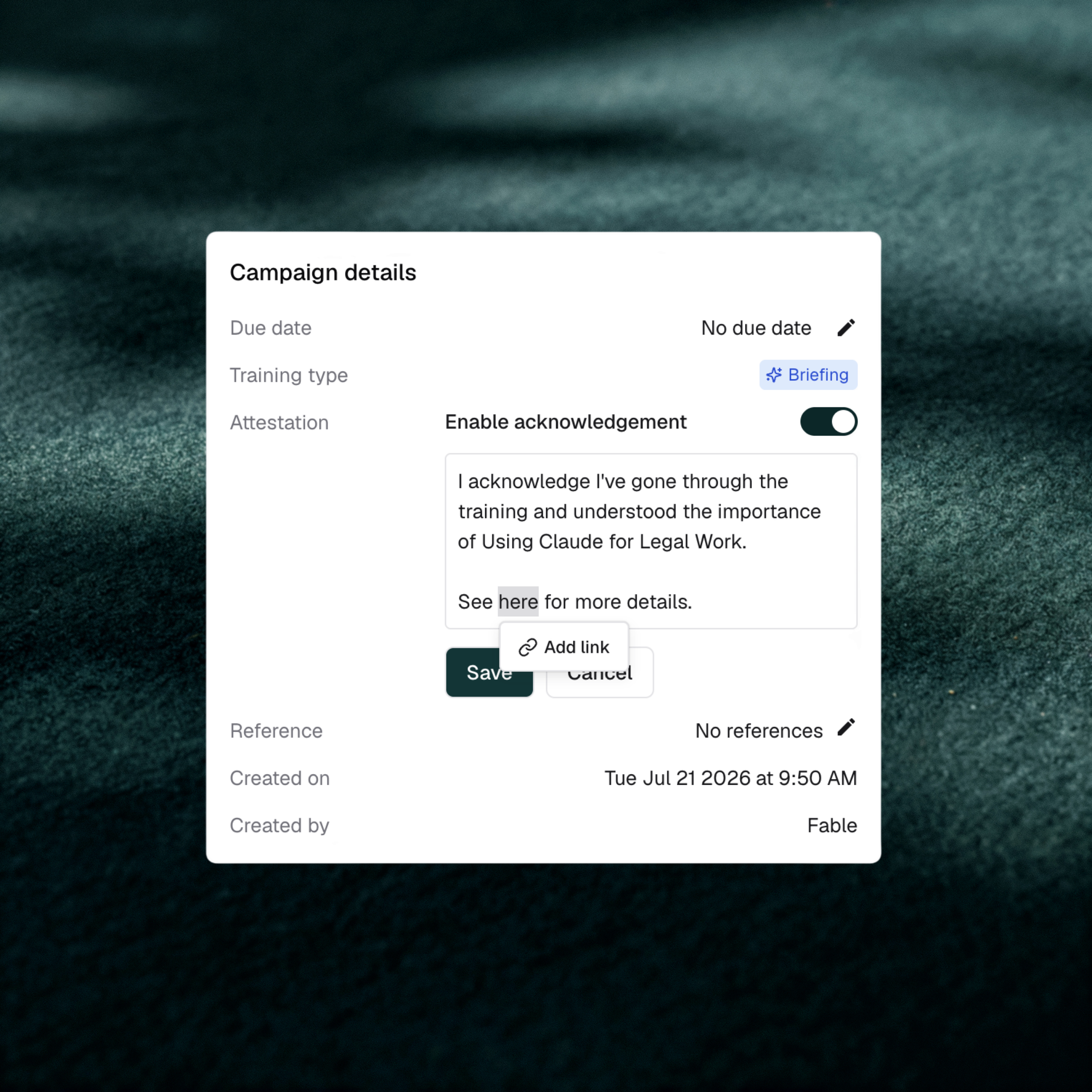
  • Linked acknowledgements — Turn any text in the acknowledgement message into a hyperlink, so the attestation points employees straight to the policy they’re acknowledging.

Why it matters

For GRC and compliance leaders, the gap between “we have a policy” and “we can prove employees engaged with it” is exactly where audits get uncomfortable. Compliance-focused reviewers routinely ask for evidence retention, and Fable’s full audit trail is already a differentiator there. Linking an attestation directly to its source policy closes that gap further. The acknowledgement record and the policy itself are no longer two separate things a compliance team has to stitch together by hand.

This matters most for GRC and compliance leaders and security awareness program leads running formal sign-off programs like AI acceptable use policies, codes of conduct, and annual compliance attestations. It’s especially important in regulated industries where auditors expect a direct line between a policy and the proof that employees saw it.

How to access it: Command center > open a briefing > enable Attestation > select text in the acknowledgement message to add a link.

Jul 16, 2026
Copied!
Briefing agent

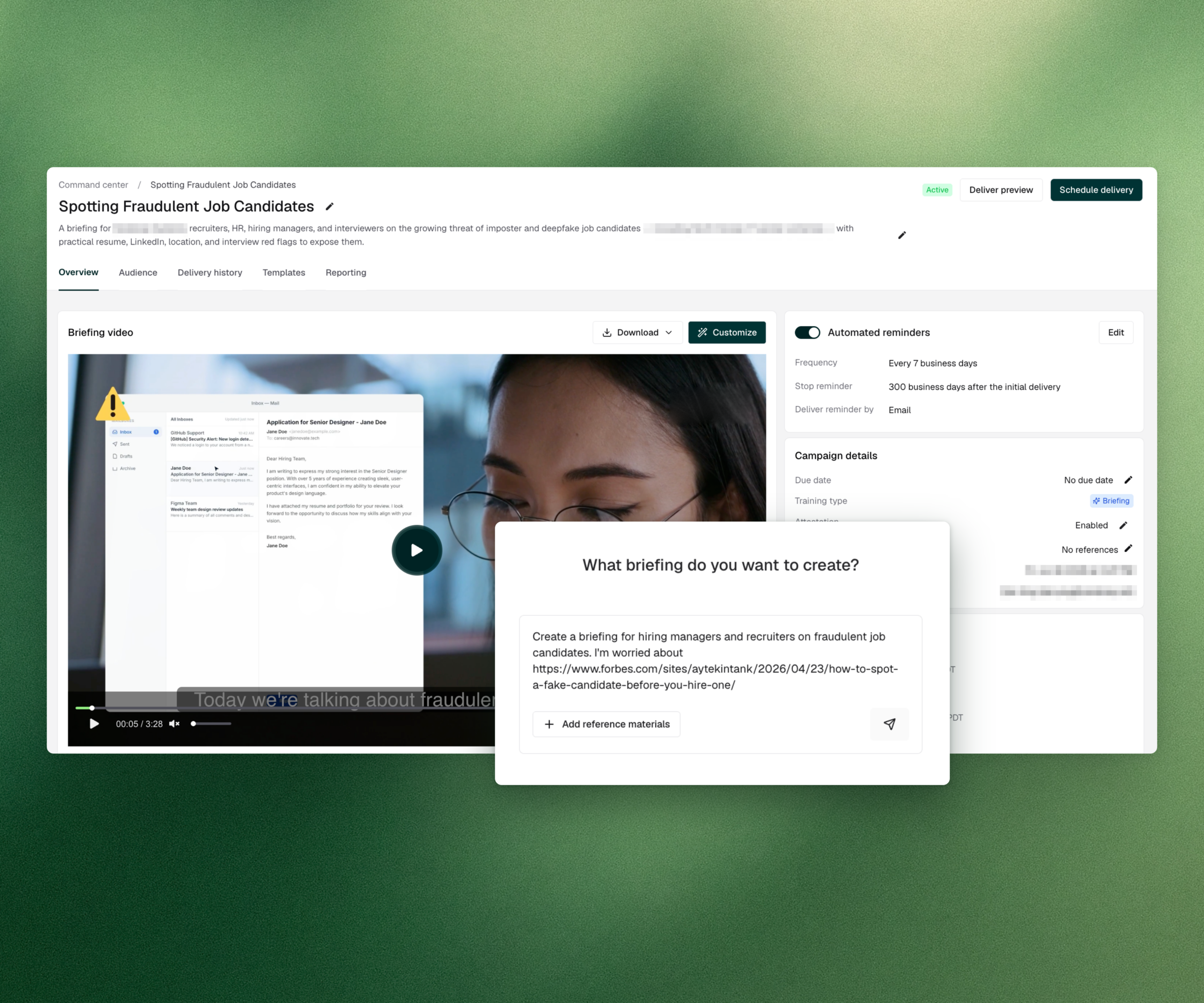
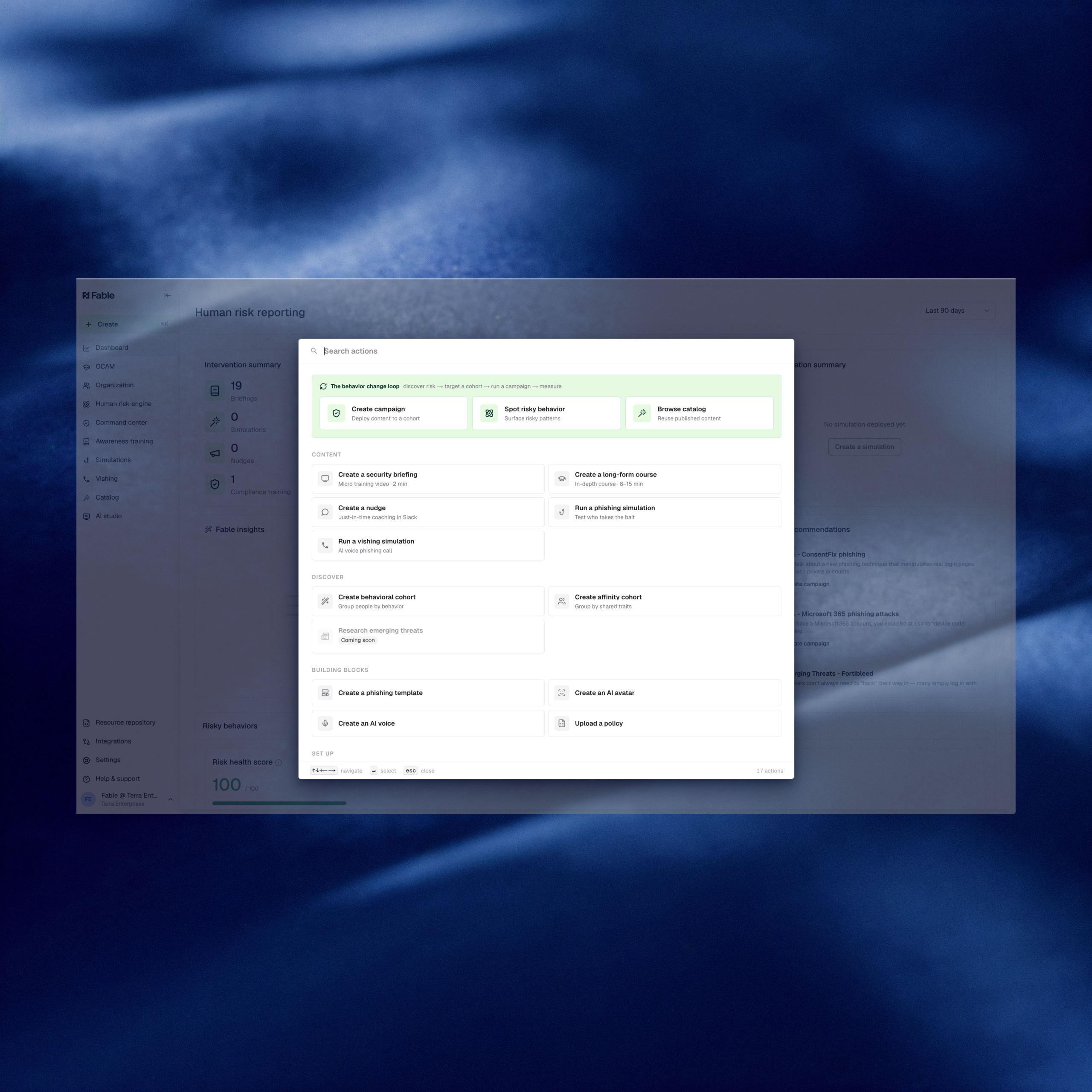
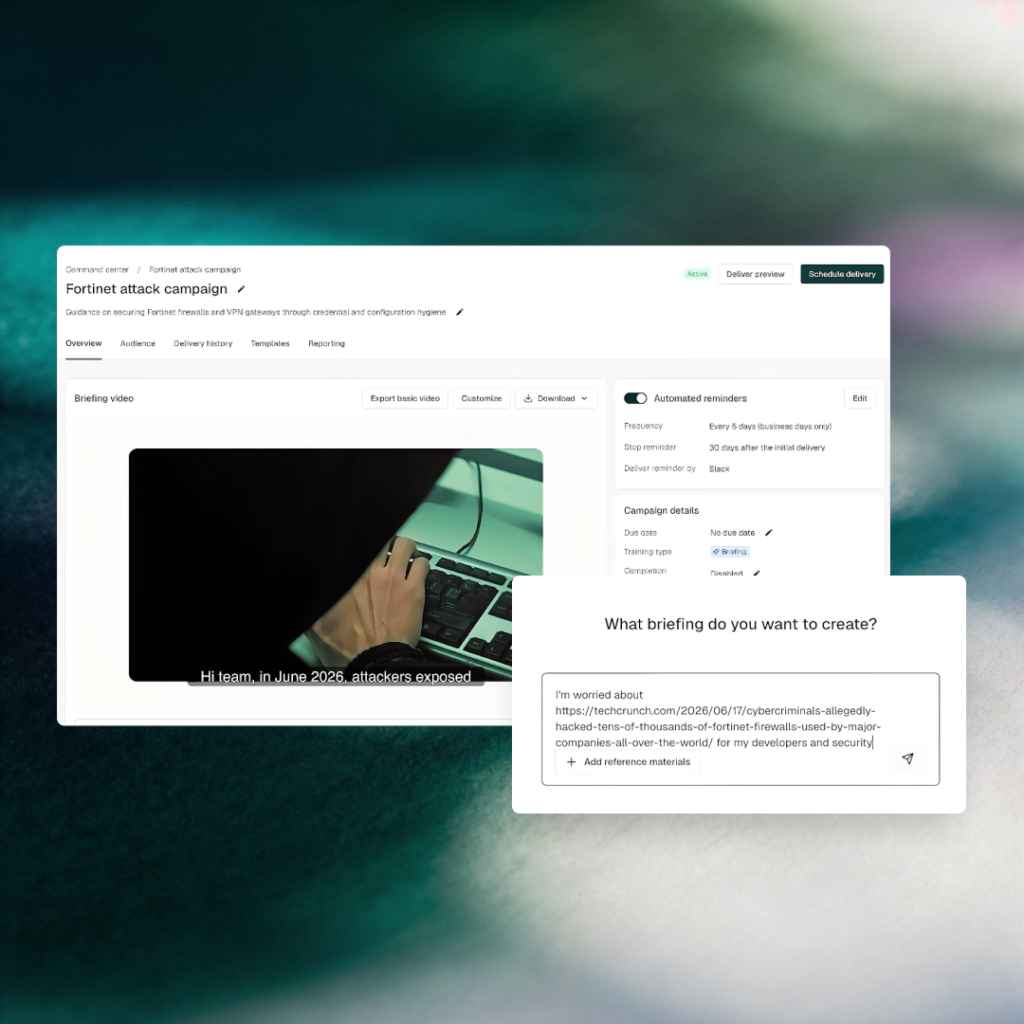
Fable shipped briefing agent, a new AI-powered feature that lets security teams generate a fully custom, audience-targeted video briefing from any emerging threat in 10 minutes or less. The feature closes a gap that fixed content calendars and broad LMS campaigns have never solved: making employee preparation operate at the same tempo as threat detection.

What’s new

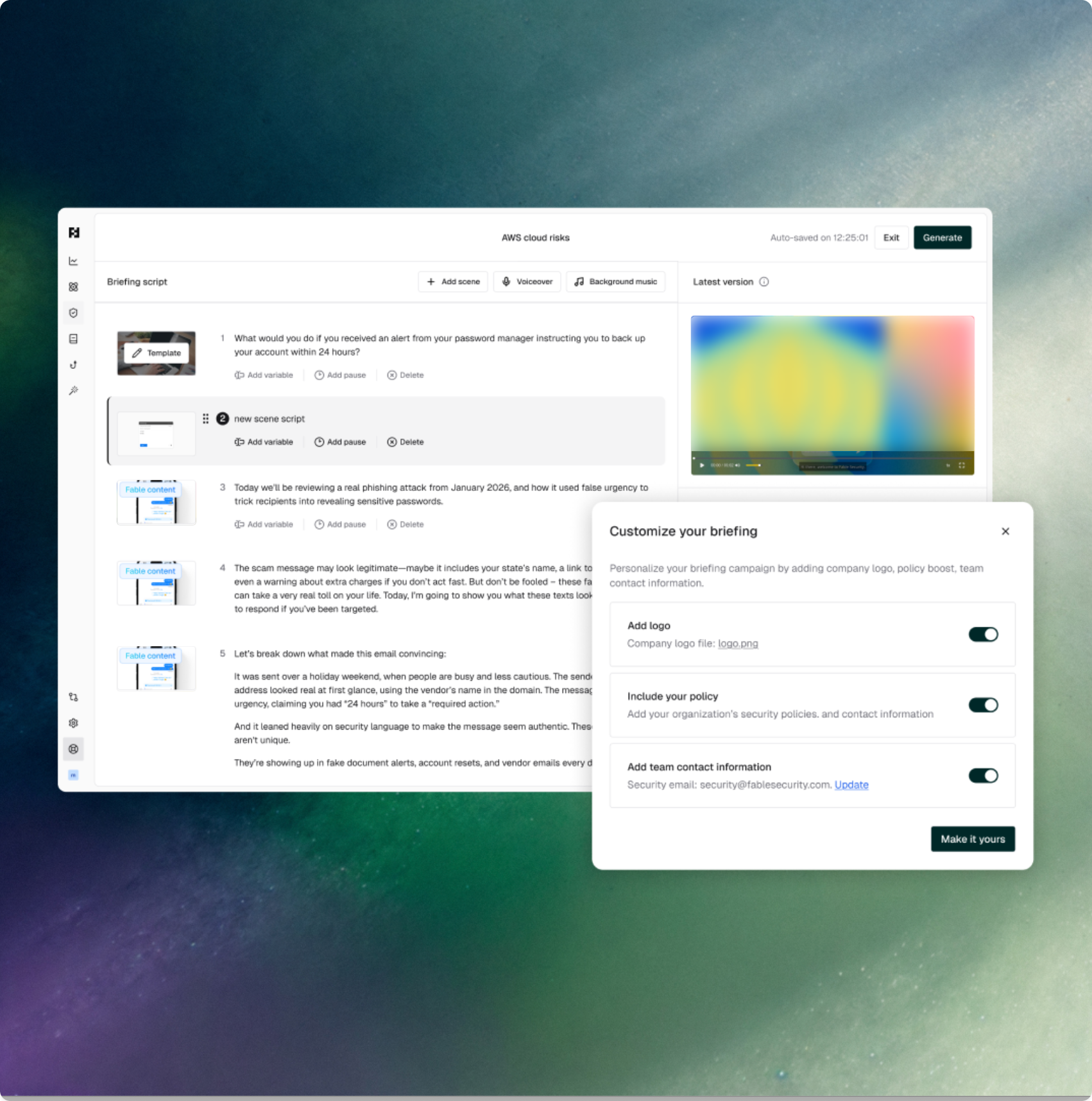
  • Briefing agent — Paste any emerging threat, answer a few clarifying questions, and Fable’s agent researches it from trusted sources, generates a fully editable script, and produces a short video briefing tailored to your exact audience. No catalog. No scrolling. No waiting for a vendor to build a course.
  • Policy boost — Apply your org’s own incident response plans and security policies directly into the generated content, so the briefing reflects your protocols, not generic best practices.
  • Targeted delivery — Send the finished briefing to specific cohorts (developers, security team, individuals) via email, Slack, Teams, or Google Chat in a single workflow.
  • Editable scripts and scenes — Every generated script is fully editable before video production, giving security teams control over tone, length, and specific guidance before anything goes out.

Why it matters

Security awareness and human risk program leads are increasingly judged on whether training reflects what’s actually happening in the threat landscape, not just whether a course was completed. When a new attack drops, the right response isn’t scrolling through a catalog hoping something fits. It’s getting the right message to the right people before the window closes.
Briefing agent makes employee preparation operate at the same tempo as threat detection. A custom, policy-aligned video briefing for a specific audience can go from request to delivery in 10 minutes, rather than waiting for the next content refresh cycle or sending a mass email no one reads. It’s also a direct unlock for CISOs who need to demonstrate that their program responds to real-world risk in real time, not just satisfies an annual compliance checklist.
How to access it: Navigate to Catalog > Briefings and select “Request briefing” to get started.

Jul 2, 2026
Copied!
E-vite phishing and remote work refresh — new briefings

Two new briefings target the everyday moments where employees are most likely to lower their guard: a party invitation in the inbox and a laptop on the kitchen table. Fake e-vite phishing exploits social trust to route users onto credential-harvesting login pages, while a refreshed working-from-home briefing addresses the home-network and device-hygiene gaps that corporate controls cannot reach.

What’s new

  • E-vite phishing — A new briefing on how attackers use fake digital invitations from services like E-vite, Paperless Post, and Punchbowl to route employees to credential-stealing login pages or silent malware downloads.
  • Working from home (2026) — A refreshed briefing on securing home workspaces, covering router hardening, Wi-Fi password hygiene, device separation, and account boundaries when working remotely.

Why it matters

E-vite phishing works because it exploits a category of email employees rarely scrutinize. A party invitation from a coworker feels benign,  far more so than the generic account alert or shipping notice, and attackers know it. Users click faster on social lures than on transactional ones, and the credential harvest that follows is indistinguishable from any other phishing kit. This briefing gives employees the pattern to catch: unexpected invitations that push them to log in, create an account, or download a file just to view the invite.

Remote work remains a persistent coverage gap. Employees using home routers with default credentials, sharing Wi-Fi with roommates, and blending personal and work use on the same device are operating outside every corporate control the security team relies on. This refresh addresses the specific setup choices that matter most such as router credentials, Wi-Fi passwords, device separation, and account boundaries at home — turning “work from anywhere” into a defensible posture rather than a hidden coverage gap.

How to access it: These briefings are available in the Fable content catalog. Navigate to the Catalog in the Fable platform to find and deploy them.

Jun 15, 2026
Copied!
New briefings address AI adoption and data sensitivity

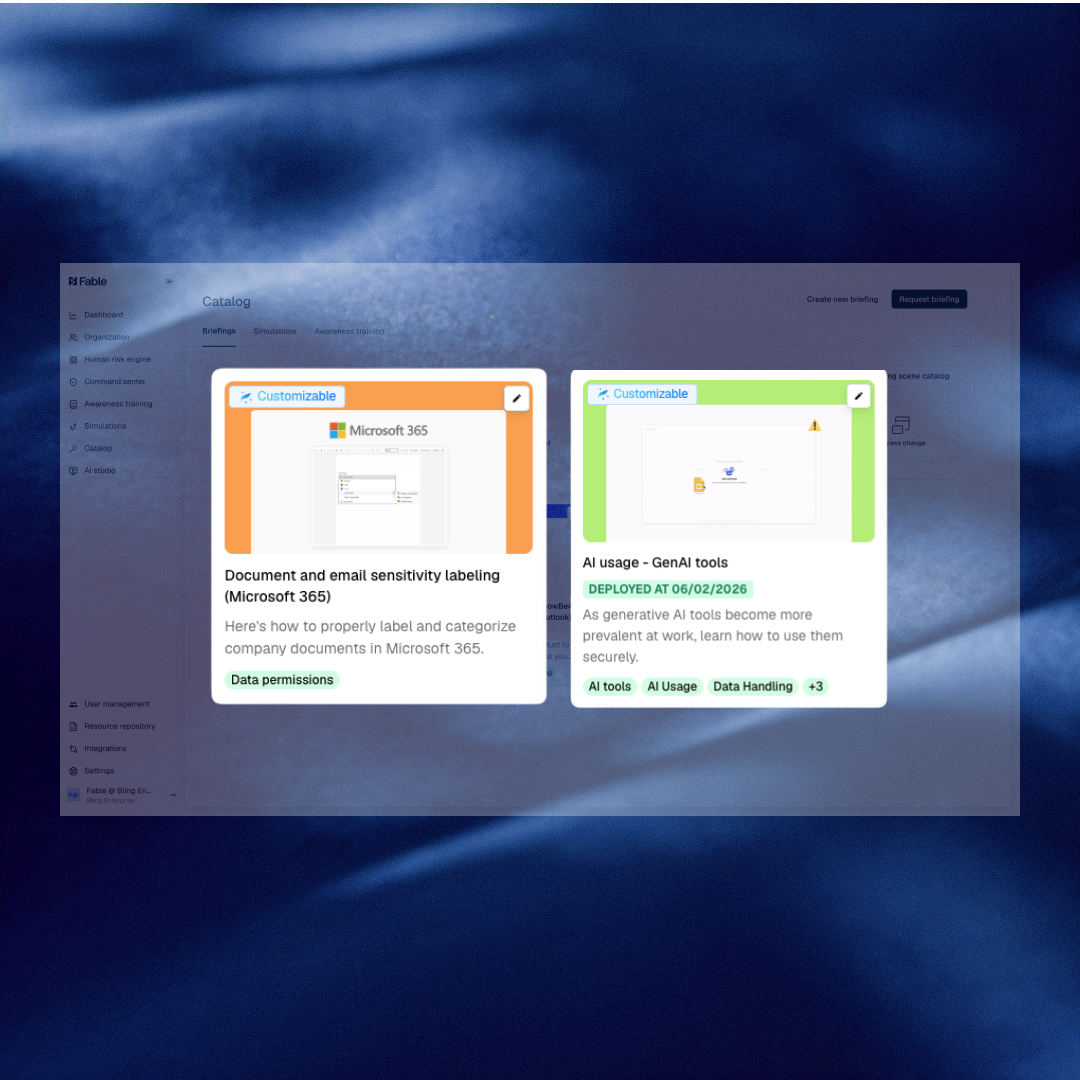
Two new generic briefings are now live in the Fable catalog: a refreshed General AI Tool Adoption module and a new Document and Email Sensitivity Labeling briefing for Microsoft 365. Both deploy without customization, giving security teams immediate coverage for two of the highest-exposure human risk areas in today’s enterprise. They arrive at a moment when boards, regulators, and audit committees are pressing security leaders for evidence that employees can act on AI and data handling policies — not just click through them.

What’s new

  • General AI Tool Adoption (refresh) — An updated briefing on safe AI tool use covering how employees interact with sanctioned tools, recognize shadow AI risk, and apply AI policy decisions in their day-to-day work. Refreshed to reflect the current AI landscape, including distinctions between personal and sanctioned tool use.
  • Document and Email Sensitivity Labeling (Microsoft 365) — A new briefing on identifying, classifying, and labeling sensitive documents and emails in M365. Covers what makes content sensitive, how to apply labels correctly, and why accurate classification is a prerequisite for downstream DLP and data governance controls to function.

Why it matters

DLP tools cannot protect data that employees cannot identify as sensitive. A mislabeled document — or one never labeled at all — is a routine root cause of data exposure that no technical control can reverse after the fact. The same logic applies to AI policy: employees who can acknowledge a policy in a training completion report but cannot apply it when opening an unsanctioned AI tool remain a live exposure. Both briefings target the decision point that happens before any alert fires — the moment an employee chooses how to classify a file or which AI tool to open.

For teams running migrations off legacy platforms like KnowBe4, these generic modules provide immediate catalog depth on two topics audit committees and CISOs are actively asking about. Ready-to-deploy content on AI tool adoption and M365 sensitivity labeling reduces the time-to-coverage gap from day one of a migration, and supports the defensible evidence trail that compliance-driven buyers need. 

How to access it: Browse the updated catalog in the Fable platform and search for “General AI Tool Adoption” or “Document and Email Sensitivity Labeling.”

Jun 5, 2026
Copied!
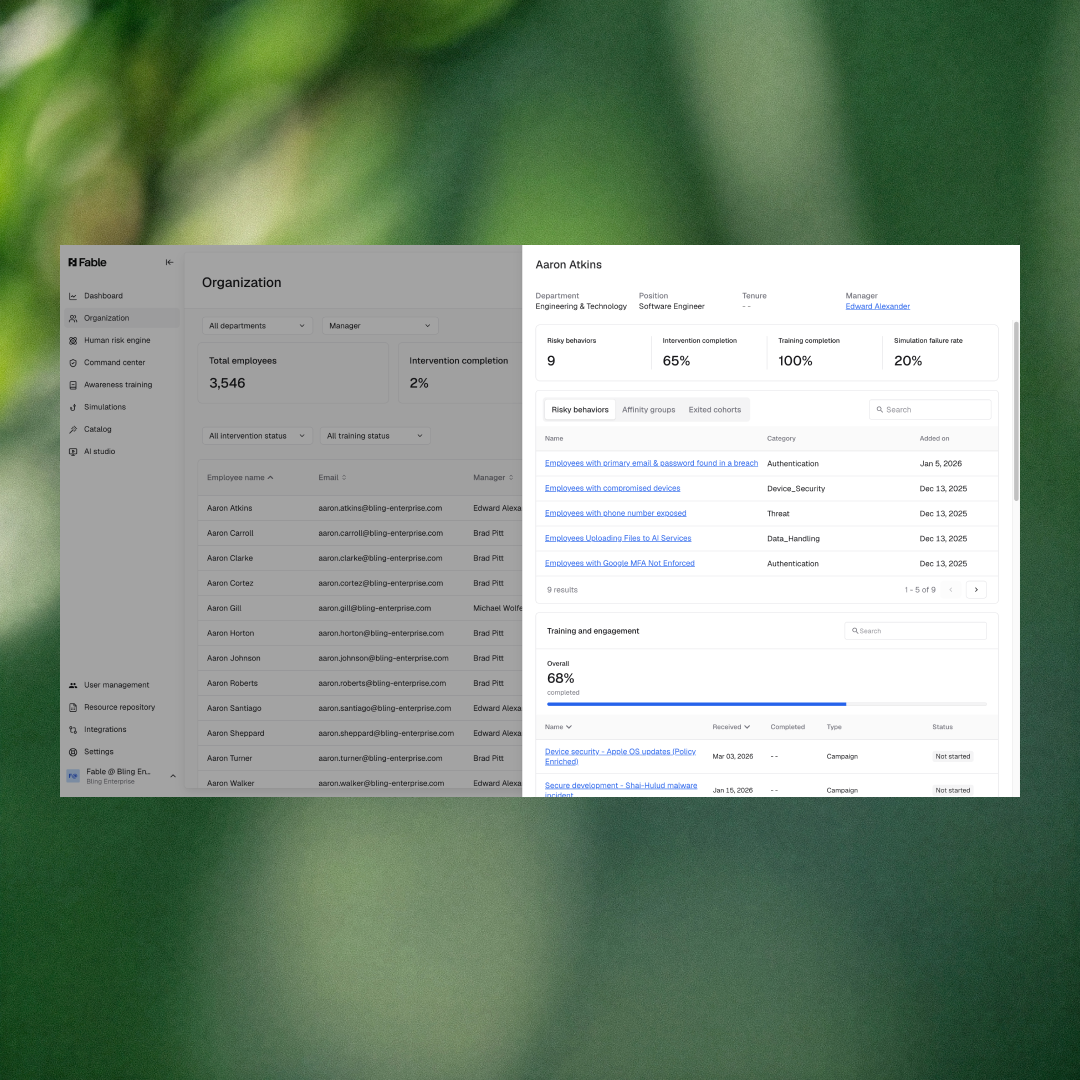
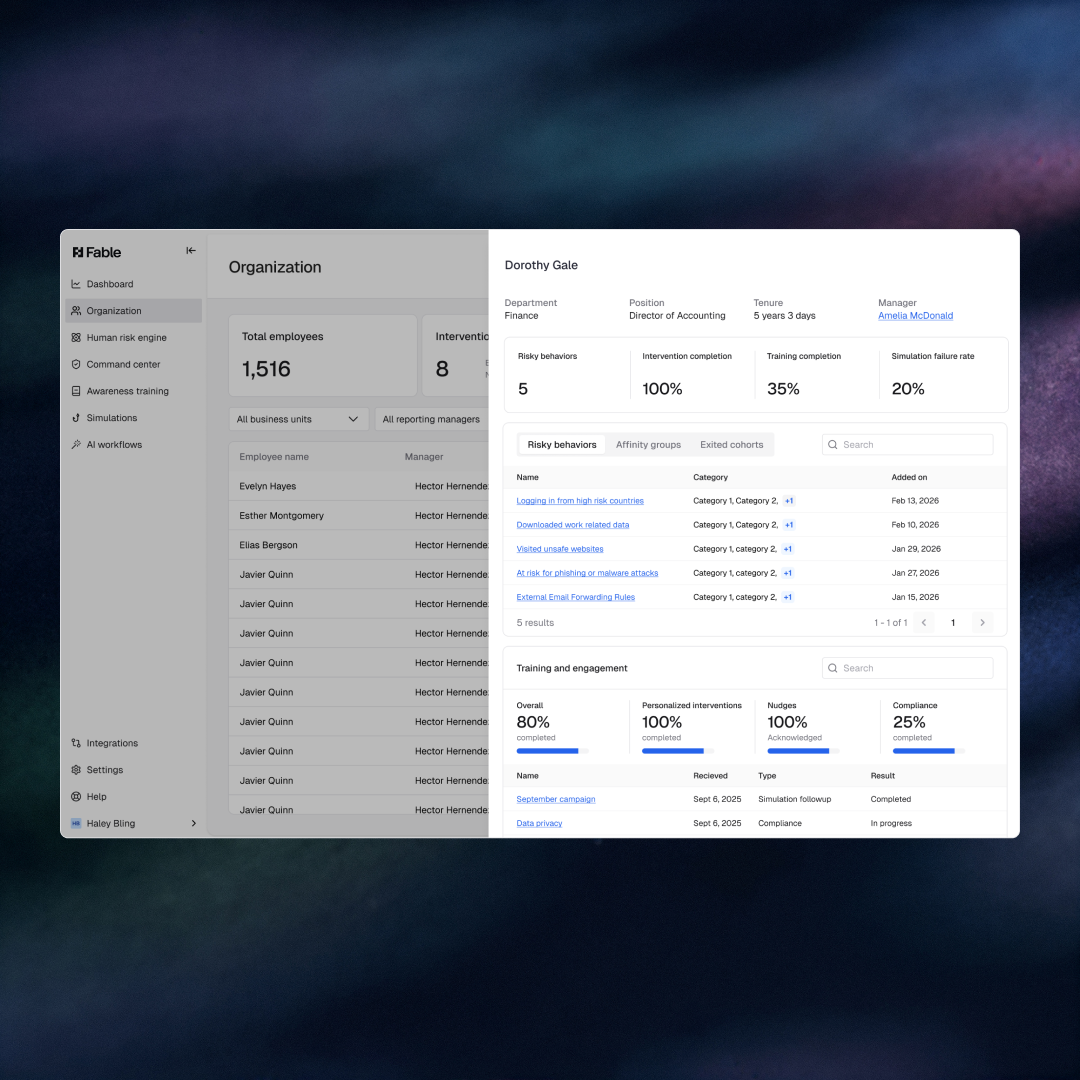
See where human risk actually lives — from org metrics down to any individual

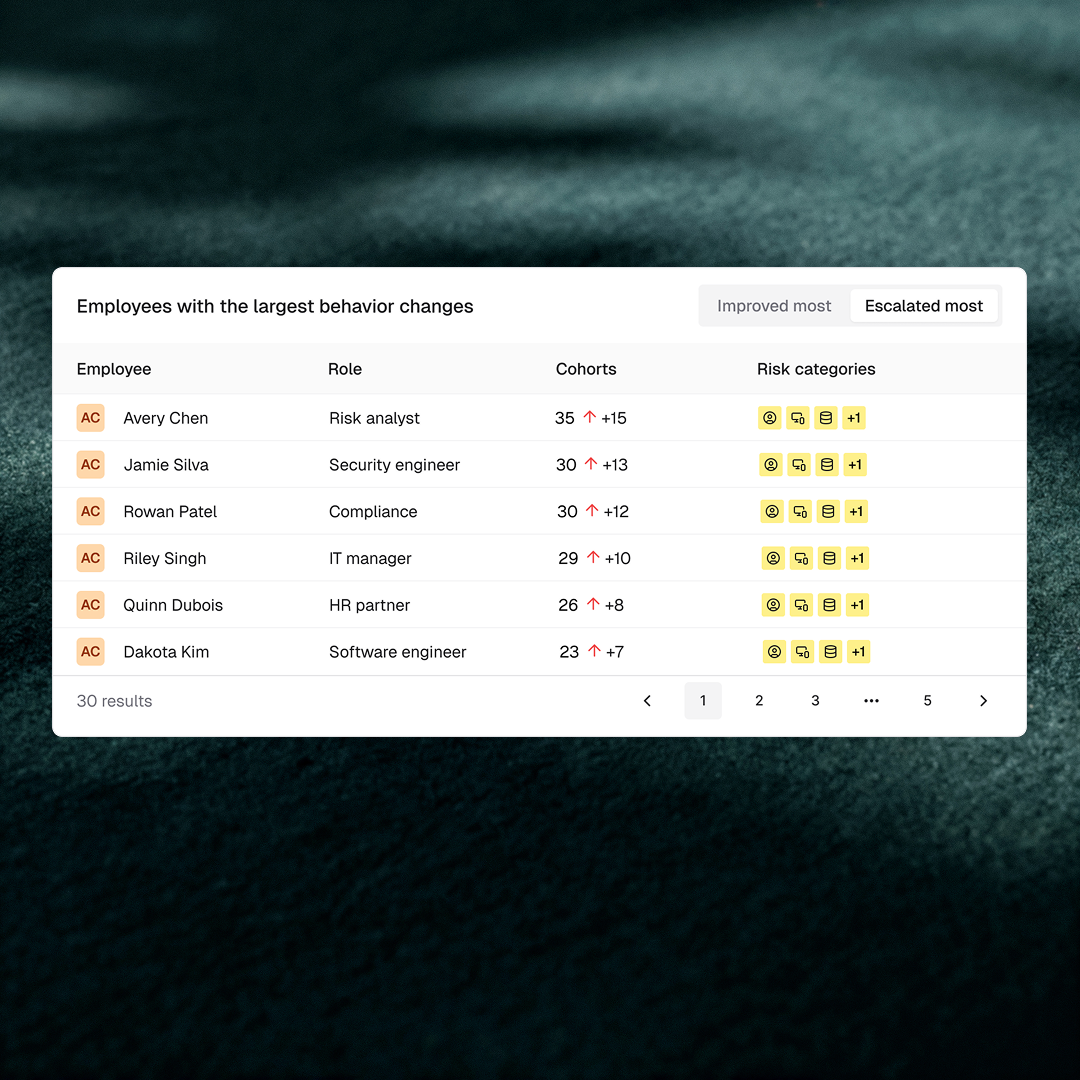
Organization View has moved from a high-level scorecard to a full drill-down tool. Admins can now click into any employee to see their complete risk profile — cohort memberships, training history, phishing results, and feedback sentiment. Managers can filter to their direct reports or full reporting chain and watch summary metrics update in real time. A new admin settings panel controls what different roles can see, keeping sensitive risk data appropriately gated without sacrificing visibility for the people who need it.

What’s new

  • Employee drill-down panel — Click any employee row to see their cohort memberships (risky behaviors, affinity groups, exited), training and engagement history, phishing simulation results, and feedback sentiment — all in one place.
  • Cohorts column — A new column in the Org View table shows at a glance how many cohorts each employee belongs to.
  • Manager filter with indirect reports toggle — Scope the view to any manager’s direct reports, or expand to their full reporting chain with a single toggle.
  • Department and status filters that update summary metrics — Filtering by department or employee status now refreshes the summary numbers at the top of the page, not just the rows in the table below.
  • Admin settings panel — Show or hide the phishing and training sections, gate risky-cohort details from manager-level access, and choose which columns appear on-screen and in CSV exports.

Why it matters

Security awareness programs stall when the people running them can’t quickly answer two questions: who is at risk, and where are they in the org? The previous Org View gave summary metrics but couldn’t pinpoint individual exposure or slice results by team. Managers had no way to see their own team’s numbers, and admins had no control over what sensitive data each role could access. These aren’t UX inconveniences — they determine whether a security program can demonstrate measurable progress at the team level and whether report-outs to department heads are credible.

The updated Org View addresses this directly. Department-level filtering that actually moves the summary numbers gives admins data they can put in front of a department head. The manager filter with indirect reports toggle lets a security team give managers scoped visibility into their own team’s risk posture without opening up the full org view. For organizations in financial services or healthcare where role-appropriate data access is itself a compliance requirement, the admin settings panel provides the guardrails to make that access defensible.

How to access it: Navigate to Organization View in the Fable platform. The drill-down panel opens when you click any employee row. Admin settings are accessible from the settings icon in the top right of the view.

Jun 5, 2026
Copied!
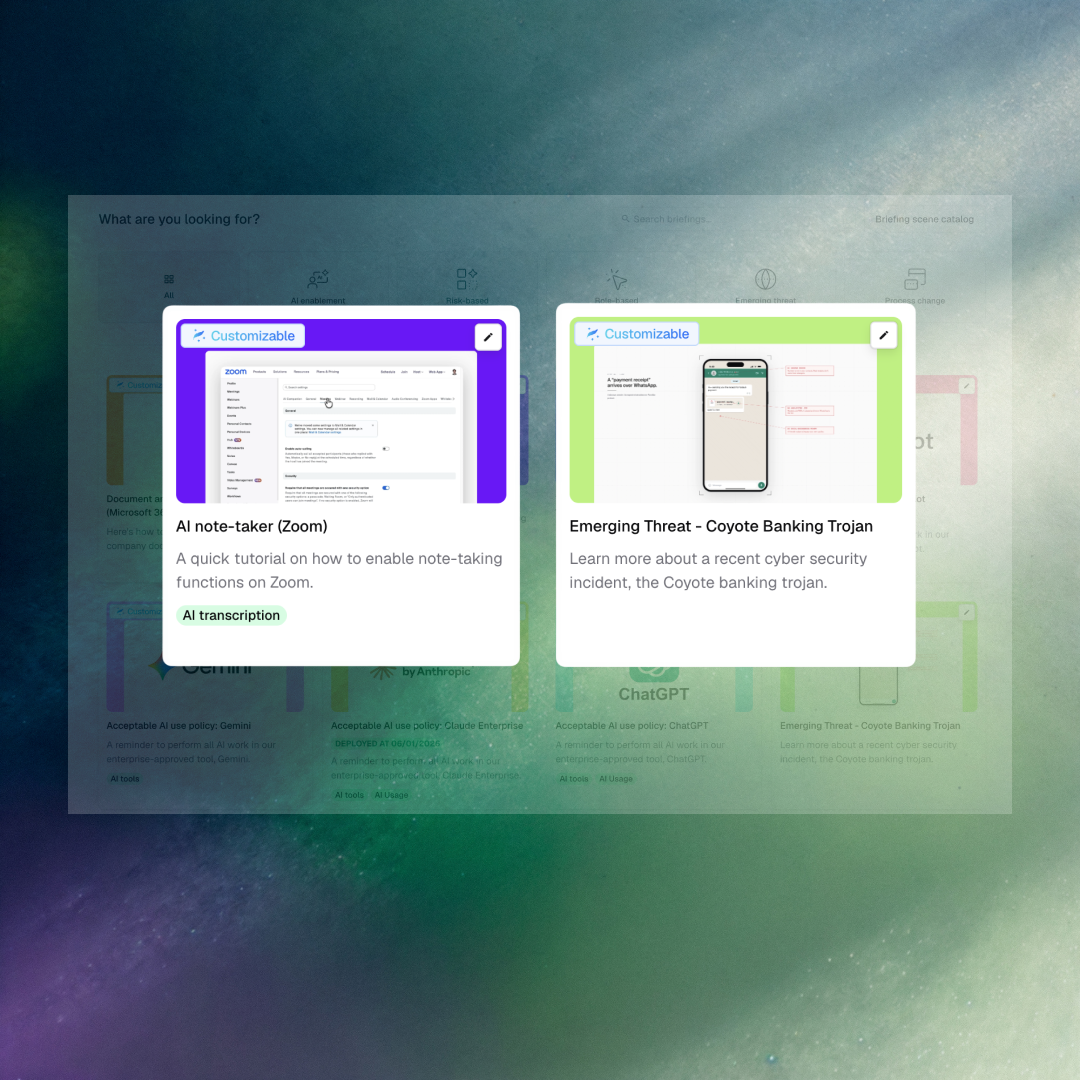
Coyote banking trojan and AI notetakers — new briefings

Two new briefings address threats that most security awareness programs haven’t caught up to yet. AI notetakers in Zoom and Google Meet have become a live data exposure vector — employees authorizing third-party tools to record and transcribe meetings without understanding what happens to that data. The Coyote Banking Trojan, an active piece of banking malware targeting employees with financial system access, is now covered in Fable’s emerging threat library.

What’s new

  • AI Notetaker briefing (Zoom) — A new generic briefing covering the risks of third-party AI notetakers in Zoom: data residency, authorization scope, and what employees should consider before connecting a tool to their meetings.
  • AI Notetaker briefing (Google Meet) — The same coverage adapted for Google Meet environments.
  • Emerging threat: Coyote Banking Trojan — A briefing covering an active banking trojan that uses spear-phishing and social engineering to target employees with financial system access.
  • Social engineering phishing awareness reboot — Updated phishing awareness content covering current social engineering patterns.

Why it matters

Security awareness programs struggle to keep pace with the speed at which new tools enter the enterprise. AI notetakers — Otter, Fireflies, Notion AI, and others — are being authorized by employees across every function, often before IT or security has evaluated them. Meeting transcripts can contain unreleased product plans, legal discussions, personal data, and M&A details. These briefings let security teams address the risk as it’s happening, not twelve months from now when it makes the annual training calendar.

The Coyote Banking Trojan briefing demonstrates Fable’s ability to respond to emerging threats at the speed they emerge rather than on a fixed content cycle. For organizations with finance and treasury teams, or any employee with banking system access, this turns a current real-world attack into a targeted learning moment before it becomes an incident.

How to access it: These briefings are available in the Fable content catalog. Navigate to the Catalog in the Fable platform to find and deploy them.

May 21, 2026
Copied!
SOX Compliance Course rebuilt for audit readiness — not just checkbox coverage.

Fable’s eight-course Version 2 compliance program is complete. The SOX Compliance Course is the final entry — three videos rebuilt to the same production standard as Fable’s threat awareness content, with scripts reviewed by a former financial auditor for accuracy and audit defensibility. Two new emerging threat briefings are also available: Coyote Banking Trojan and Shadow AI in the Vercel Context.

What’s new

  • SOX Compliance Course — 3 videos, fully rebuilt to Version 2 standards; the 8th and final course completing Fable’s V2 compliance rebuild (63 videos total across all 8 courses)
  • V2 compliance milestone — all 8 core compliance courses now feature updated visuals, interactive components, embedded video, and scripts reviewed by a former auditor for audit readiness
  • Emerging Threat — Coyote Banking Trojan
  • Emerging Threat — Shadow AI in the Vercel Context

Why it matters

Standard compliance training is designed to clear the audit, not change behavior. Employees complete modules to satisfy the requirement — they don’t come away knowing what audit-relevant behavior actually looks like on a regular workday. The V2 rebuild addresses that directly: updated visuals, interactive components, and scripts written by someone who has sat in audit interviews and knows which employee behaviors create real exposure.

The Coyote Banking Trojan briefing is particularly relevant for organizations with financial services exposure or third-party finance workflows. Shadow AI in the Vercel Context addresses a risk compliance training typically ignores: developers and product teams adopting unsanctioned AI tooling inside build pipelines, outside any visibility or control.

How to access it: Find the SOX Compliance Course under Compliance in the Fable Catalog. Emerging threat briefings are available under Emerging Threats.

May 13, 2026
Copied!
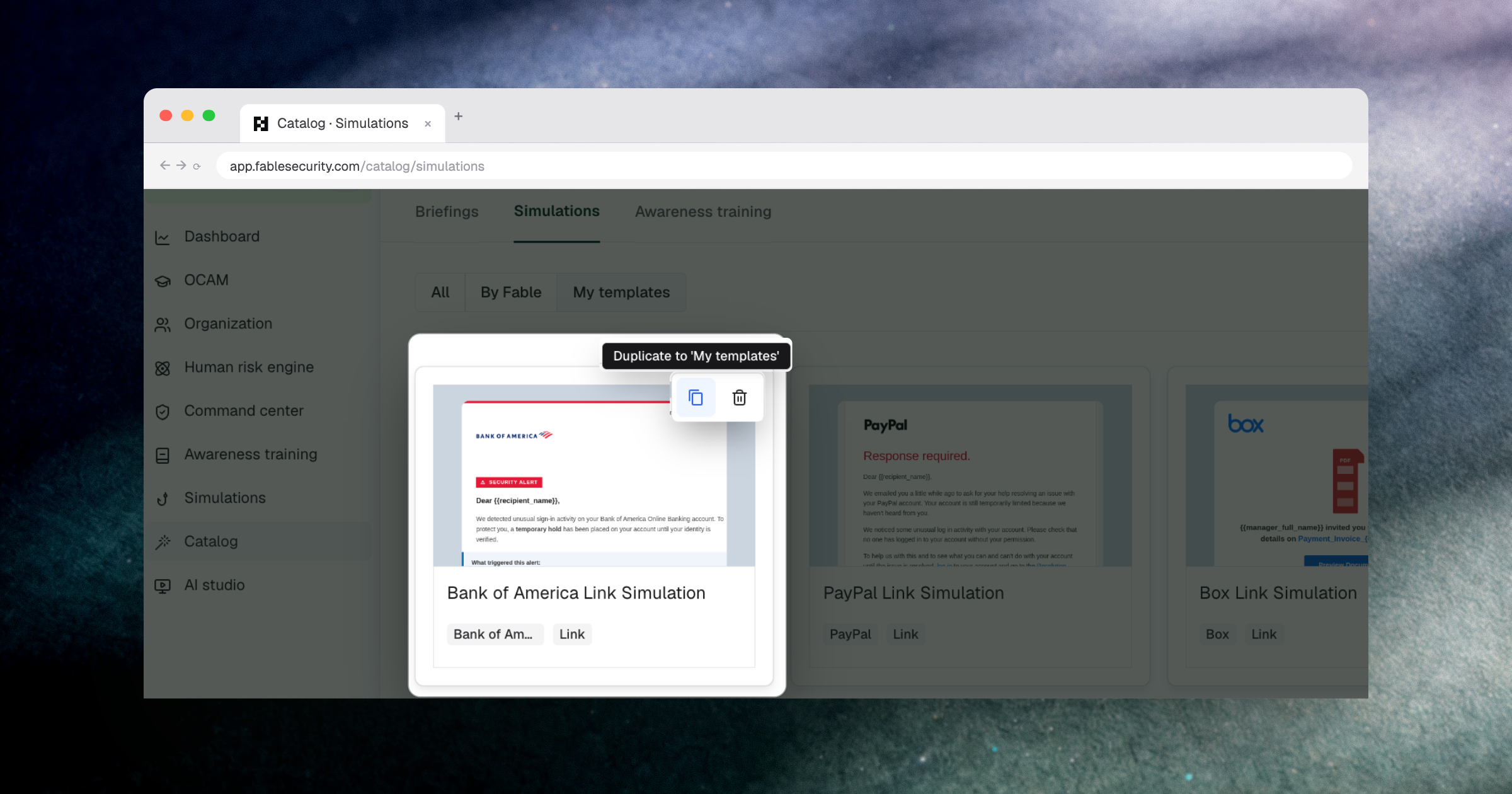
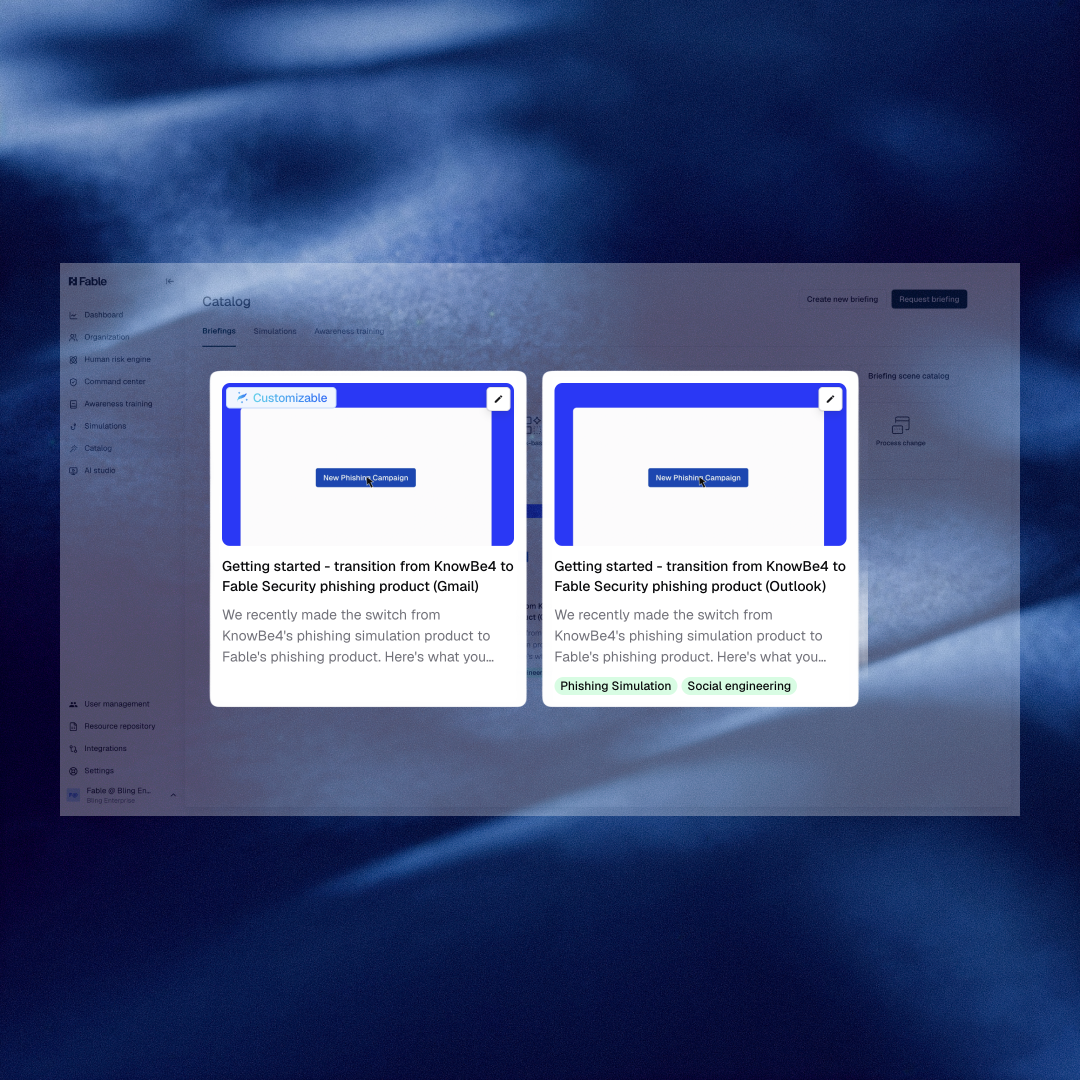
Six new catalog templates — including a purpose-built KnowBe4 migration guide.

Fable’s training catalog now includes six new ready-to-deploy templates. The KnowBe4 transition template covers the full phishing program migration in both Gmail and Outlook environments. The remaining five address the threat categories security awareness programs most frequently miss. All are built for immediate use — no configuration required to launch.

What’s new

  • Getting Started — Transition from KnowBe4 to Fable Security Phishing Product (Gmail and Outlook)
  • Risk-Based — Sharing Company Data with Personal Emails
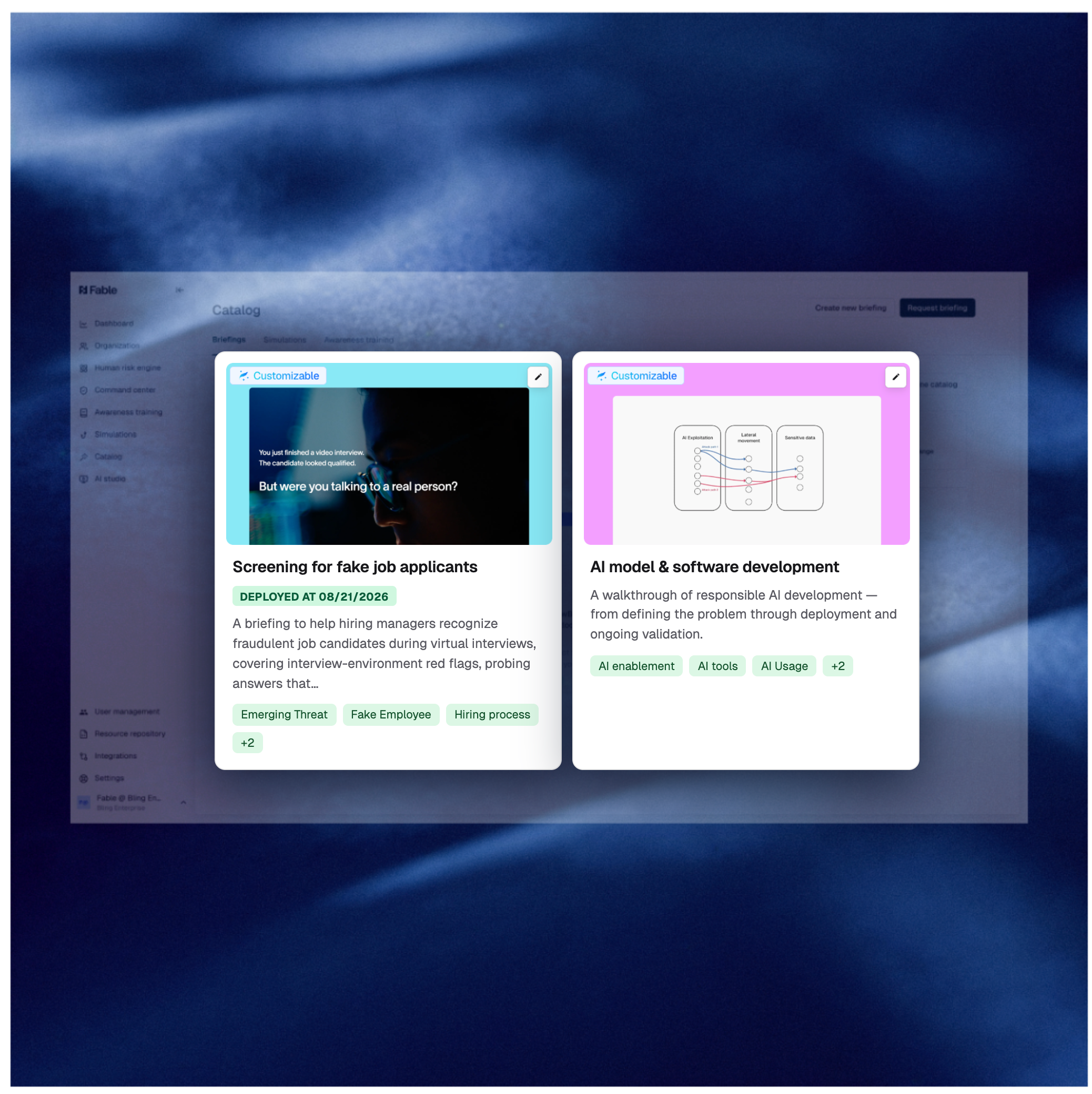
  • Role-Based — HR Fake Job Applications
  • Deepfakes — Celebrity Example
  • Deepfakes — Introduction
  • Emerging Threats — Calendar Phishing

Why it matters

The KnowBe4 transition template addresses the most common operational friction in switching phishing programs: getting employees oriented without disrupting program continuity. It covers both Gmail and Outlook environments with step-by-step onboarding guidance, so the migration doesn’t become a training gap.

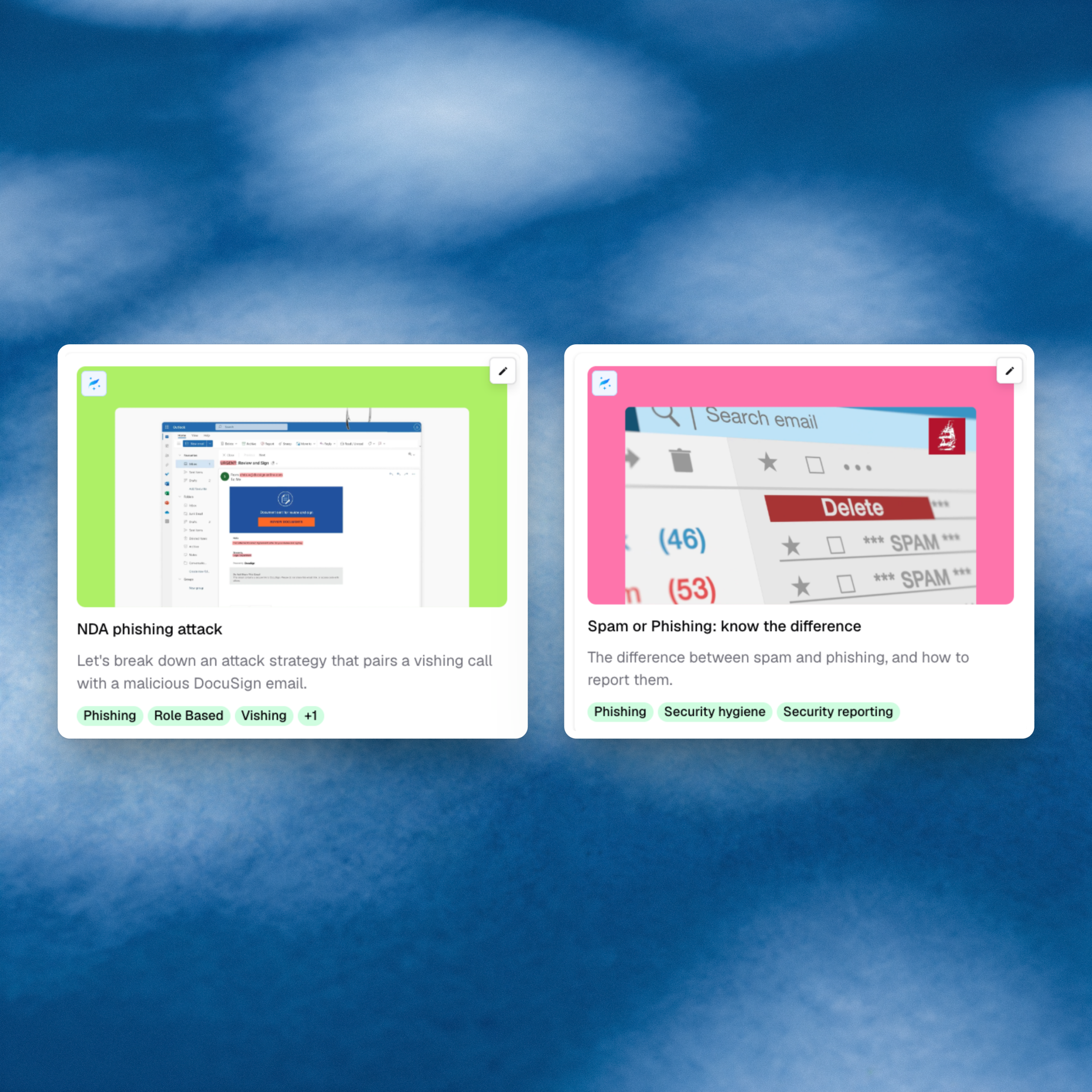
The remaining five templates cover attack patterns that security awareness programs most frequently miss: social engineering targeting HR, AI-generated impersonation through deepfakes, and calendar-based phishing. Each deploys without customization, though all support it.

How to access it: Browse the new templates in the Fable Catalog.

May 13, 2026
Copied!
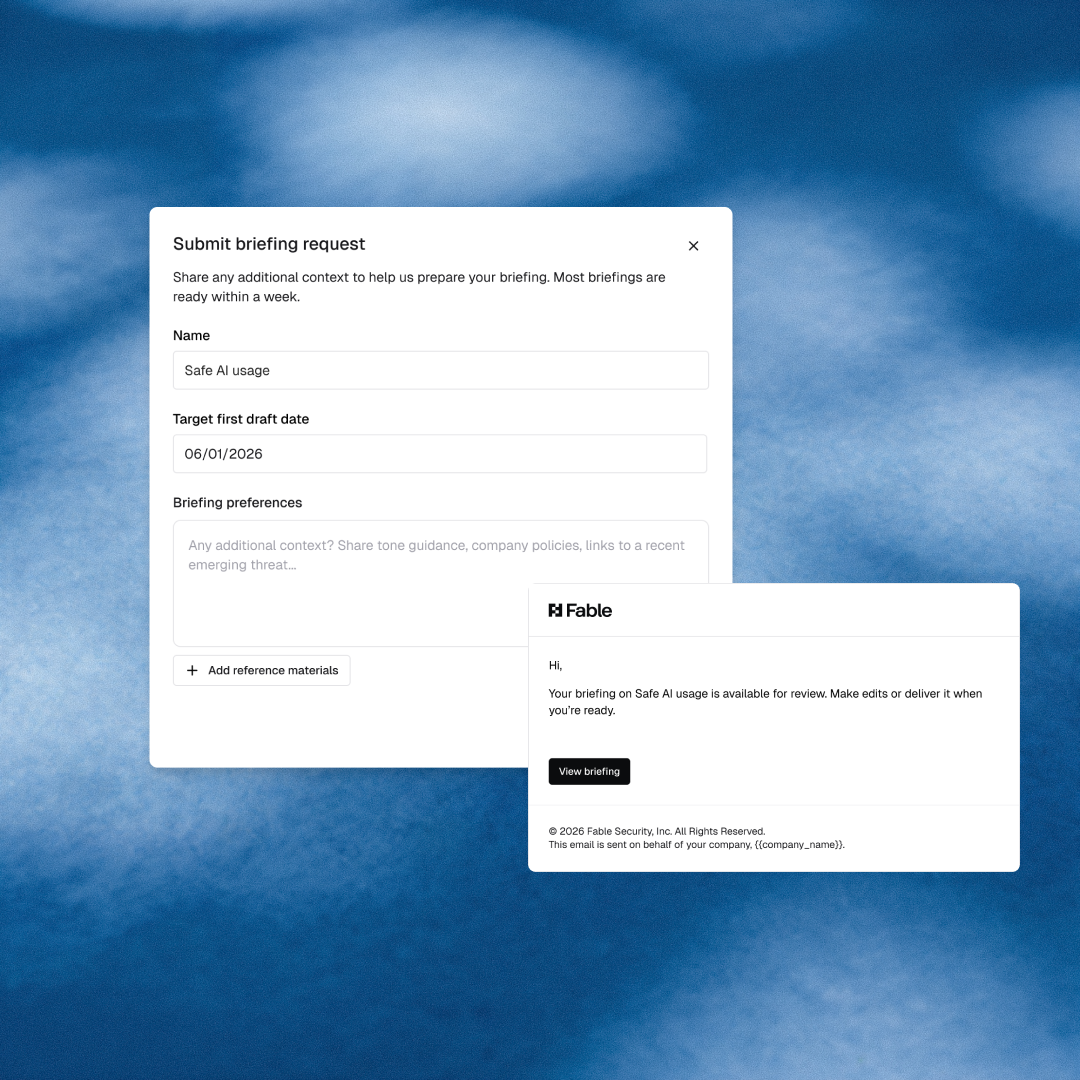
Request a custom security briefing once, and track it from submission to delivery.

Custom security briefing requests now go through a single structured flow inside the Fable platform. Submit your request with the context, attachments, and target timeline the content team needs, and get a trackable confirmation in return. No follow-up required.

What’s new

  • Structured intake form — submit briefing requests with attachments, freeform preferences, and a target first draft date in one place
  • Automatic Linear integration — every submission creates a tracked ticket for the content team; no manual handoff required
  • Single standardized flow — replaces ad-hoc channel-based requests

Why it matters

Every security team that has commissioned custom content knows the same experience: a Slack message disappears into a thread, a brief gets drafted from memory, and weeks later you’re reconciling what you asked for with what arrived. The new flow standardizes what gets captured upfront, so the content team has everything they need before they start, and you can see exactly where your request stands.

For security teams managing a steady volume of custom briefing work, this means faster turnaround, a cleaner audit trail, and one less thing to chase.

How to access it: Navigate to Briefings > Agent in the Fable platform to submit a request.

May 13, 2026
Copied!
Your highest-risk employees are already segmented. Now you can reach all of them.

Security teams that have invested in precise risk segmentation — by role, risk score, department, or behavior — can now act on that work across the full platform. Nudges can now be created from any cohort in your account, including manually built ones, directly from Command Center or the Cohort page.

What’s new

  • Create nudge from Command Center with any cohort — no longer limited to dynamic or auto-built cohorts

Why it matters

Most platforms let you build sophisticated risk segmentation and then arbitrarily limit what you can do with it. The employees you’ve manually grouped — your highest-access individuals, your repeat clickers, your teams under active threat — are exactly the ones who need targeted reinforcement. This removes that restriction.

For security awareness teams who already know who needs intervention, this closes the gap between insight and delivery. The bottleneck was never identifying the right people.

How to access it: Open Command Center or navigate to any cohort and select Create Nudge.

May 5, 2026
Copied!
New emerging threat briefings: the Bitwarden + Checkmarx supply chain attack and why standard phishing training wouldn’t have caught it.

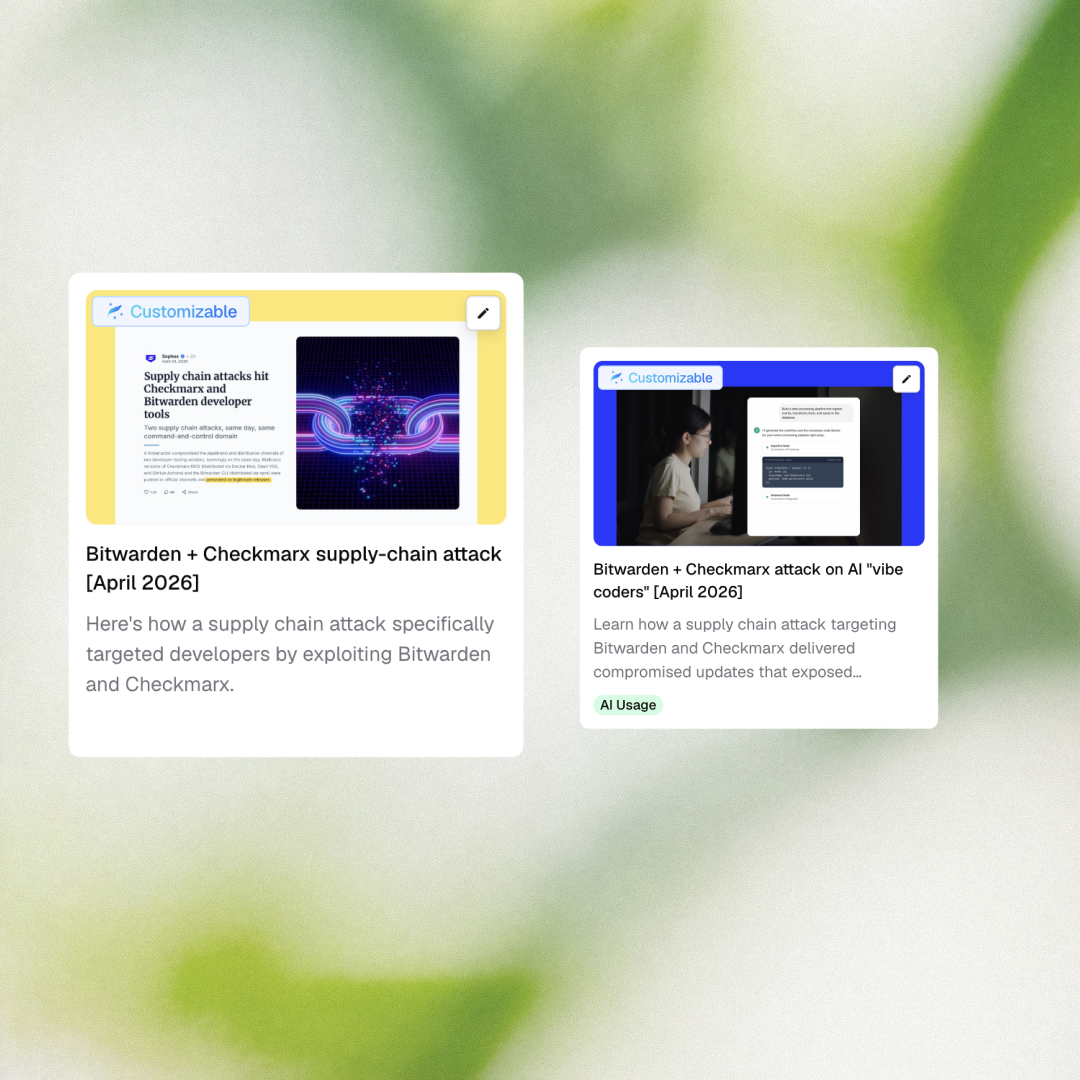
Two new emerging threat briefings cover the recent Bitwarden + Checkmarx supply chain attack — one for traditional developers, one for vibe coders working with AI-assisted tools. What made this attack distinctive: it compromised tooling developers already trusted, which means standard phishing recognition training would not have caught it.

What’s new

  • Emerging Threat (Developers) — Bitwarden + Checkmarx Supply Chain Attack
  • Emerging Threat (Vibe Coders) — Bitwarden + Checkmarx Supply Chain Attack

Why it matters

This attack hit both developer infrastructure (Checkmarx) and credential management (Bitwarden) simultaneously — bypassing the “don’t click suspicious links” framework that conventional security training is built around. The briefings cover what the attack actually looked like and what detection would have required, so employees have a concrete mental model rather than a general warning.

The vibe coder variant addresses a specific gap: employees who build with AI coding assistants have above-average system access and often lack the security background of traditional developers. Both populations need content that reflects how they actually work.

How to access it: Find both briefings in the Fable Catalog under Emerging Threats.

May 5, 2026
Copied!
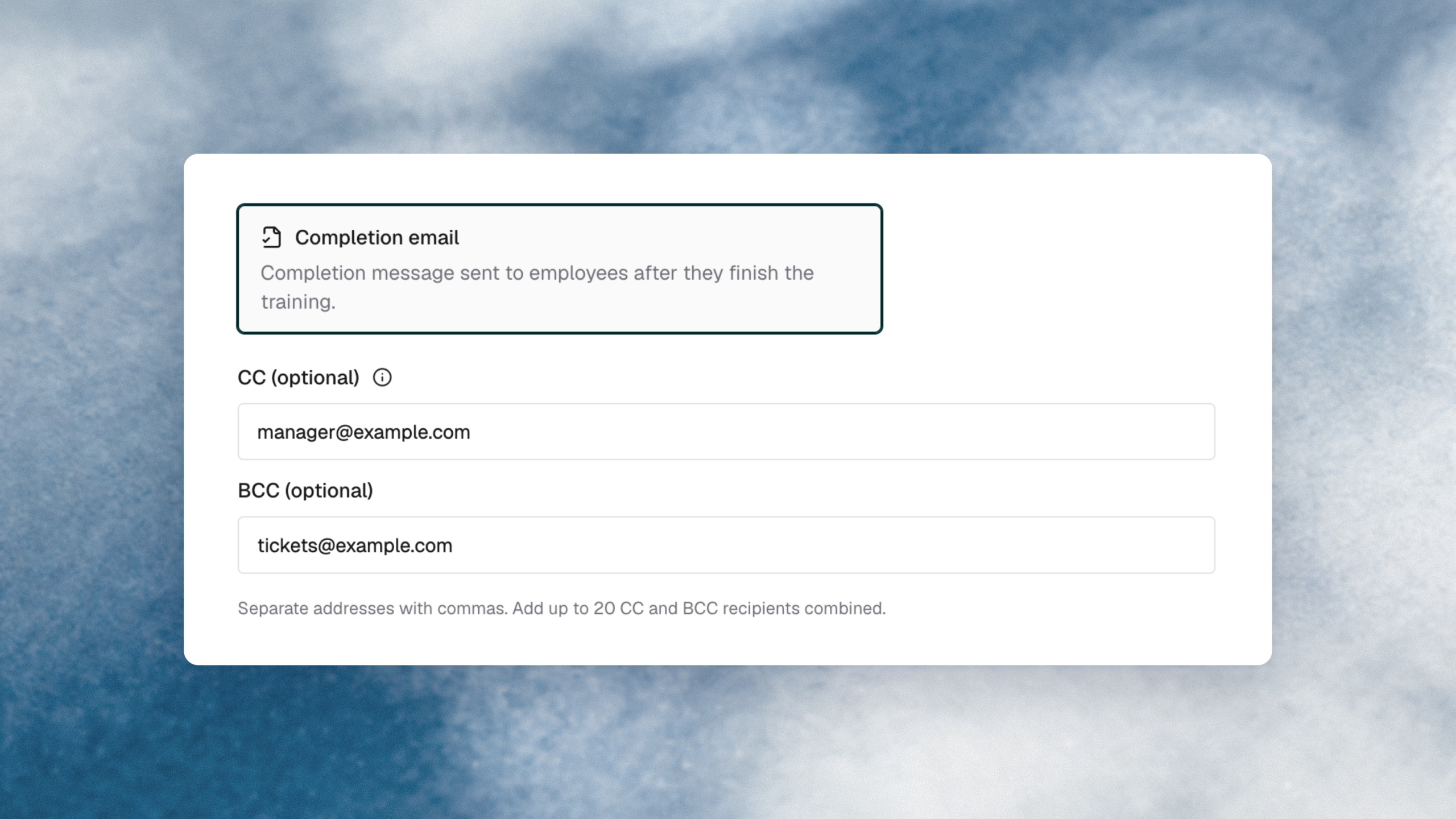
Control how and when training reminders reach employees — down to cadence, channel, and template.

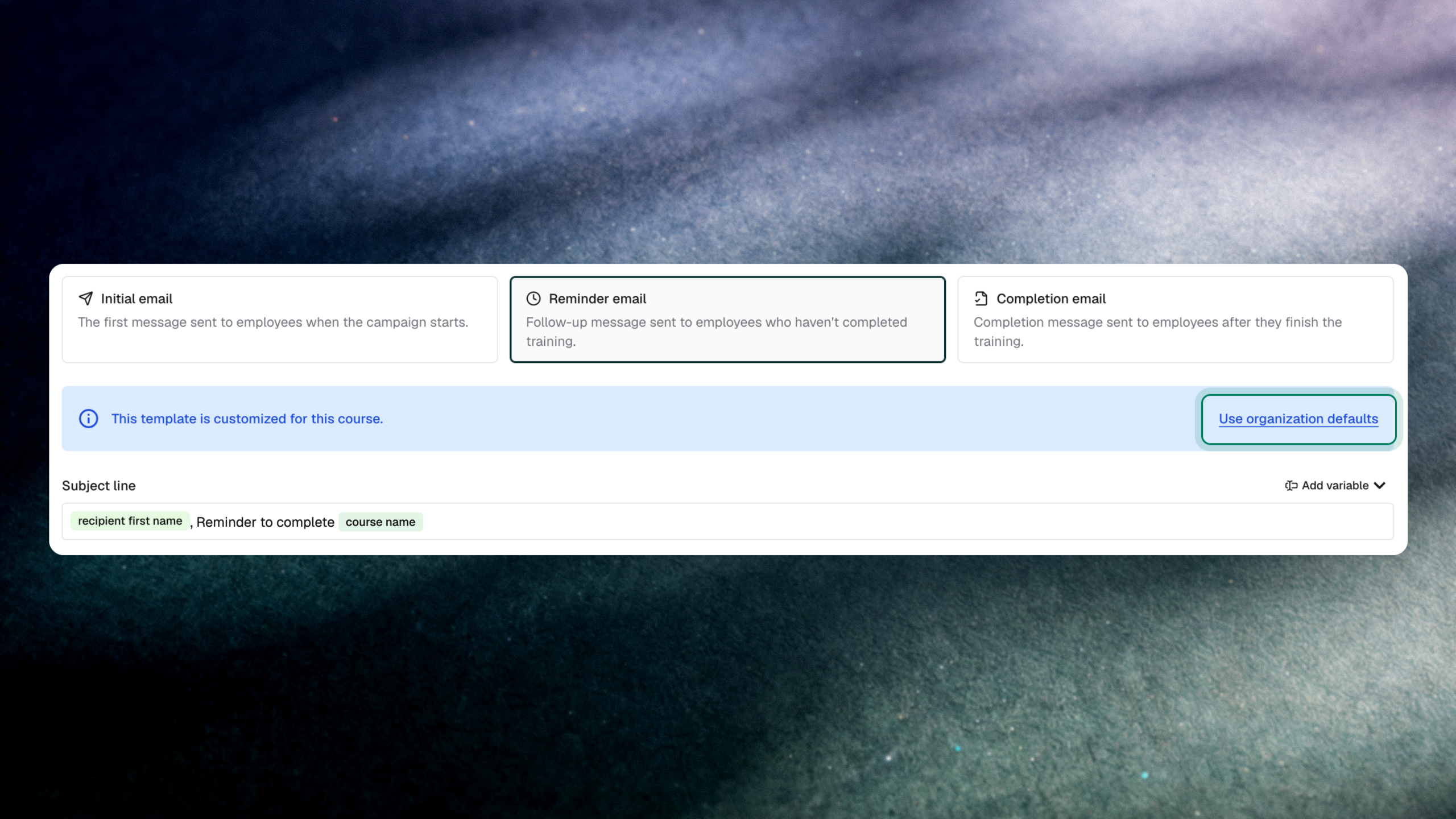
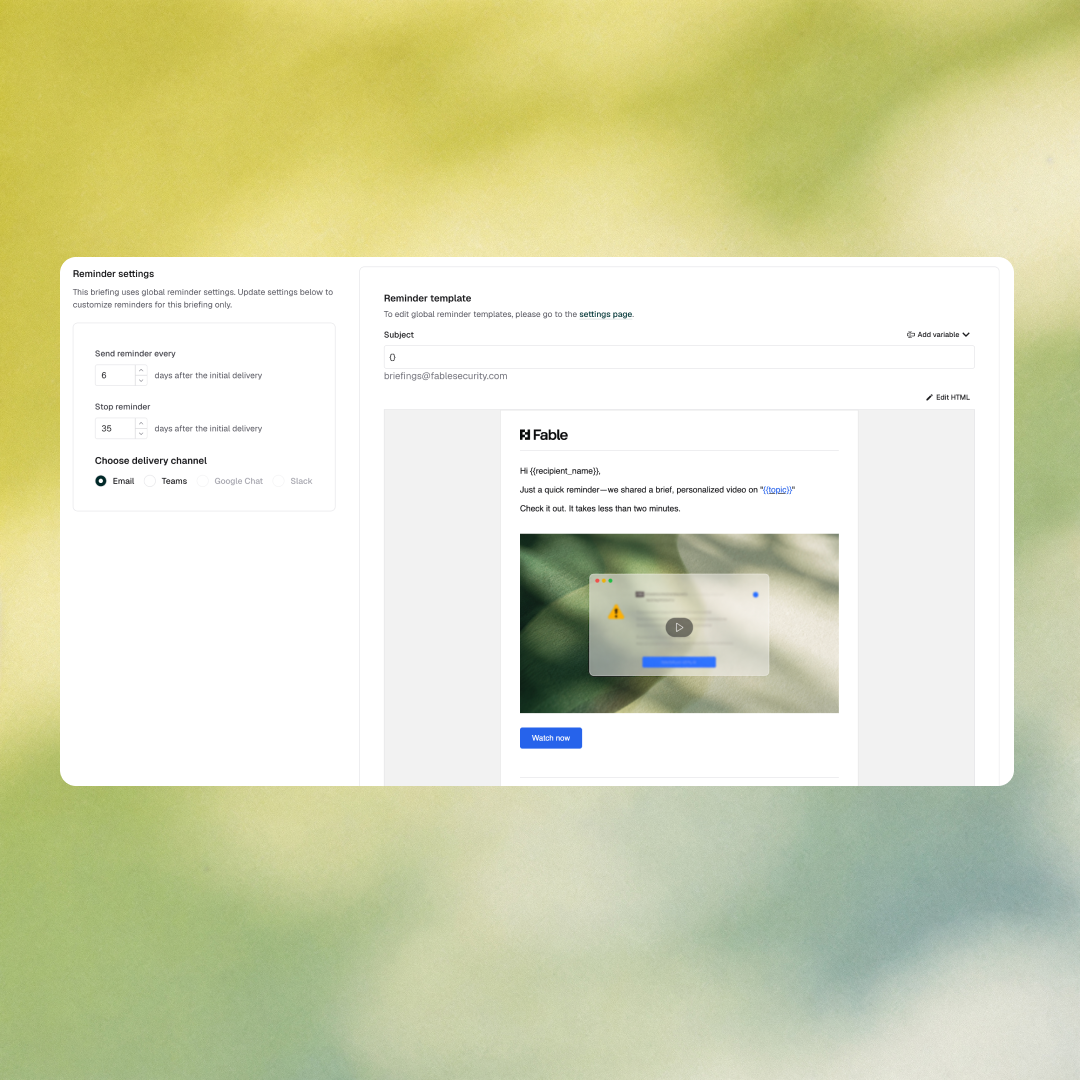
Two updates give security teams more control over training delivery. Delivery reminders are now configurable per campaign — custom end dates, cadence, and channel, with a live preview before anything sends. Organizations can also set a default email template for awareness training org-wide, so every communication reflects your brand from the start.

What’s new

  • Per-campaign delivery reminders — configure custom end dates, cadence, and frequency for each campaign’s reminder settings from a new UI, with a live preview of how reminders will appear across delivery channels
  • Customizable default course email templates — set your organization’s default email template for awareness training under Settings > Awareness Trainings

Why it matters

Completion rates are the metric boards understand. Generic reminder schedules and out-of-the-box email templates are the fastest way to depress them — employees tune out messages that feel automated or off-brand. Per-campaign reminder control is one of the most direct levers available for moving that number.

The default course template setting means every new campaign inherits your organization’s communication standards automatically — not the platform’s defaults. No engineering support required for either change.

How to access it: Access delivery reminder settings in your campaign setup. Set default course email templates under Settings > Awareness Trainings.

Apr 2, 2026
Copied!
AI studio

Create deepfake and voice fake content your employees will actually remember.

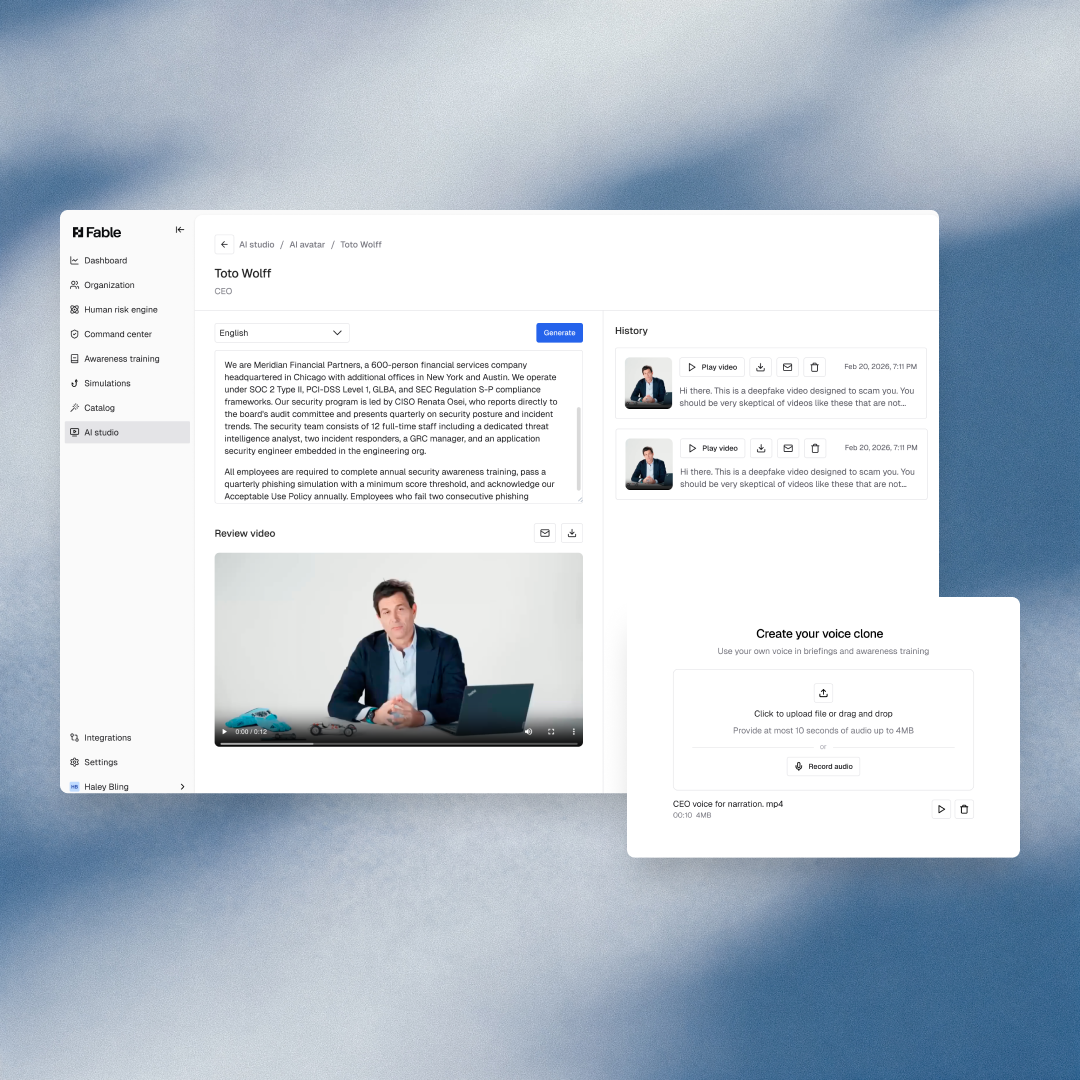
AI Studio lets you build custom AI-generated video and audio content directly inside the Fable platform — using real people from your organization as the source. The result: hyper-realistic deepfake and voice fake simulations you can deploy in trainings and threat briefings to show employees exactly what these attacks look like before they encounter them in the wild.

What’s new

  • Custom avatar creation — Upload an existing video recording or record directly in the platform. Fable processes it into a reusable deepfake avatar in minutes.
  • Script-driven content generation — Once your avatar is created, generate new deepfake videos by writing the script you want delivered. No re-recording required.
  • Direct platform integration — Avatars and generated content are available immediately in the Fable Composer for use in trainings, nudges, and briefings.

Why it matters

Telling employees that deepfakes exist is not the same as showing them one. AI Studio lets security teams create realistic, organization-specific simulations — using familiar faces and voices — so employees build recognition before an attacker exploits it.

For threat intelligence and awareness leads running AI threat programs, this closes the gap between abstract warning and lived experience.

How to access it: Navigate to AI Studio in the Fable platform and click Create Avatar.

Mar 29, 2026
Copied!
Composer

Every Fable briefing, built to fit your organization.

Composer gives security teams full editorial control over Fable’s training videos and briefings — scene by scene, script by script. No more generic content that doesn’t match your company’s voice, policies, or brand. Customize what exists or build something new, then generate a preview in minutes.

What’s new

  • Scene-by-scene editing — See the full breakdown of any briefing: script, voice, variables, and pacing. Edit any scene or add new ones with custom scripts.
  • Global voice controls — Change the voice across the entire video in one action, or create new voices directly through AI Studio.
  • Variable and pause customization — Insert company-specific variables and adjust pacing to match your organization’s tone and messaging.
  • Live preview generation — Make your edits and generate a new preview in minutes before publishing.

Why it matters

Generic security training gets ignored. When the content reflects your organization’s actual policies, language, and brand, employees pay attention. Composer closes the gap between off-the-shelf briefings and content that feels like it was built for your company — because now it is.

For awareness leads and security analysts managing a high-volume content calendar, this means less time working around content that almost fits and more time deploying training that lands.

How to access it: Open any existing briefing in the Fable platform and click Customize.

Mar 19, 2026
Copied!
Cohort builder

Build any cohort in seconds. Just describe it.

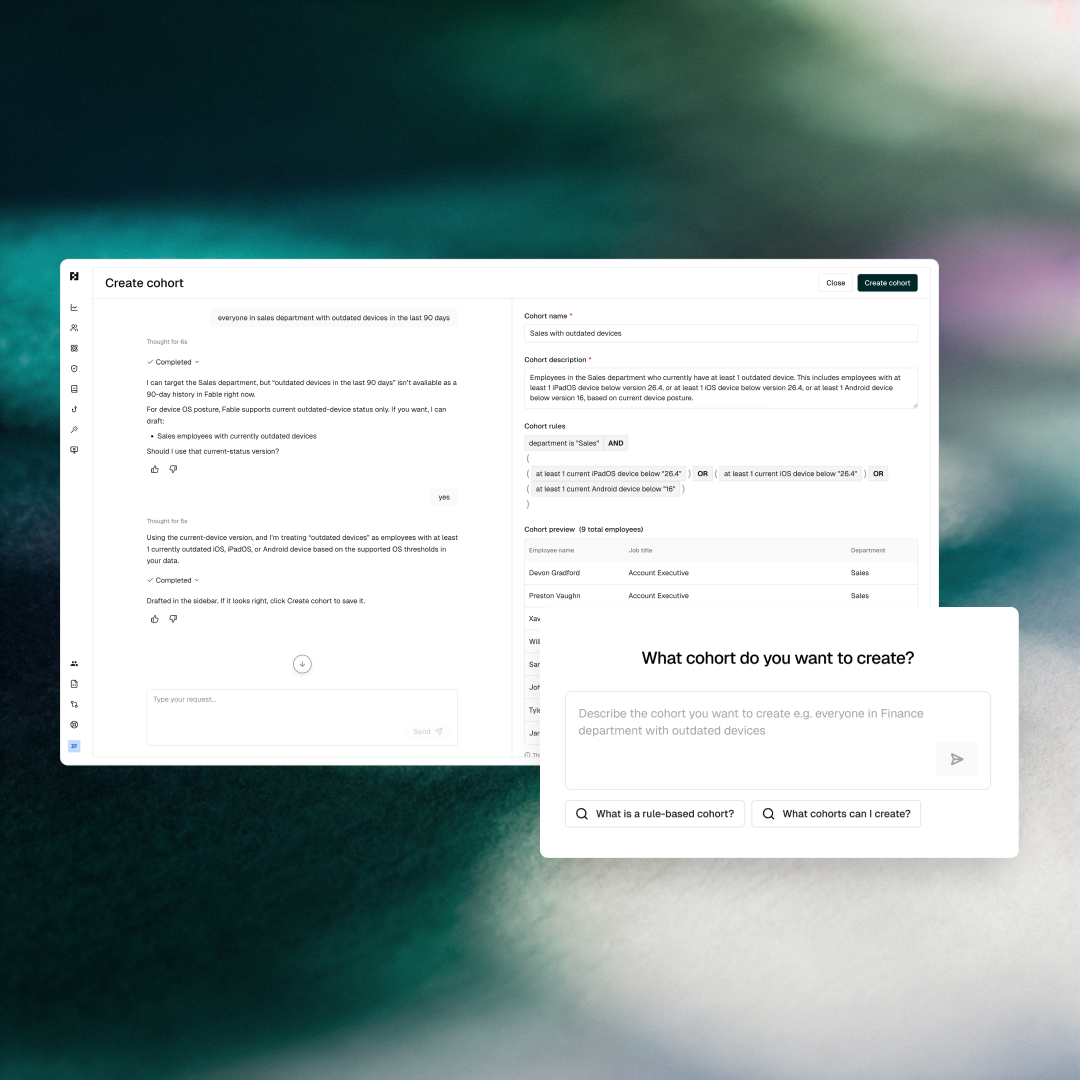
Cohort Builder is an agentic experience inside the Fable Human Risk Engine that turns a plain-language description into a fully configured cohort — no manual rule-building, no guesswork about field names or department values.

What’s new

  • Natural language cohort creation — Describe the group you want in plain English. Cohort Builder interprets your intent, looks up your org’s actual department values and configurations, and generates the rule automatically.
  • Instant preview — Before committing, see exactly which employees fall into the cohort so you can validate the logic before it goes live.
  • One-click creation — Confirm the preview looks right and the cohort is created in your Fable platform immediately.

Why it matters

Building precise cohorts used to mean knowing your org’s exact field names, navigating rule logic, and hoping the output matched your intent. Cohort Builder skips all of that. Describe what you want — “everyone in legal with DLP alerts” — and it figures out the rest.

For security analysts and program leads running targeted interventions, this means less time configuring and more time acting on the cohorts that actually matter.

How to access it: Go to the Human Risk Engine in the Fable platform, click Create Cohort, then select Cohort Builder.

Jan 13, 2026
Copied!
Organization view

See your entire workforce’s training posture at a glance.

Organization View gives program owners and security leaders a live snapshot of every employee in their organization: their name, email, manager, and status across all active Fable products.

What’s new

  • Org-wide visibility — See every employee’s training status without running a report or exporting data.
  • Manager-level filtering — Drill into a specific reporting chain to see how a team or department is performing.
  • Employee drill-down — Click into any individual to see which trainings they’ve completed, which are overdue, and where they stand across the full program.

Why it matters

For program leads and security directors, chasing down completion rates across a sprawling workforce has always required stitching together manual reports. Organization View surfaces that picture directly in the platform, so you can identify who’s falling behind, who’s ahead, and where your program needs attention, without leaving Fable.

Whether you’re preparing for an audit, reporting up to your CISO, or just running your weekly check-in, Organization View gives you the operational clarity to run a tighter program.

How to access it: Navigate to the Fable platform and click Organization in the left nav.

Nov 20, 2025
Copied!
Manager escalation

Stop owning every overdue training yourself.

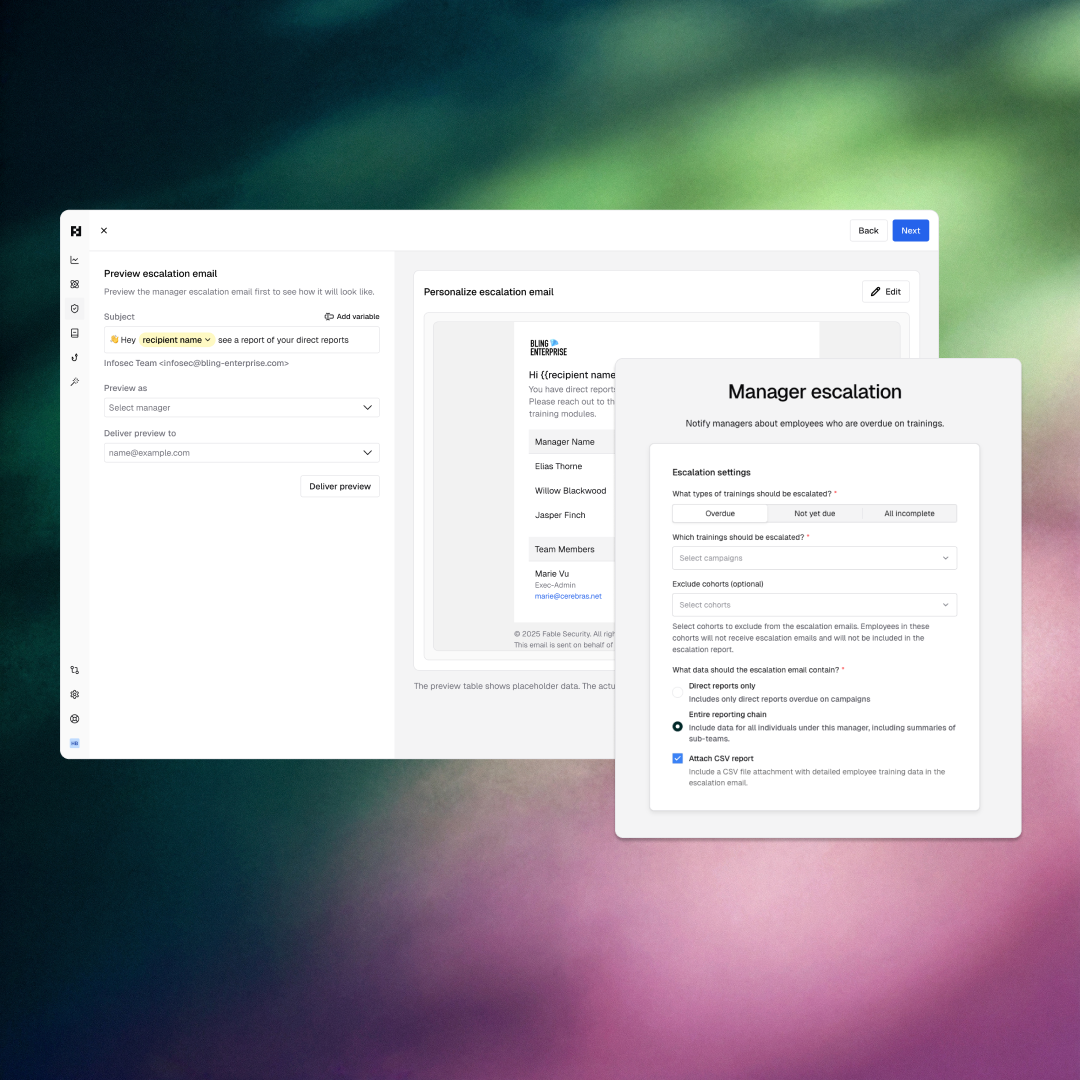
Manager Escalation shifts the completion follow-up burden off the awareness lead and onto the managers who actually have direct influence over their people. Set it up once, and every manager in your org gets a snapshot of who on their team — direct and indirect reports — is overdue.

What’s new

  • Automated manager notifications — Each manager receives a targeted email showing exactly which of their reports are behind on training, no manual follow-up from the awareness team required.
  • Direct and indirect report visibility — Managers see their full reporting chain, not just their immediate team, so accountability flows up and down the org.
  • Customizable escalation emails — Edit the email to match your organization’s tone and preferences before sending.
  • Preview before you send — Send the escalation email to yourself or a colleague first to see exactly what lands in the inbox.

Why it matters

Awareness leads shouldn’t be the single point of failure for completion rates. When managers own their team’s training status, follow-through improves — because the ask is coming from someone with actual authority over an employee’s day-to-day.

Manager Escalation gets the awareness team out of the chasing business and puts accountability where it belongs.

How to access it: Navigate to Awareness Training or Command Center in the Fable platform and click Create Escalation.

Nov 20, 2025
Copied!
Dashboard

Everything that matters about your human risk program. One screen.

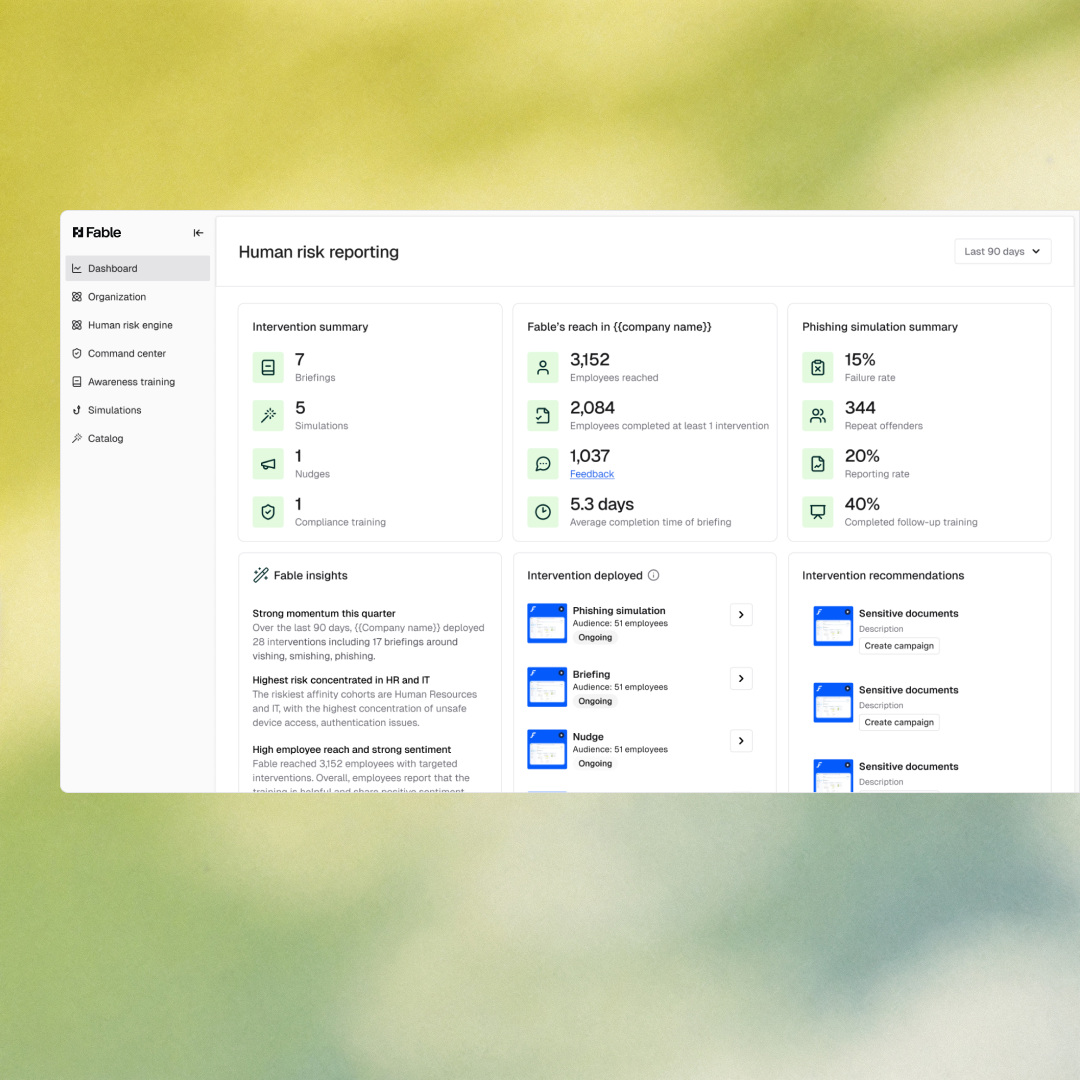
The Fable Dashboard gives security executives and practitioners a single, actionable view of how their program is performing — from reach and intervention activity down to individual employee risk and department-level coverage gaps. No more stitching together reports to answer basic questions about program health.

What’s new

  • Program reach summary — See total interventions sent, employee engagement, feedback volume, and phishing simulation rates at a glance.
  • Fable Insights — AI-generated summary of what’s working, emerging risks, and sentiment trends across your organization — with recommended next actions.
  • Risky behavior breakdown — Understand how risk is distributed across behavior categories and which threats are most prevalent across your org.
  • Department and individual risk view — See which departments and affinity groups are highest risk, which employees are the most exposed, and which ones are improving.
  • Coverage gap analysis — Identify which departments are covered on which topics and spot training gaps before they become incidents.
  • Employee sentiment stream — Track total feedback received, overall sentiment, and a live feed of the most recent employee responses.

Why it matters

CISOs and security directors need a defensible story about program health — for board reporting, audits, and internal leadership conversations. The Dashboard surfaces that story without requiring manual report pulls or cross-referencing multiple tools. From executive summary to practitioner-level detail, everything needed to run and defend the program is in one place.

How to access it: Navigate to Dashboard in the Fable platform.