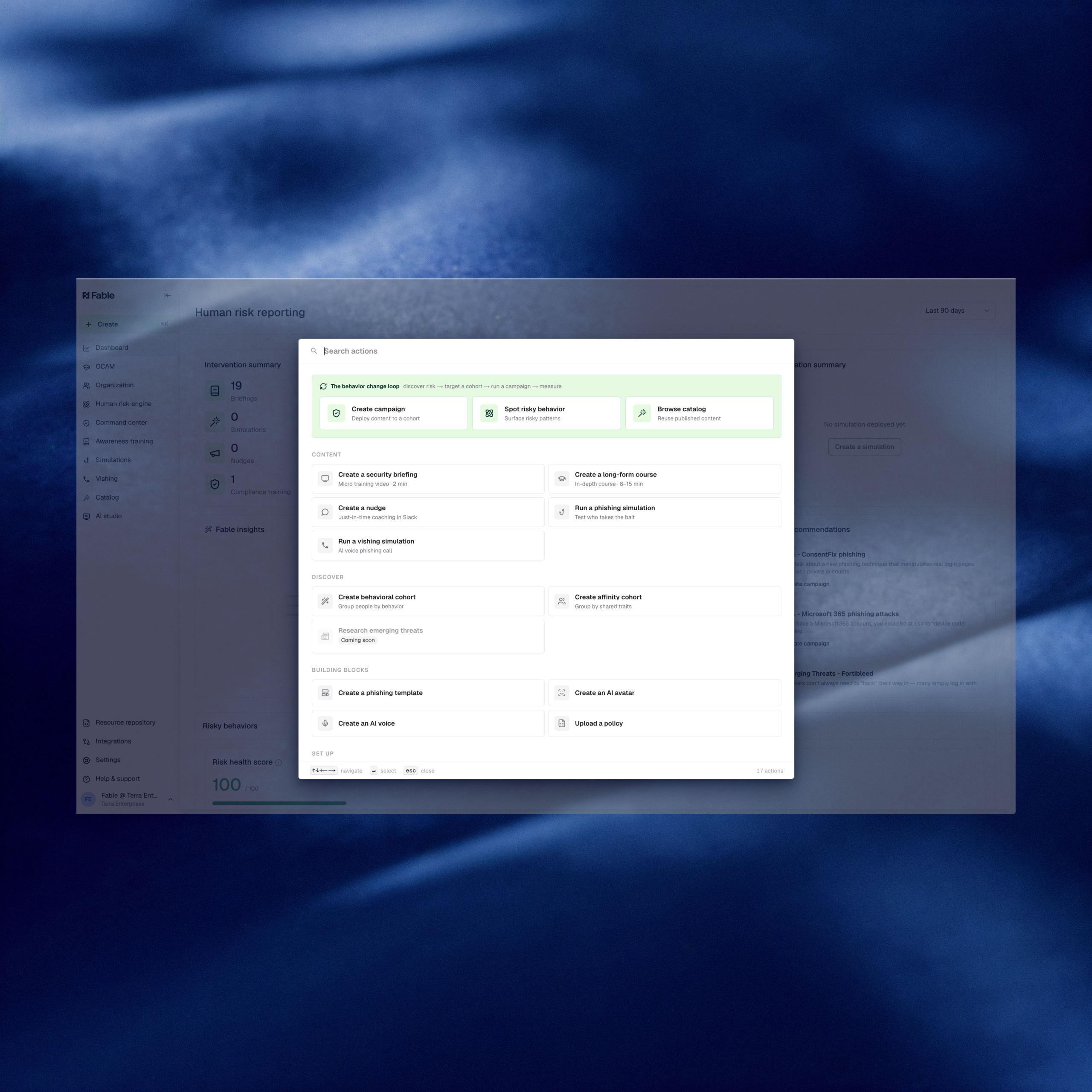
Building in Fable shouldn’t mean hunting through the portal to find where an action lives. Fable now ships a Create menu, accessible from any page, that surfaces every build action: new briefings, behavioral and affinity cohorts, policies, and AI avatars.
What’s new
- Create menu — accessible from any page via the side nav or
cmd-K (Mac) / ctrl-K (Windows)
- Unified build surface — jump directly to creating a briefing, configuring a behavioral or affinity cohort, or setting up a new policy or AI avatar.
- Capability discovery — see the full set of build actions Fable supports in one view, so admins can find capabilities without a walkthrough or training.
Why it matters
Security awareness and human risk programs are measured against the speed of the threat landscape. When a new attack pattern breaks or a cohort needs a fast intervention, every extra click between the idea and the action shows up as a slower response. The Create menu closes that gap: admins can jump straight to building a briefing, a behavioral cohort, or a policy from any page in the portal, without hunting for where that action lives.
This matters most for teams onboarding a new security awareness hire, someone who typically inherits a platform they didn’t configure and a mandate to modernize fast. Instead of learning where every capability lives before they can act, they get one shortcut that surfaces the full build surface on day one, and as Fable continues to add capabilities, this keeps every action one keystroke away
How to access it: Press cmd-K (Mac) or ctrl-K (Windows) from any page in the Fable portal, or use the Create entry in the side nav.