

TL;DR:
- What happened: Attackers bought sponsored search ads for “Claude Desktop app” that pointed to a fake download page – but that page was hosted as a public Claude Artifact on the real claude.ai domain, and clicking “Download” installed SectopRAT, a credential-stealing trojan, across at least 29 organizations in two days.
- Fake ad → real claude.ai artifact link → attacker-controlled domain → “ClaudeDesktop.exe” malicious download of SectopRAT
- The malware tried to dodge security tools and analysis by checking for virtual machines and low-end graphics hardware before running.
- The human angle: This attack works because the download link genuinely lived on claude.ai.
- The only warning signs were a small disclaimer that the page’s content is a tiny “user-generated and unverified” banner, and how the attackers redirected off of Claude’s website for the payload delivery.
- What you can do:
- Pause before clicking a sponsored search result, even on a real vendor’s domain
- Only install software through IT-approved channels
- Actually read “user-generated content” banners instead of scrolling past them
- Check out “One ish, two ish: How to prevent modern phishing” for more about malvertising and other social engineering tactics.
Huntress: FakeAgent campaign hit 29 organizations via a Claude.ai-hosted download page
Huntress tracked a campaign it’s calling FakeAgent after its Security Operations Center flagged unusual installs of a file named “ClaudeDesktop.exe” across 29 organizations between July 21 and July 22, 2026.
Every victim had done the same innocuous thing: searched for the Claude desktop app, and clicked on a Bing search engine ad result that appeared to show the real Claude website, mixed into the other sponsored results.
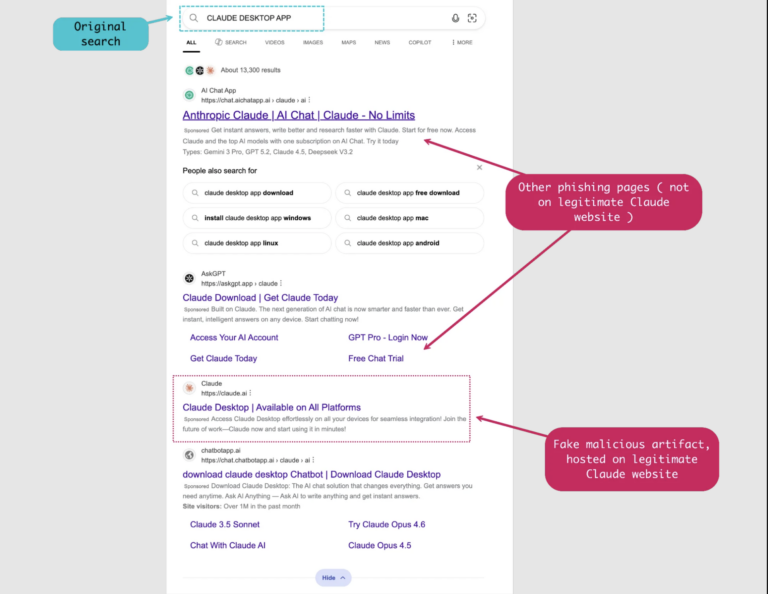
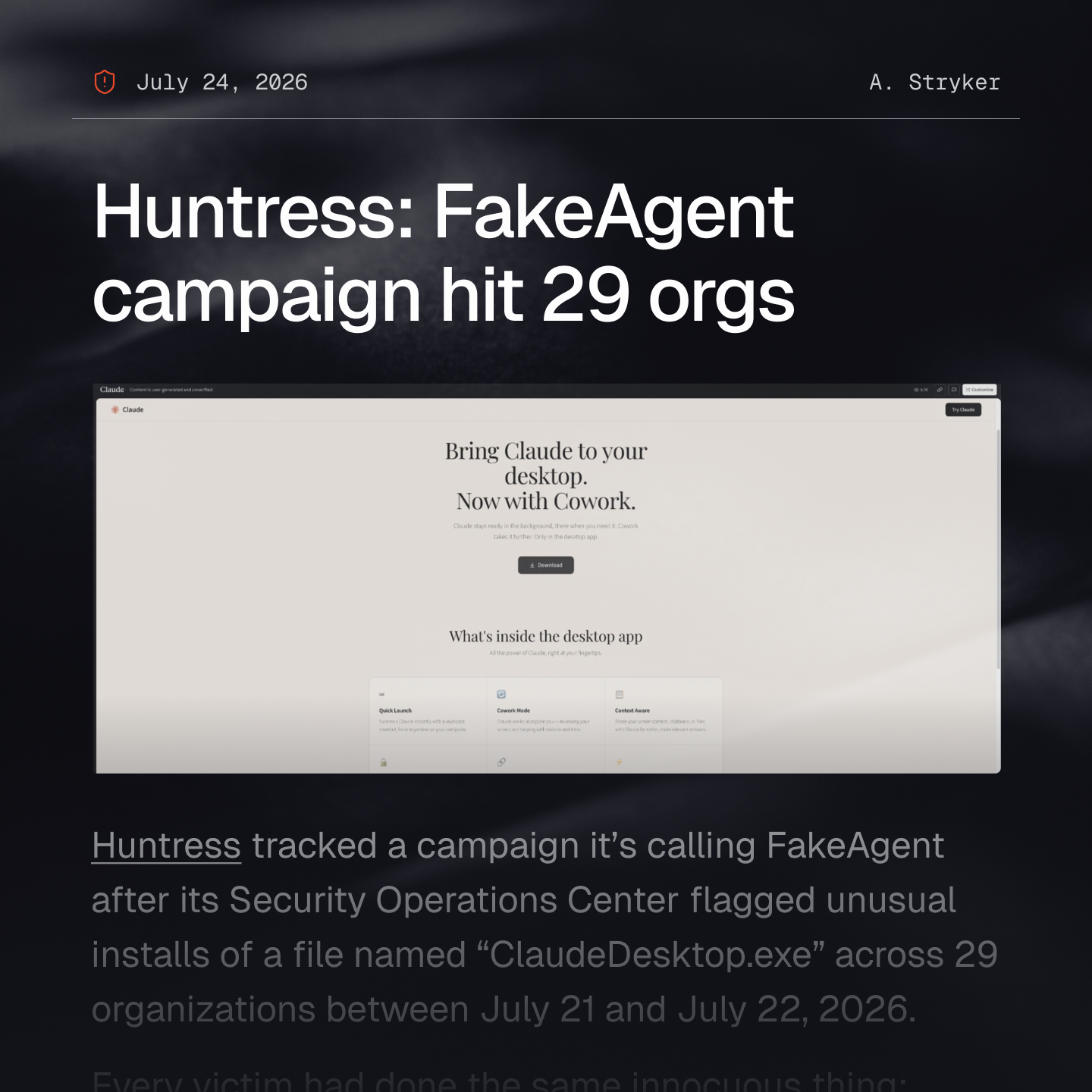
The malicious link in question actually points to claude.ai – the actual, real domain for Anthropic’s Claude desktop app and online browser app – except this link routes to a public Claude Artifact: a feature that lets anyone create and share simple pages hosted on Anthropic’s own domain.
That artifact page is a convincing fake of the real Claude Desktop download page. Clicking “Download” sends the employee off-domain to “claude.ai.download-app[.]us”, then to a second attacker-controlled site, which finally serves up the malicious “ClaudeDesktop.exe”.
ClaudeDesktop.exe is actually a renamed, tampered component that sideloads a malicious DLL (domain link library), which eventually decrypts and drops SectopRAT: a common remote access trojan malware that steals browser credentials, cookies, autofill data, credit card numbers, and files.
This malicious artifact had racked up 7,100 page views before Huntress reported it and Anthropic took it down.
Now, the technical chain was elaborate: VMProtect obfuscation, command-and-control instructions hidden inside Ethereum blockchain transactions, even a decryption routine run on the graphics card instead of the CPU specifically to dodge analysis tools.
But strip all of that away, and the basic attack is on the employee, not the computer, because the attackers weaponized the trust that a familiar, legitimate domain buys – abusing that trust in the exact moment someone is trying to do the responsible thing by getting software from the trusted source.
Red flags in the FakeAgent lure
Let’s walk through the attack the way the employee actually experienced it, to see if we can break down possible red flags.
- They search “Claude Desktop app” on Bing.
- Bing’s sponsored results are full of obvious knockoff sites – but mixed in is a link that resolves to claude.ai. Domain legitimacy here isn’t a red flag, so hovering over the link to see something “weird” – the usual phishing advice – won’t work.
- Bing’s sponsored results are full of obvious knockoff sites – but mixed in is a link that resolves to claude.ai. Domain legitimacy here isn’t a red flag, so hovering over the link to see something “weird” – the usual phishing advice – won’t work.
- The page itself is a near-perfect clone of the Claude Desktop download page, hosted as a public Claude Artifact.
- The one thing on the page that hints at risk is a small, standard disclaimer Anthropic places on all artifact pages (“Content is user-generated and unverified.” in the top-left corner of the screen). It’s easy to read that as boilerplate and move on, which is what the attacker’s counting on.
- The one thing on the page that hints at risk is a small, standard disclaimer Anthropic places on all artifact pages (“Content is user-generated and unverified.” in the top-left corner of the screen). It’s easy to read that as boilerplate and move on, which is what the attacker’s counting on.
- Clicking “Download” is where the employee could have started to smell a rat (or a RAT).
- The employee is redirected off claude.ai entirely, first to “claude.ai.download-app[.]us” (a domain designed to look like a claude.ai subdomain, registered in May 2026) and then to a second unrelated domain, before the actual file downloads.
- The employee is redirected off claude.ai entirely, first to “claude.ai.download-app[.]us” (a domain designed to look like a claude.ai subdomain, registered in May 2026) and then to a second unrelated domain, before the actual file downloads.
- The downloaded file is named “ClaudeDesktop.exe”.
- Nothing about the filename, icon, or install behavior signals anything is wrong, even at first glance by security professionals.
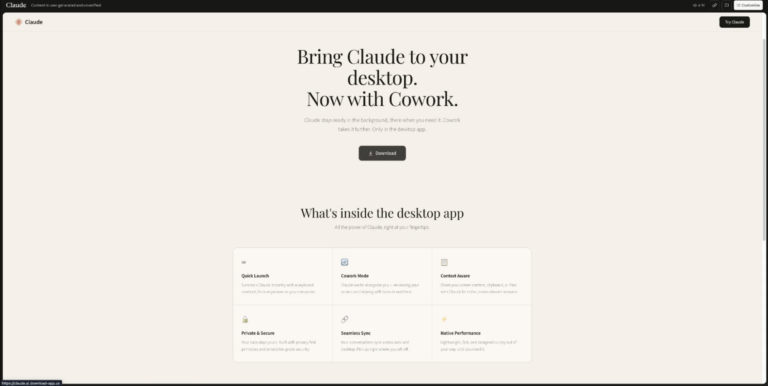
You can barely see the disclaimer up at the top-right in the black part of the window that says “Content is user-generated and unverified”, which is frankly a design failure by the vendor in question.
Social engineering tactics weaponized by FakeAgent and similar hosted malvertising lures
These attackers didn’t need to research a single victim; they just waited for anyone searching for a popular AI tool to click a paid ad on Bing.
- Trust exploitation: the entire attack pivots on the fact that the first link an employee clicks is genuinely hosted on claude.ai. Most phishing training teaches “check the domain,” but here, the domain check passes.
- Masquerading: the fake page, the fake executable name, even the fake persistence mechanism (“DockerDesktop.exe”) are all designed to look like ordinary, expected software.
- Plausible packaging: there’s no urgency language, no threatening subject line, no fake invoice. It’s just a search result and a download button, which is precisely what makes it easy to miss.
- Banner blindness: the “user-generated and unverified” disclaimer is functionally a warning label, but disclaimers on modern web pages have trained employees to scroll past them. That two-second pause is the actual control that failed here.
This attack isn’t a one-off, either. Huntress traced the same actor to an April 2026 campaign using the identical playbook: a fake Docker Desktop installer distributed via Docker Hub, also using DLL sideloading to hide behind a trusted brand.
Even if your organization dodges this one, assume the next version targets whatever tool your employees search for next.
We actually covered a similar pattern when a colleague nearly installed a fake ChatGPT Atlas browser last year.
Employees most at-risk of falling for similar tool malvertising
|
Role / Behavior |
Why they’re elevated risk |
|
Any employee searching for an AI tool without a company-sanctioned option |
If AI adoption is happening faster than IT can roll out an approved tool, employees fill the gap themselves — searching, clicking sponsored results, and installing whatever looks official. No department is exempt; this is a behavior risk, not a role risk. |
|
IT and procurement staff evaluating new software |
Actively sourcing and installing new tools is the job — which means more searches, more downloads, and often more privileged accounts on the device doing the downloading. A successful compromise here has a bigger blast radius than a single end-user machine. |
|
Developers and engineers exploring AI coding assistants |
Already primed to install new AI tools quickly to stay productive, often outside a formal procurement process, and often on machines with access to source code, credentials, or CI/CD systems. |
You can identify these employees using a phishing simulation that mirrors the FakeAgent lure – a sponsored-ad-style prompt to download a popular AI tool.
How employees can avoid FakeAgent-style attacks
- Install only through IT-approved channels. If your org has a sanctioned way to get AI tools, use it.
- If you don’t have one or you don’t know where it is, bring it up with IT directly instead of solving it yourself via search.
- If you don’t have one or you don’t know where it is, bring it up with IT directly instead of solving it yourself via search.
- Treat sponsored search results as untrustworthy by default, even when the visible domain looks correct. A legitimate domain can (clearly) still host attacker-controlled content.
- Consider installing an ad blocker, so you’re not tempted by any advertisements!
- Consider installing an ad blocker, so you’re not tempted by any advertisements!
- Block or limit sponsored results where possible using browser extensions or DNS-level ad blocking – a simple technical control that removes the lure at the source.
- Stop and read the fine print on any page offering a download, especially disclaimers about user-generated or unverified content.
- That two-second pause is one of the best security controls here, and our first line of defense.
- That two-second pause is one of the best security controls here, and our first line of defense.
- Report it to your security team if you’ve downloaded software this way, even if nothing seems wrong. The sooner you tell them – even if you’re not sure! – the sooner we can stop bad attacks from getting worse.
To learn more about malvertising attacks, check out Fable Security’s free ebook, “One ish, two ish: How to prevent modern phishing” – no email required!