
Sign in Book demo
coming up
Prepping for October Cybersecurity Awareness Month? We've got you covered. Get your kit today.
Sep 4, 2026
Copied!
Clean up your phishing simulation library yourself

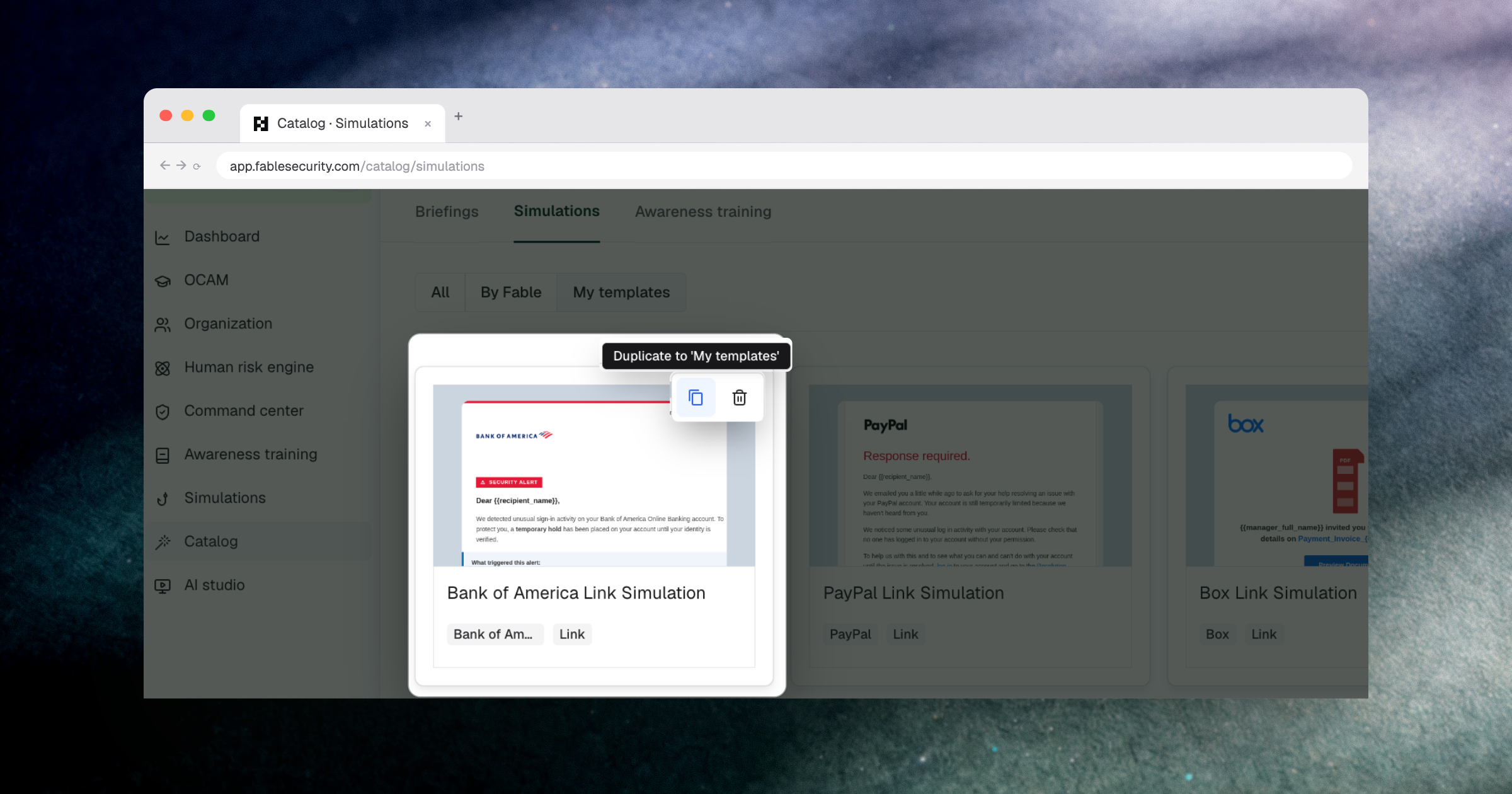
Security teams building out a phishing simulation program shouldn’t need to file an engineering ticket to fix a bad template. Security team admins can now duplicate and delete simulation templates directly inside Fable, so cleaning up or iterating on your library doesn’t wait on someone else’s queue. Deletion is scoped so it can never break a simulation that’s already running.

What’s new

  • Template duplication — Security Team Admins can duplicate any simulation template, one of Fable’s own “By Fable” templates or one they built in “My Templates”, to use as a starting point for a new variant.
  • Template deletion — Admins can delete templates from “My Templates.” Fable staff can additionally duplicate or delete “By Fable” templates, so an accidental global publication can be pulled without an engineering fix.
  • Dependency protection — Deletion is blocked if a template is still attached to an active campaign, so cleanup can’t accidentally break a simulation in progress.

Why it matters

Security programs stall when small maintenance tasks turn into support tickets. Teams that build their own phishing simulations in-house already know this trap: what starts as a practical, high-control setup slowly becomes dependent on a few people and a pile of fragile workflows just to keep the library current. The same drag shows up with vendor-run platforms whenever changing a template means waiting on someone else’s backlog. Giving admins direct control over duplication and deletion removes that dependency entirely. The team that owns the program also owns its templates, with no handoff required to keep the library current.

This is built for the Security Team Admins and analysts who run the day-to-day of a phishing simulation program, the people judged on how quickly they can act, not just on whether a ticket eventually gets resolved.

How to access it: Navigate to Catalog > Simulations > My templates, then use the duplicate or delete actions on any template card.