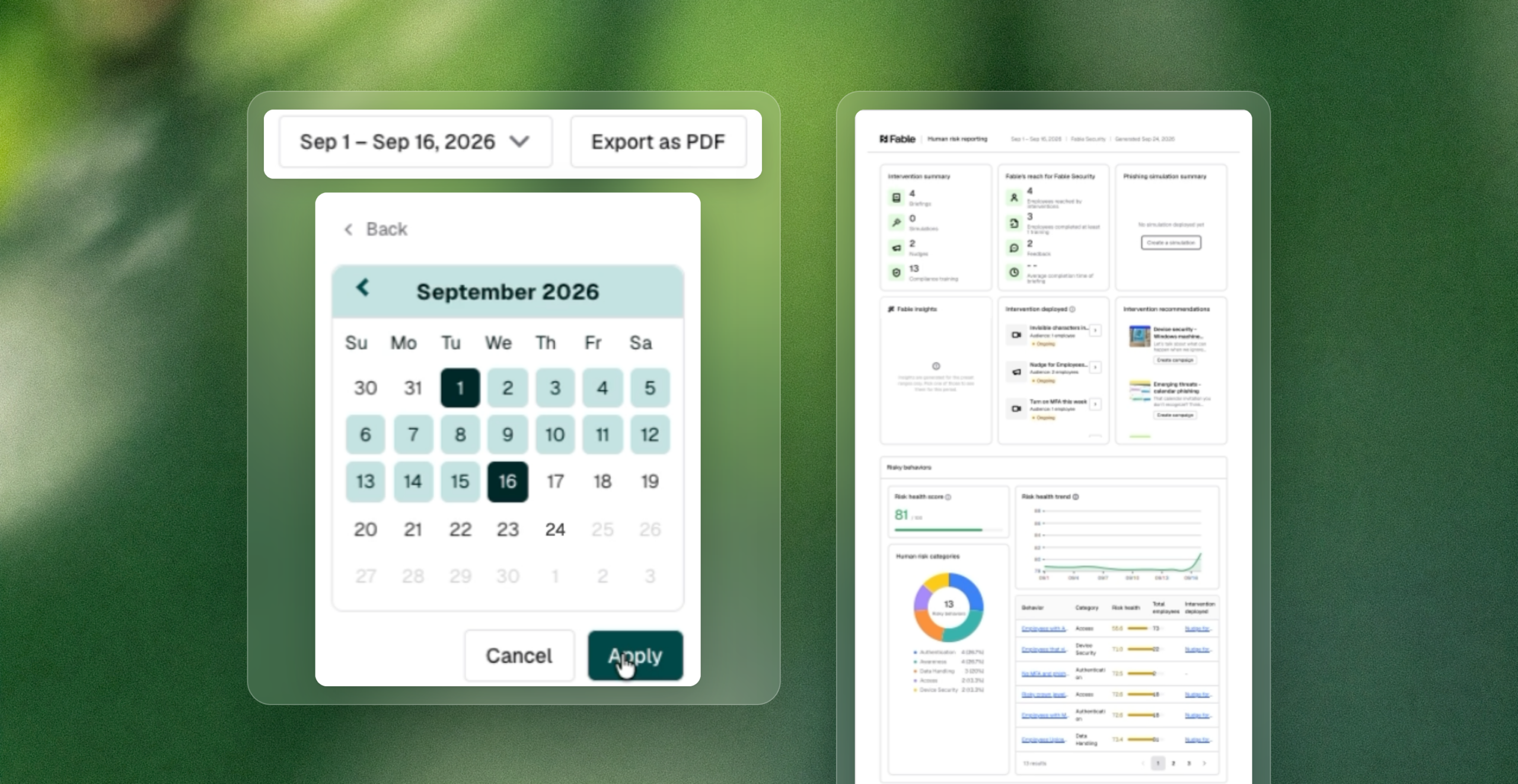
Boards and audit committees are done accepting a screen-share of your dashboard as proof a program is working. You can now export any dashboard view as a PDF and run it over a custom date range, turning a live view into a portable, dated record you can hand to a board, an auditor, or an executive stakeholder.
What’s new
- PDF export: Export any dashboard view as a polished PDF, ready for board packets, audit binders, or exec updates.
- Custom date range picker:Report on any window you need, not just fixed presets — a quarter, a specific incident period, or whatever range an auditor asks for.
Why it matters
Boards and audit committees increasingly reject completion-rate reporting as a sufficient story and expect a defensible, dated record of program performance instead. Security and GRC teams have historically burned hours exporting data from multiple tools and rebuilding a report by hand every time leadership or an auditor asks for a specific window. This closes that manual-reconciliation gap by letting any dashboard view become a portable record in a couple of clicks.
This is built for CISOs, security awareness leads, and GRC and compliance leaders who present human risk metrics upward (to a board, an audit committee, or a regulator) and need the numbers to hold up under scrutiny, not just look good on a live screen. A dated, exportable record is the difference between an informational update and evidence a board can actually oversee.
How to access it: Navigate to the Dashboard in the Fable platform, set your date range, and select Export as PDF.