



The TL;DR
- Attackers use OAuth “device code” phishing to trick victims into approving unauthorized access to their real Microsoft accounts.
- The attack uses a real Microsoft login page as victims “re-authorize” their session… but approve the attacker’s session, instead.
- Attackers can then do and see everything the victim is allowed to do and see—leading to sensitive mailbox access, proprietary data theft, and business email compromise.
- Urge your people to never approve logins they didn’t personally ask for!
- Scroll down for a free, 2-minute Fable video briefing you can use
Threat actors can bypass passwords and multi-factor authentication (MFA) controls to access Microsoft 365 accounts for future attacks through the popular OAuth “device code” phishing technique.
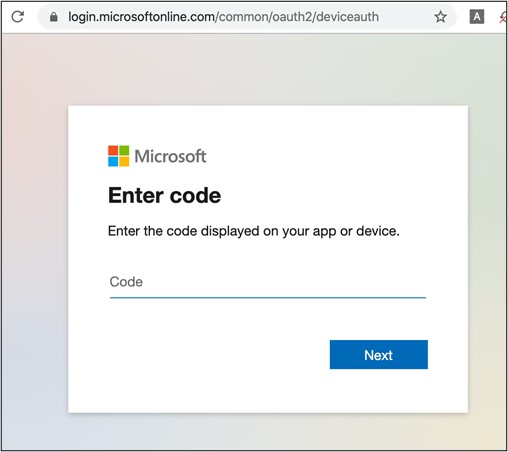
Instead of stealing credentials, OAuth device code phishing lures trick their victims into approving attackers’ access using legitimate Microsoft login pages.
For this lure, there’s no bad grammar or strange URLs your employees can spot: just an urgent and unexpected “reauthorization” request that innocently displays the real login page…
… granting an unseen threat actor’s access to the victim’s Microsoft 365 account for as long as the victim doesn’t need to log in again.
Here’s how OAuth device code phishing lures generally work
- Attackers send a phishing message asking someone to enter a short code – a one time password (OTP) – in a real Microsoft-based URL, because they need to “reauthenticate” their current session.
- Some attacks, for example, used the legitimate login page of microsoft.com/devicelogin
- Instead of the OTP being used for their personal session, victims are actually authorizing the attacker’s access.
- The system is only supposed to grant these tokens after an employee puts in their username, password, or other credentials to guarantee the user’s identity and authorization.
- However, attackers manipulate the system so the victim re-approves the attacker’s session instead of their own. The system then assumes this second session also used the victim’s credentials.
- The attacker can then access the person’s Microsoft account–including email, contacts, and proprietary business information–until the reauthorized session token expires.
- Remember: the system thinks that attackers are actually the authorized user, since they have a “real” session token. So, the attacker can look at and do anything the victim is allowed to see or do!
Security researchers have been noting a rise in these campaigns since their initial appearance during the COVID-19 pandemic in 2020-2021 and ramping up in late 2025:
2020-2021: Researchers first see the modern OAuth device code phishing lure used in “high-profile [business email compromise] BEC incidents” in “sophisticated phishing campaigns,” often using COVID-related messages to increase legitimacy and urgency. (Sophos)
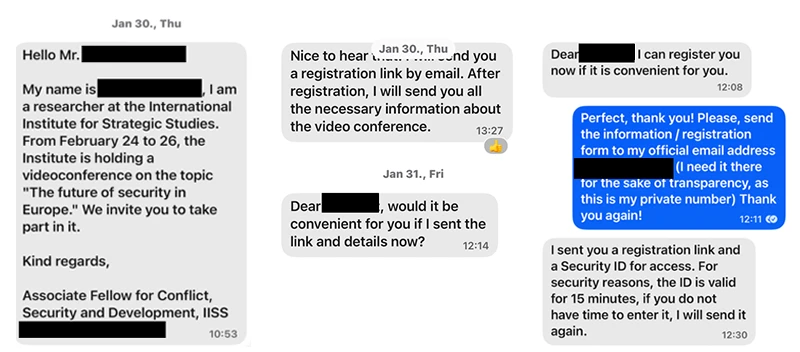
February 2025: Microsoft discusses how attackers targeted specific employees with text message lures (“smishing”) over Signal, WhatsApp, and Telegram messaging platforms to encourage victims to authorize the attacker’s session on Microsoft 365 accounts. (Microsoft)
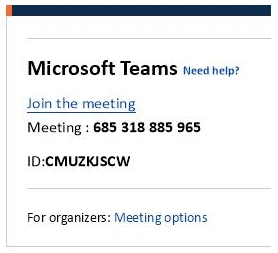
May 2025: Researchers continue to demonstrate the wide range of OAuth device code phishing attacks available, including setting up proofs of concept (PoCs) of how the attack technically works across lure formats. (Logpoint)
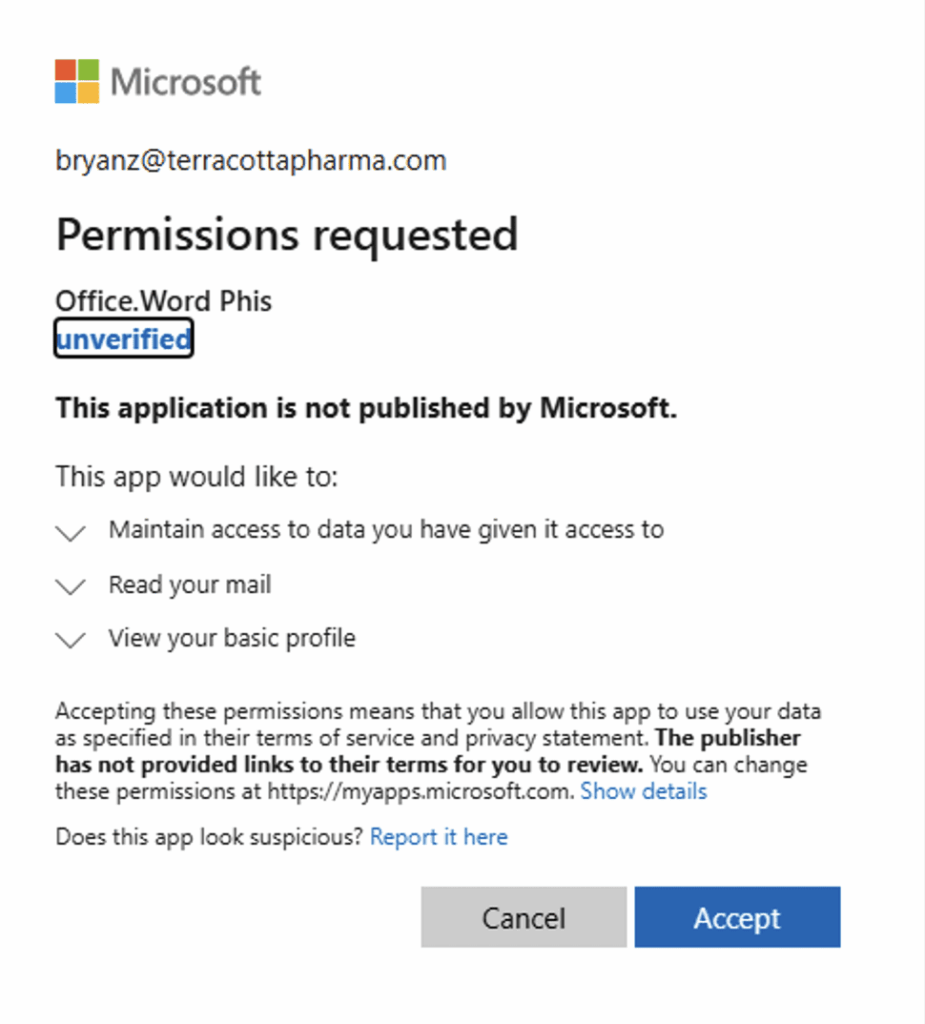
November 2025: Cloud security researchers see more OAuth device code bypass attempts in their own security product across their customer base–with 98 suspicious successful authentication attempts, six malicious device registrations, and 7 Windows registration after device code authentications in the last three months. (Wiz)
December 2025: Email security researchers detail rising use of the OAuth device code phishing lure by both nation-state and financially motivated threat actors, now that low-code / no-code versions of the attack are now for sale on the dark web. One phishing email used a fake document about fake bonuses and benefits to encourage victims to click. (Proofpoint)
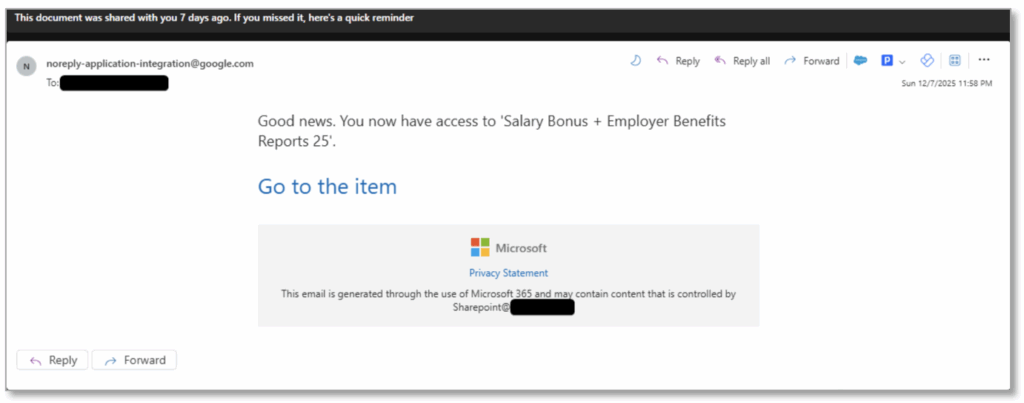
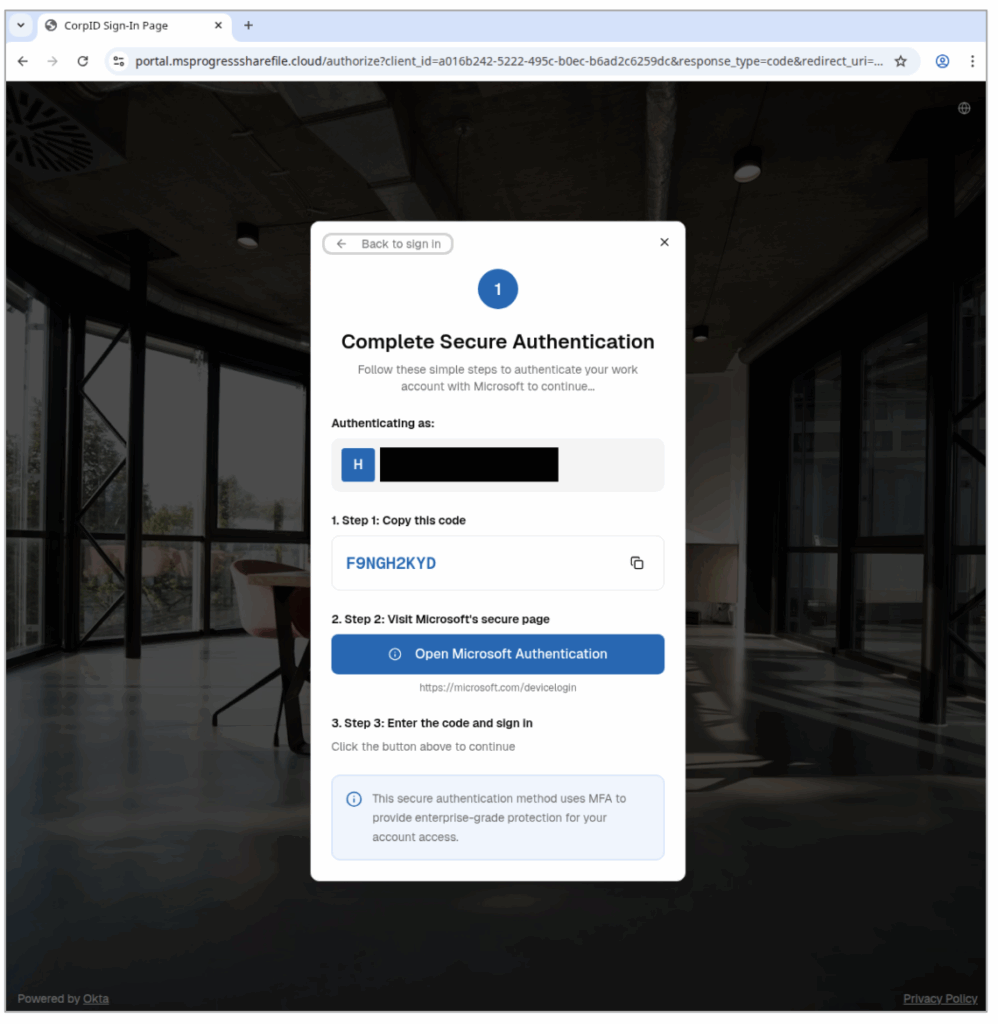
How to prevent initial access via OAuth device code phishing lures
In an OAuth attack, there’s no fake login page or obvious red flags you can train your teams to watch for: just a convincingly urgent request to “re-authorize” or “secure” their account.
That’s why awareness and timing matter! Employees should never enter a device code unless they personally tried to login moments before, and they should treat any unexpected code requests as phishing.
How Fable can help you right now
Here’s a super-short and free downloadable video showing exactly how this attack works, and how employees can watch out for it. We designed this briefing specifically to help anyone recognize this threat before it turns into a real incident.
Download it, share it, and remind your team: Don’t approve logins you didn’t ask for!
Watch the briefing
And download for your own use below.
https://youtu.be/u4v6CLcwmio Download now
If you’d like risk-based briefings and nudges that are hyper-targeted and customized to your organization, try the Fable platform.