
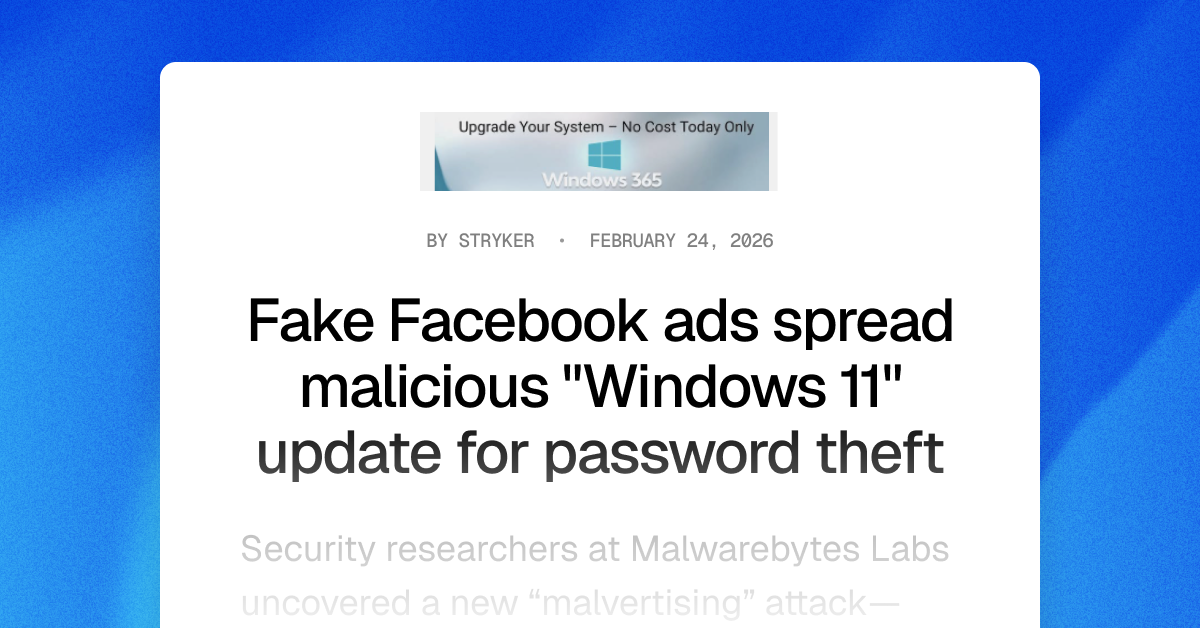
TL;DR—
- Attackers are buying Facebook ads to promote a “0$” fake Windows 11 Pro license download that—if run—steals browser-saved passwords, session tokens, and cryptowallet data.
- These ads and the fake Microsoft landing page are especially well made, leveraging:
- Trust-building security language
- Increased urgency, and
- Realistic domains that mimic internal Microsoft cadence.
- To avoid falling for this and similar phishing attacks, always download updates from official sources and use an adblocker.
- Check out “One ish, two ish: How to prevent modern phishing” for more about malvertising lures and other social engineering attack, and scroll to the bottom for a short video briefing you can download and share with your employees!
Real Facebook ads to fake Windows page to malicious install
Security researchers at Malwarebytes Labs uncovered a new “malvertising” attack—that is, online paid ads that spread malware instead of Etsy shop links—that uses real Facebook ads to promote a “0$” Windows 11 Pro update.
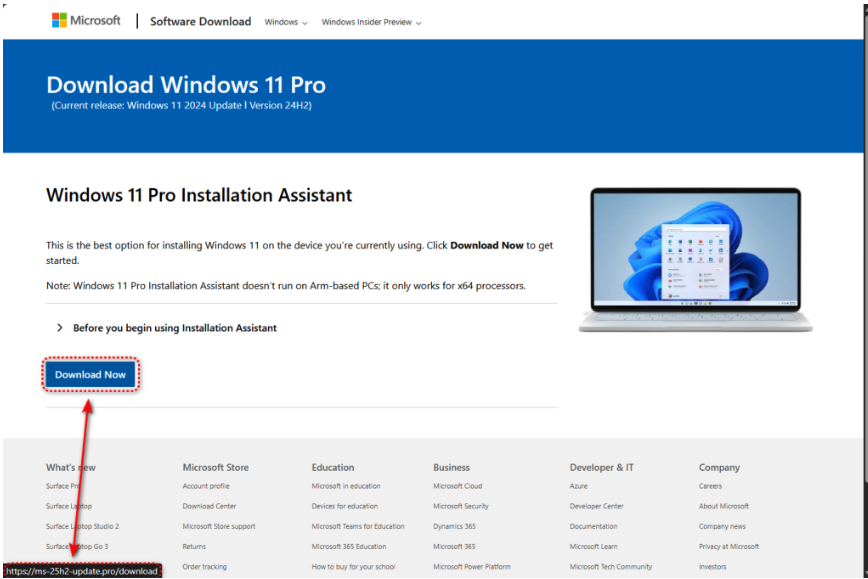
When victims click the link from a personal or work device, they’ll reach an extremely realistic (but fake!) Microsoft page.
(courtesy of Malwarebytes Labs)
Victims’ only two clues that the page isn’t correct are:
- A domain that follows Microsoft convention (“25h2” for the second half of 2025, for example), but isn’t actually the Microsoft downloader page, including:
- ms-25h2-download[.]pro
- ms-25h2-update[.]pro
- ms25h2-download[.]pro
- ms25h2-update[.]pro
- If they do download the package linked on the “Download Now” button, it’s actually coming from GitHub—not Microsoft!
The package’s installer checks for security researcher tools—immediately stopping if it detects any—but then unfurls information stealing malware to take the victim’s:
- Logins saved in the victim’s browser;
- Cryptocurrency wallet files; and
- Session cookies, which can be used to enter a victim’s personal or corporate cloud accounts later.
Why these Facebook ad lures work
(courtesy of Malwarebytes Labs)
At first glance, there are no real red flags… until you look a little closer.
- Compromised accounts: Notice that these are real Facebook accounts promoting the Windows 11 Pro license upgrade. At first glance, this increases the legitimacy of the lure… however, neither a university nor a saloon would typically promote technology upgrades.
- Security-based packaging: We’re seeing more and more attackers mixing security-based language into their lures to encourage victims to trust the lure. For example, the university-based ad has the phrases:
- “Protect and Secure your PC”
- “No Data Loss”
- Urgency: A very common advertising—and social engineering!—tactic is urgency: the more someone can make you think you have to act now, the less likely you’ll evaluate whether you should take an action. For example:
- The university-based lure has phrases like “Don’t lose your files” (to scare you into downloading right away) and “No Cost Today Only” (so you don’t wait).
- The saloon-based lure says the offer is “For Presidents’ Day” (putting a natural timer on the alleged free upgrade).
- Both lures promise a “quick” and “fast” upgrade.
Employees most at-risk of falling for this (and other) malvertising campaigns
This specific campaign’s domains and hash files are relatively simple to block and set detections for, all things considered.
However, this attack exemplifies an increase in malvertising campaign lure experimentation across multiple platforms.
Its technical sophistication—from evading research tools, to leveraging trusted distribution applications, to Microsoft-influenced domain masquerade attempts—means that criminals have invested into this campaign’s toolbox, and will very likely reuse this strategy with different lures, formats, and malware configurations.
With that in mind, the types of employees most at-risk to falling for this specific attack (and ones like it) include:
- Users on Windows OS endpoints, specifically for this attack;
- Employees who don’t use password managers and / or store credentials in browsers or online password keepers;
- Individuals who do not have ad blockers installed and have visited Facebook; and
- People who have cryptocurrency wallets (and have visited crypto-related websites during work hours)—again, for this campaign, though the format can be applied for more corporate-related secret harvesting.
How to avoid buying into the fake Windows 11 update and similar malvertising messages
- Only download updates from official sources! As good as the downloader page looked, it’s not real.
- Use an adblocker. Again, criminals like to use paid advertisements online so their malware reaches those who are most likely to click it. If you don’t see any online ads, then you won’t see their malicious lures, either.
- Don’t save logins in your browser, and use a password manager instead wherever possible.
- Double-check the promoting profile. Criminals love to steal real company’s profiles and advertising budgets to spread their malware. If it wouldn’t make sense for that sort of organization to promote the alleged product or service, then it’s probably bad!
To learn more about malvertising attacks, check out Fable Security’s free ebook, “One ish, two ish: How to prevent modern phishing”—no email required!