Emerging threat: Attackers combo voice and email phishing for a credential knock-out

TL;DR—

  • Scammers now combine email spearphishing messages with a follow-up voice phishing call “from” an IT staff member.
  • The helpful scammer walks the victim through any multifactor authentication (MFA), one-time passwords (OTPs), or other security challenges to steal Google, Microsoft, Okta, or cryptocurrency credentials.
  • While the current recommendation is to roll out “phishing resistant” MFA tools such as YubiKeys, Fable Security recommends organizations send out reminder microtrainings on social engineering tactics to specific cohorts of likely vulnerable employees.
  • Check out “One ish, two ish: How to prevent modern phishing” for more about modern phishing lures and social engineering attacks like this one.

Okta: Dark web “phishing as a service” kits let scammers email and text victims to avoid MFA

In January 2026, Okta security researchers published a new attack format based on pre-made “phishing as a service” (PaaS) kits for sale on dark web forums.

Scammers can now:

  1. Buy one of these PaaS kits;
  2. Research an organization’s employees and technology stack; and
  3. Create extremely realistic phishing emails “from” a known member of the organization’s IT support staff.

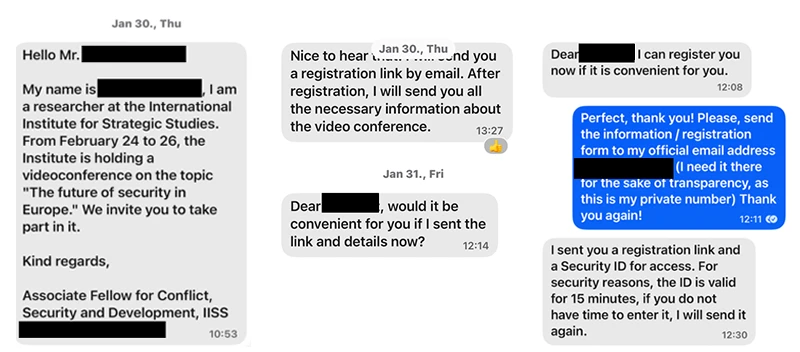
Then, the scammer will follow up their email lure with an actual phone call—a voice phishing, or “vishing”, attack—to the same victim.

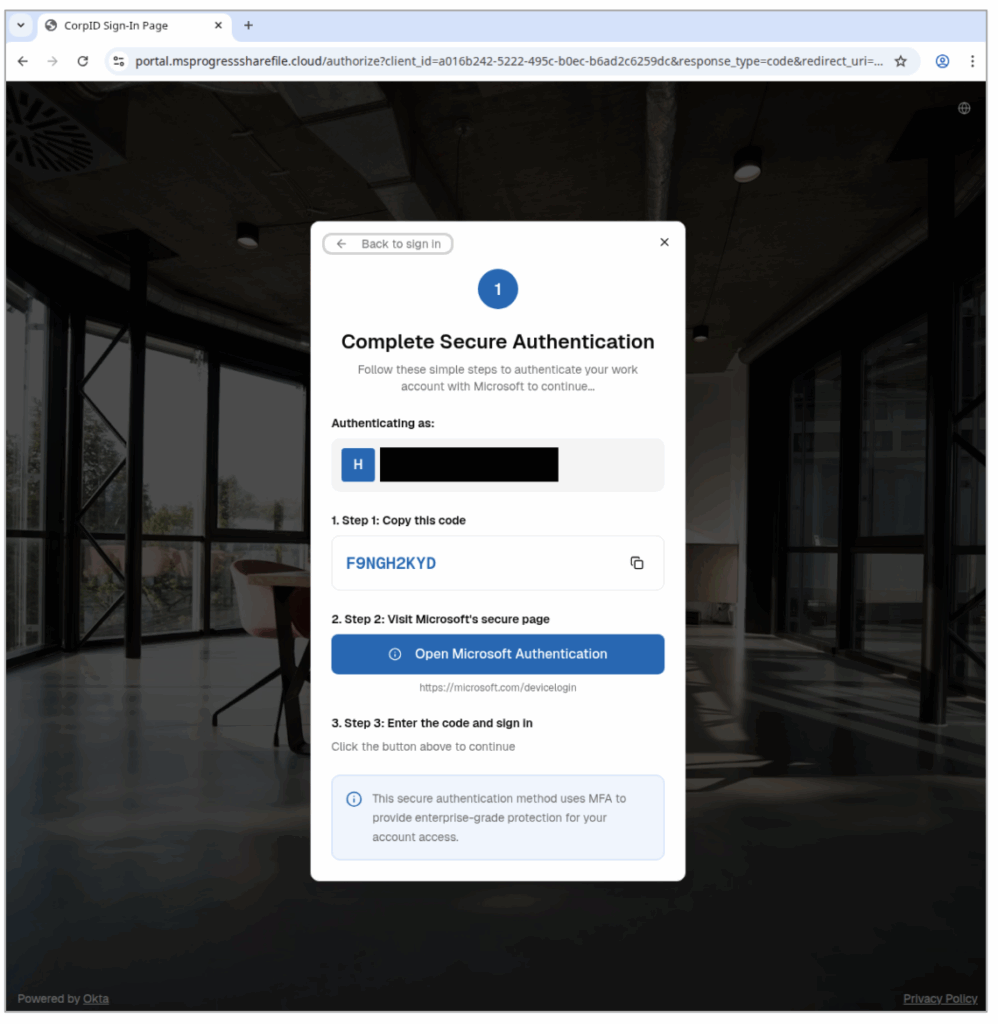
Still posing as a member of the organization’s IT help desk, the scammer will walk a victim through a fake login page and ask for whatever one-time passwords (OTPs), multi-factor authentication (MFA) codes, or other authentication challenges may pop up.

The scammer can even tailor their shared, on-screen steps to match what the victim is seeing on their own screen in real-time!

To the victim, it feels like a legitimate support interaction—not a threat—until it’s too late… and the scammer has their corporate account for worse attacks. 

Scammers can plant spyware, steal intellectual property or cryptocurrency, and even infect other corporate devices with malware, ransomware, or wiperware.

The Fable Security team highly encourages any Okta customers to download the complete threat advisory, which contains known indicators of compromise (IOCs) and other details of known exploited attacks.

Start securing your humans from combo phishing attacks—without YubiKeys

Based on initial reporting and the level of effort required to research and target employees—even with a dark web “as a service” platform coding up their emails and landing pages for them!—Fable threat analysts believe with moderate confidence that larger organizations with publicly available branding guidelines will be most at risk from this phishing combination in the next 3-6 months.

As for what these targeted organizations can do, current recommendations from Okta researchers suggest investing in YubiKeys. However, this solution can be expensive to purchase and time-consuming to roll out—particularly for organizations with employees who already don’t care for MFA applications.

Therefore, while your security team invests in long-term infrastructure to combat growing phishing attempts, Fable suggests your awareness team sends out targeted refresher briefings on spotting social engineering techniques—which include vishing and email phishing red flags. 

For example, you might send out social engineering reminders to:

  • Employees with high access permissions to critical applications and not IT help desk staff or system administrators; 
  • Employees likely to answer calls during work hours; or 
  • Employees who have previously clicked on a phishing simulation and either have high access permissions or have not enrolled in MFA. 

Make sure your briefings emphasize:

  • Pausing before clicking or responding to any “suspicious” communications, even if they look legitimate;
  • NEVER sending authentication codes to anyone, for any reason; and 
  • Following current processes for interacting with and accepting IT support. 

When in doubt, they should report the message and ask their security team for advice.

If you’re curious about other types of phishing lures, check out Fable Security’s free ebook, “One ish, two ish: How to prevent modern phishing”—no email required!
Emerging threat: LastPass “Backup Recommended” phishing email

TL;DR—

  • Over a US holiday weekend, attackers sent out urgent LastPass-themed “backup recommended” phishing emails from “mail-lastpass[.]com” to trick victims into revealing their master passwords.
    • Per the latest reports, LastPass itself was NOT compromised and did not leak customer data or credentials.
  • This particular phishing lure combines many effective phishing tactics, such as timing, urgency, and security-specific reassurances.
  • To avoid falling for this and similar phishing attacks, NEVER click, download, or reply to suspicious emails and reach out to the “last known good” contact information.
  • Check out “One ish, two ish: How to prevent modern phishing” for more about modern phishing lures and other social engineering attacks.

The MLK “Backup Required” LastPass phishing email

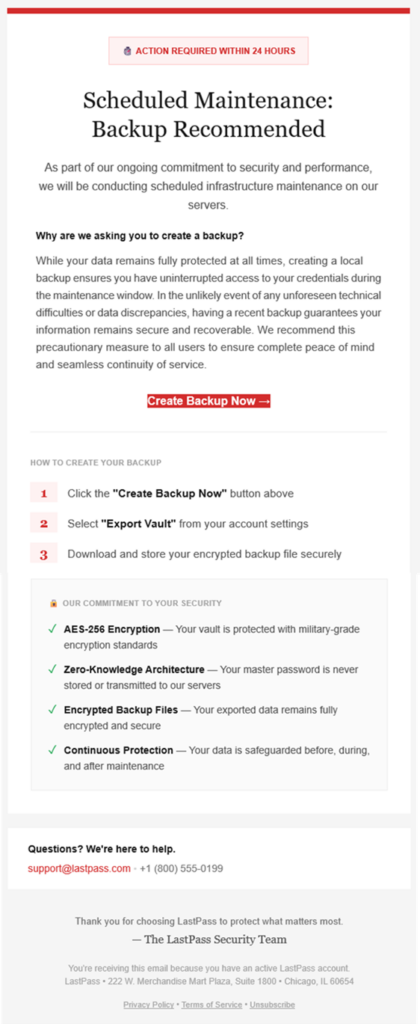
Password manager vendor LastPass received reports that over the weekend of January 19, 2026, attackers sent branded phishing emails to LastPass customers, pretending that an important “recommended backup” needed to happen within the next 24 hours.

On clicking the link, victims were taken to a realistic—but fake—login page for LastPass, where they were prompted to enter their master password.

With both their email and the master password—and assuming multifactor authentication (MFA) wasn’t set up—an attacker then gains access to the victim’s entire LastPass vault, which could include:

Why the LastPass phishing lure works

(courtesy of LastPass)

This phishing lure features many extremely effective social engineering tactics, including:

  • Send timing: Attackers sent these lures on a US holiday weekend—right before Martin Luther King, Jr. Day—when victims are distracted and security teams typically understaffed.
  • Language choice:
    • Notice the red alert box at the very top, as well as additional urgency triggers—specifically the “action required” within a short time period. The urgency started even before the email was opened, with subject lines like:
      • LastPass Infrastructure Update: Secure Your Vault Now
      • Protect Your Passwords: Backup Your Vault (24-Hour Window)
      • Important: LastPass Maintenance & Your Vault Security
    • Throughout the email’s written message, attackers repeated security-specific reassurances—“ongoing commitment to security”, the “ongoing commitment to security” checklist—to mask malicious intent.
  • Plausible packaging:
    • LastPass is a respected and personally important brand for its victims, increasing the chance they click the email.
    • The sender domain “sounds right” at first glance, from “mail-lastpass[.]com”.

How to avoid getting hooked by the MLK LastPass lure and similar phishing messages

  • DO NOT REPLY TO, DOWNLOAD, CLICK, OR CALL ANYTHING in a suspicious message!
    • After all, if the email is real, you can always come back to it later!
  • Confirm the message by reaching out to a known-good communication, like going to the sender’s website directly or sending a new email to customer support.
    • In this case, you could open the LastPass application itself to see if there was a maintenance banner, as well as find legitimate contact information for their help desk to verify the message.
  • Remember that no password manager company—or financial institution or any other store or vendor!—will ever ask for your password.

While this lure didn’t contain a direct ask for the password, many similar phishing emails—and voice phishing (“vishing”) or sms phishing (“smishing”)—will ask for either your authentication codes or the password to put in for you… but actually steal it.

If you’re curious about other types of phishing lures, check out Fable Security’s free ebook, “One ish, two ish: How to prevent modern phishing”—no email required!
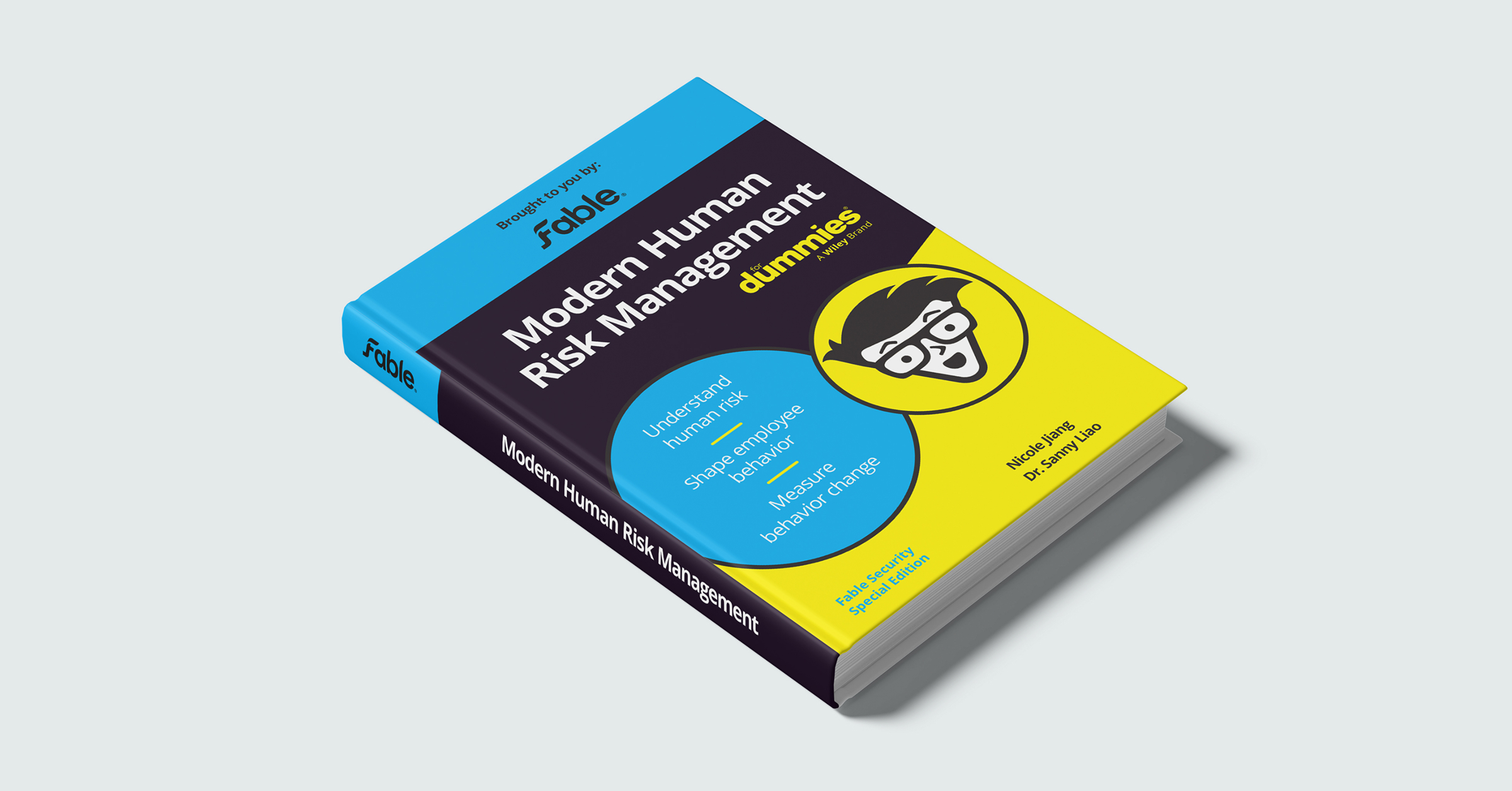
We wrote the book on modern human risk management

The TL;DR

  • Cybersecurity has modernized nearly everywhere, except in human risk.
  • We wrote this book to set the bar for modern human risk management.
  • Programs must be data-driven, targeted, timely, outcomes-focused, and enterprise-grade.
  • Modern human risk management delivers: employee engagement, fewer incidents, fast threat response, and metrics that tie behavior change directly to business impact.

Over the past decade, cybersecurity has grown up. We’ve taken advantage of AI and automation to make enormous strides in malware detection, vulnerability management, secure software development, and more. Engineers now score risk continuously, automate remediation, and harden systems at scale. But there is one attack surface that largely remains untouched: people. While organizations fortify software and infrastructure, they continue to manage human risk with static training and phishing simulations that feel like they’re from the 1990s.

We wrote Modern Human Risk Management for Dummies to close that gap. The book treats human risk as a first-class security discipline, not a side program. It explains how AI-driven threats have reshaped the human attack surface, why traditional awareness efforts fail to change behavior, and what security teams must do differently if they want to reduce risk rather than merely count phishing clicks and training completions.

The book centers on five non-negotiables in modern human risk management: data-driven decision-making, highly targeted interventions, timely delivery, outcomes-focused measurement, and enterprise-grade execution. Instead of broadcasting generic content, security teams need to respond to real behavioral signals and intervene with precision as soon as they detect risk, meeting people in the tools they already use. Teams that follow these principles see the difference quickly: employee engagement, fewer incidents, timely threat response, and metrics that tie behavior change directly to business impact.

We wrote this book for practitioners—CISOs, GRC leaders, and security awareness teams—who understand the threat landscape and want something better than checkbox programs. If you’re ready to bring the human layer into the modern security stack and turn behavior from a chronic liability into a measurable control, this book is a great place to start.

Download the ebook.

Get your copy.

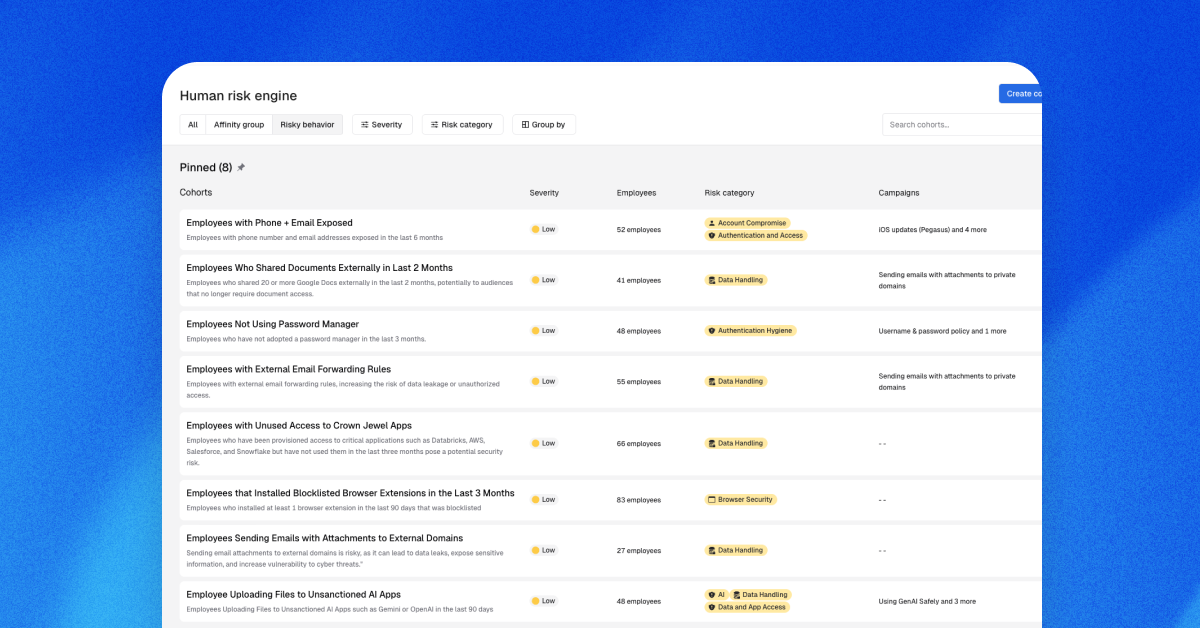
If you’d like risk-based briefings and nudges that are hyper-targeted and customized to your organization, try the Fable platform.

From annual training to real impact: Pennymac’s modern approach to security awareness

The TL;DR

  • Pennymac moved beyond annual training to an ongoing, security behavior program
  • Fable delivers role-specific messaging based on real user risk, and delivers interventions
  • Short-form video dramatically outperforms traditional email training
  • Increased video engagement correlated with faster OS patching and reduced vulnerabilities
  • Pennymac was able to close the loop, measuring whether security behavior changed

As social engineering threats evolve, and grow more convincing with AI, traditional security awareness training is no longer enough. In this customer testimonial video, the Pennymac CISO Cyrus Tibbs explains why annual refresher courses and generic email training fall short, and how his team uses Fable to deliver timely, role-specific security messaging that keeps pace with a rapidly changing threat landscape.

Cyrus describes a fundamental shift in how attackers operate: instead of breaking systems, they target people. That reality pushed Pennymac to rethink security training as an ongoing, behavioral program that understands individual risk, delivers relevant guidance in the moment, and measures whether behavior actually changes. Rather than relying on one-size-fits-all emails, the team adopted an approach closer to social media marketing: short, direct, actionable messages designed to drive engagement and measurable outcomes.

Using Fable, Pennymac automatically segments employees into cohorts based on role and observed behavior. These include money handlers, privileged infrastructure users, developers, and public-facing roles, each with distinct risk profiles and training needs. By eliminating guesswork around who receives which training, the security team ensures messaging is targeted, timely, and relevant, all without the manual toil.

The impact has been both immediate and measurable. A/B testing revealed dramatic differences in engagement between traditional email instructions and Fable’s AI-generated briefing videos, with employees consistently responding better to video. In one case study focused on OS patching, Pennymac integrated Fable with its vulnerability management system and tracked outcomes from video delivery through patch completion, finding a clear correlation between video engagement and reduced vulnerabilities.

Today, Fable has become Pennymac’s default platform for driving organizational change, not just security training. Cyrus notes that Fable’s automation and targeting capabilities free up significant staff time, while employees consistently respond positively to the short-form video format. The result is a security awareness program that scales with the business, adapts to real risk, and earns employee attention.

Genesys security is preparing employees for attacks of tomorrow

The TL;DR

  • The Genesis security replaced checkbox training with modern, short-form briefings that more closely resembles social media content
  • Engagement increased immediately, even after failed simulations
  • Employees reporting suspicious activity rose by double digits
  • Upon a request from incident response, the team delivered custom, threat-specific training in about a day using Fable

Traditional security awareness training often feels like a checkbox—something employees rush through and quickly forget. In this customer testimonial video, the Genesis security team shares how they set out to change that dynamic, using Fable to deliver crisp, short-form training that mirrors the content employees already engage with on platforms like TikTok and Instagram Reels.

Featuring insights from Marlene Galvan, Portfolio Coordinator and Security Awareness Lead, and Jonathan Chow, CISO, the video explores what happened after Genesis moved away from traditional, long-form training and adopted a more modern, human approach to security awareness.

The shift in employee response was immediate. Engagement increased, and for the first time, employees began offering positive feedback, even after failing a simulation. Instead of frustration or embarrassment, many appreciated the briefings for being short, relevant, and delivered in a positive, non-punitive tone.

That engagement quickly translated into measurable results. Genesis saw double-digit percentage point increases in employees reporting suspicious activity—one of the clearest indicators of an effective security awareness program. Not long after launch, the incident response team proactively requested a targeted phishing training video for a specific threat. Using Fable, Genesis delivered a custom video in about a day, tailored precisely to the behavior they needed to change.

The video also highlights how Fable’s AI-powered platform enables rapid, flexible content creation, including company-specific details, custom graphics, and topic-focused messaging that feels relevant rather than generic. By prioritizing short, targeted content, Genesis found that security awareness became easier to absorb, and far more likely to stick. As the team puts it, Fable helps make the “medicine go down easier.”

Finally, Marlene and Jonathan emphasize the partnership itself as a key factor in their success. Rather than a traditional vendor relationship, the Fable team operates as an extension of Genesis’s internal crew, collaborating, exchanging ideas, and working toward a shared mission. The result is a security awareness program that doesn’t just reduce risk, but actively strengthens security culture across the organization.

eBook: Modern Human Risk Management For Dummies

Interested in the full report? Download the full report here.

Risk-based targeting isn’t role-based targeting (and the difference matters)

The TL;DR

  • Most “risk-based targeting” is really just role-based targeting with assumed risk.
  • True risk-based targeting responds to observed behavior.
  • Security teams have a finite attention budget, and wasted training erodes impact.
  • Targeting the few who actually cause risk drives better outcomes and trust.

A hot topic in human risk management is risk-based targeting. Everyone knows one-size-fits-all security training is yesteryear, and there’s even a fair body of evidence that it may have the opposite effect than intended. Lots of vendors claim to target risk, but few actually do it. What they really mean is role-based targeting.

To be clear, role-based training is a good thing. It shows employees what “good” looks like at their company, and—delivered in a relevant and specific way—serves as an excellent training starting point. Lots of our customers brief, say, the finance team on an emerging social engineering threat targeting them. Or deploy a particular type of phishing simulation just developers based on their familiar tools. But if your human risk management vendor tells you this is “risk-based targeting,” I’d say what they’re really talking about is just role-based targeting with assumed risk layered on top—not based on actual observed risk. The distinction may sound academic, but in practice it has real consequences for effectiveness, trust, and attention.

Here’s an example of assumed risk: engineers receive training on securing API keys or following cloud storage best practices. These are reasonable guesses, and they’re not wrong. Any solid security content library should absolutely include this material. The problem is that the targeting itself is static. It’s driven by who someone is in the org chart, not by what they’ve actually done. Risk is inferred, not observed. And the bigger question is how many developers do you know that have tolerance for training on all the potential topics they might encounter before they start getting training fatigue? 

Security awareness leaders know the truth: they have a finite amount of attention to make use of. Every unnecessary alert, notification, or, yes—training module—spends just a little bit of that budget. So, anything they send better pack a punch. In one customer, a financial technology company, the security team detected a specific data-handling behavior: their Splunk instance was showing PII violations. They traced them back to Datadog, and then to a bad parser, which about 150 of their nearly 1,000-person engineering team was using. Instead of broadcasting a generic warning to the entire engineering organization, they targeted the 150 with a 90-second Fable video briefing. It was crisp, to the point, highly specific, named the tools, named the violation, and gave a precise call-to-action. The result was they cut those violations by 60% within a month, and then to 0% in the months following, with zero recidivism. The other benefit? All the people who weren’t logging PII didn’t get the briefing. The company interrupted fewer people, preserving others’ attention for issues that were genuinely relevant to them.

Also note the qualitative difference in how these messages land. Sending content about a risk someone might encounter (“Make sure you protect personal data”) feels generic and easy to tune out, especially if it doesn’t map to anything concrete in the recipient’s day-to-day work. By contrast, content that reflects an observed behavior (“You inadvertently logged sensitive data in cleartext to Datadog”) is specific, credible, and hard to ignore. It moves security guidance from the abstract into the real world, where learning actually sticks.

Role-based training is valuable, and there’s a place for it in your human risk management content line-up. It gives employees that “wanted poster,” so they’re reminded what behaviors to steer clear of, but true risk-based targeting starts with behavior, not assumptions. When we anchor targeting in what’s actually happening in the environment, we respect people’s time, deliver highly-specific guidance, increase the impact of our interventions, and build trust that security messages are sent for a reason. In a world where attention is scarce, that makes all the difference.

Beware Microsoft 365 secure authentication requests

The TL;DR

  • Attackers use OAuth “device code” phishing to trick victims into approving unauthorized access to their real Microsoft accounts.
  • The attack uses a real Microsoft login page as victims “re-authorize” their session… but approve the attacker’s session, instead.
  • Attackers can then do and see everything the victim is allowed to do and see—leading to sensitive mailbox access, proprietary data theft, and business email compromise.
  • Urge your people to never approve logins they didn’t personally ask for!
  • Scroll down for a free, 2-minute Fable video briefing you can use

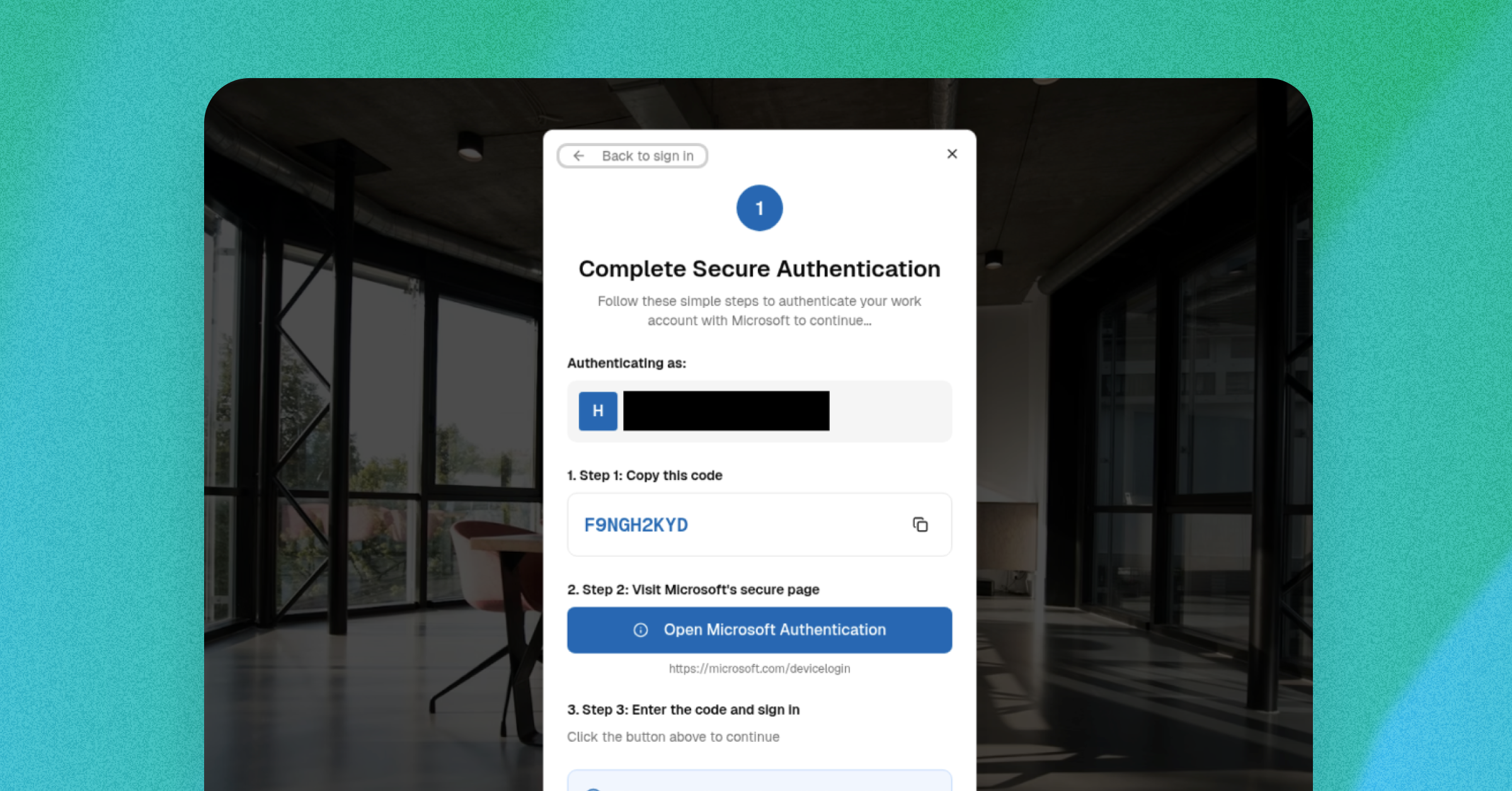
Threat actors can bypass passwords and multi-factor authentication (MFA) controls to access Microsoft 365 accounts for future attacks through the popular OAuth “device code” phishing technique.

Instead of stealing credentials, OAuth device code phishing lures trick their victims into approving attackers’ access using legitimate Microsoft login pages.

For this lure, there’s no bad grammar or strange URLs your employees can spot: just an urgent and unexpected “reauthorization” request that innocently displays the real login page… 

… granting an unseen threat actor’s access to the victim’s Microsoft 365 account for as long as the victim doesn’t need to log in again.

Here’s how OAuth device code phishing lures generally work 

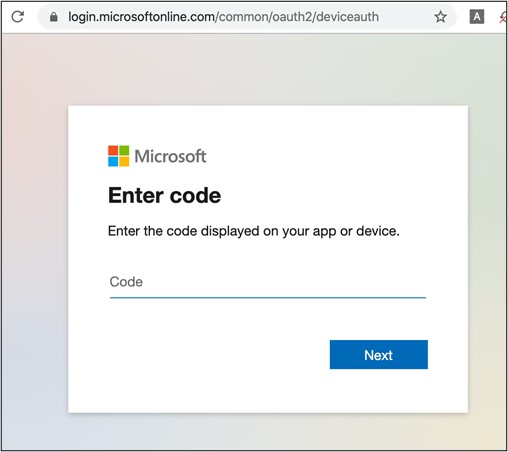
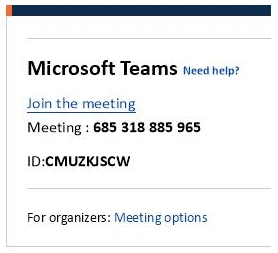
  1. Attackers send a phishing message asking someone to enter a short code – a one time password (OTP) – in a real Microsoft-based URL, because they need to “reauthenticate” their current session.
    1. Some attacks, for example, used the legitimate login page of microsoft.com/devicelogin
  2. Instead of the OTP being used for their personal session, victims are actually authorizing the attacker’s access.
    1. The system is only supposed to grant these tokens after an employee puts in their username, password, or other credentials to guarantee the user’s identity and authorization. 
    2. However, attackers manipulate the  system so the victim re-approves the attacker’s session instead of their own. The system then assumes this second session also used the victim’s credentials.
  3. The attacker can then access the person’s Microsoft account–including email, contacts, and proprietary business information–until the reauthorized session token expires.
    1. Remember: the system thinks that attackers are actually the authorized user, since they have a “real” session token. So, the attacker can look at and do anything the victim is allowed to see or do!

Security researchers have been noting a rise in these campaigns since their initial appearance during the COVID-19 pandemic in 2020-2021 and ramping up in late 2025:

2020-2021: Researchers first see the modern OAuth device code phishing lure used in “high-profile [business email compromise] BEC incidents” in “sophisticated phishing campaigns,” often using COVID-related messages to increase legitimacy and urgency. (Sophos)

Microsoft device login page used in an OAuth phishing attack / Secureworks

February 2025: Microsoft discusses how attackers targeted specific employees with text message lures (“smishing”) over Signal, WhatsApp, and Telegram messaging platforms to encourage victims to authorize the attacker’s session on Microsoft 365 accounts. (Microsoft)

An example of an early “smishing” lure and social engineering attempt used as part of a targeted OAuth attack / Microsoft).
An early example of an OTP used as part of an OAuth phishing attack / Microsoft

May 2025: Researchers continue to demonstrate the wide range of OAuth device code phishing attacks available, including setting up proofs of concept (PoCs) of how the attack technically works across lure formats. (Logpoint)

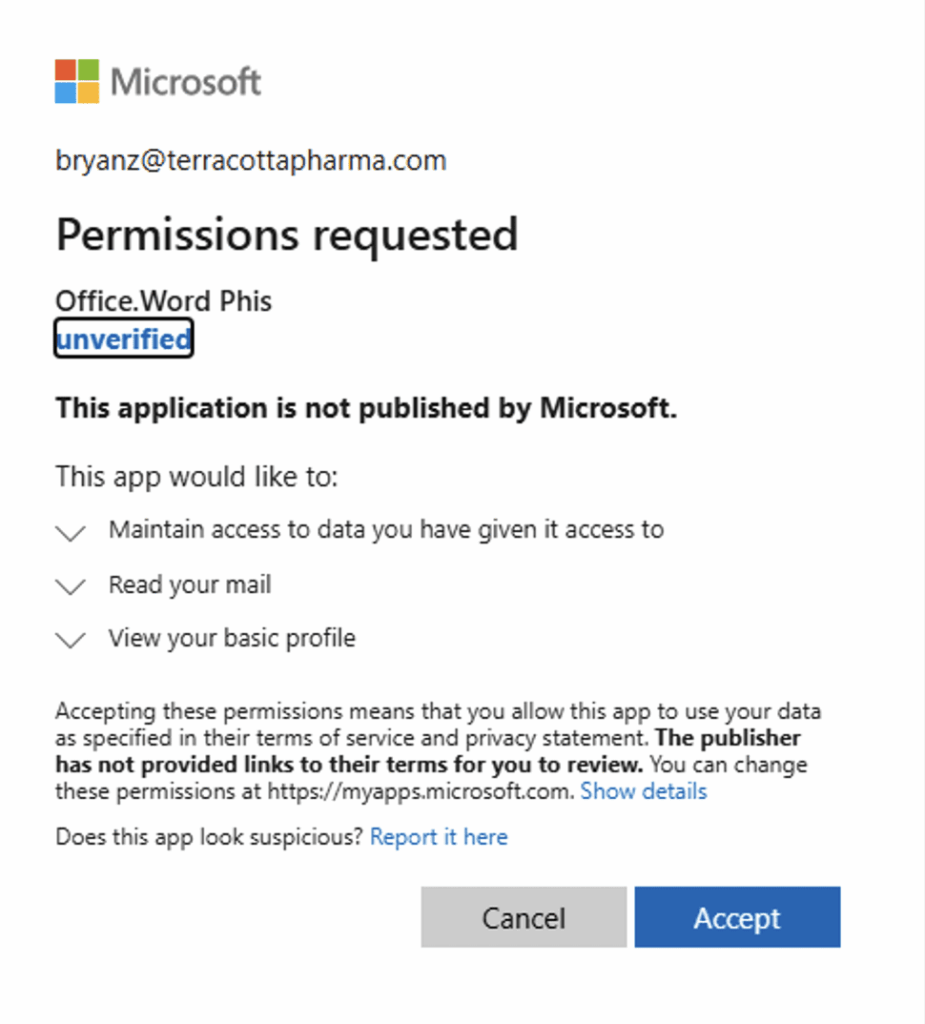
A researcher’s demonstration of how Microsoft redirects to a legitimate-appearing permissions request of an “unverified” application, as part of an OAuth device code phishing lure attack / Logpoint

November 2025: Cloud security researchers see more OAuth device code bypass attempts in their own security product across their customer base–with 98 suspicious successful authentication attempts, six malicious device registrations, and 7 Windows registration after device code authentications in the last three months. (Wiz)

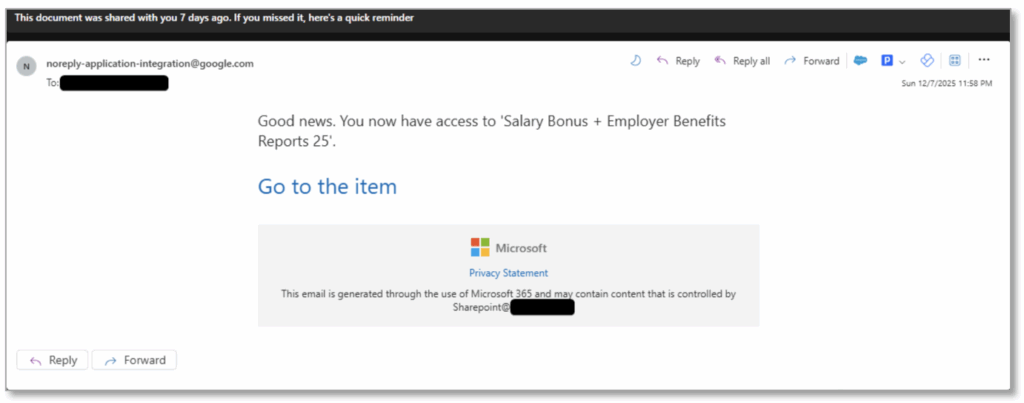
December 2025: Email security researchers detail rising use of the OAuth device code phishing lure by both nation-state and financially motivated threat actors, now that low-code / no-code versions of the attack are now for sale on the dark web. One phishing email used a fake document about fake bonuses and benefits to encourage victims to click. (Proofpoint)

A phishing email used to trick victims into triggering the OTP for an OAuth session token theft / Proofpoint)
A phishing lure landing page, redirecting victims to a legitimate Microsoft authentication page so the victim can use the real OTP to authenticate the attacker’s session / Proofpoint

How to prevent initial access via OAuth device code phishing lures

In an OAuth attack, there’s no fake login page or obvious red flags you can train your teams to watch for: just a convincingly urgent request to “re-authorize” or “secure” their account. 

That’s why awareness and timing matter! Employees should never enter a device code unless they personally tried to login moments before, and they should treat any unexpected code requests as phishing.

How Fable can help you right now

Here’s a super-short and free downloadable video showing exactly how this attack works, and how employees can watch out for it. We designed this briefing specifically to help anyone recognize this threat before it turns into a real incident. 

Download it, share it, and remind your team: Don’t approve logins you didn’t ask for!

Watch the briefing

And download for your own use below.

If you’d like risk-based briefings and nudges that are hyper-targeted and customized to your organization, try the Fable platform.